150Mbps Wireless Lite-N USB Adapter – APPUSB150 User’s Guide English
3.3 For Windows 7
APPUSB150 Wireless Lite-N Client Utility (AWCU) is not available for Windows 7. So after the
Adapter's driver has been installed, we have to use Windows WLAN Autoconfig to establish a
connection. Please follow the steps below.
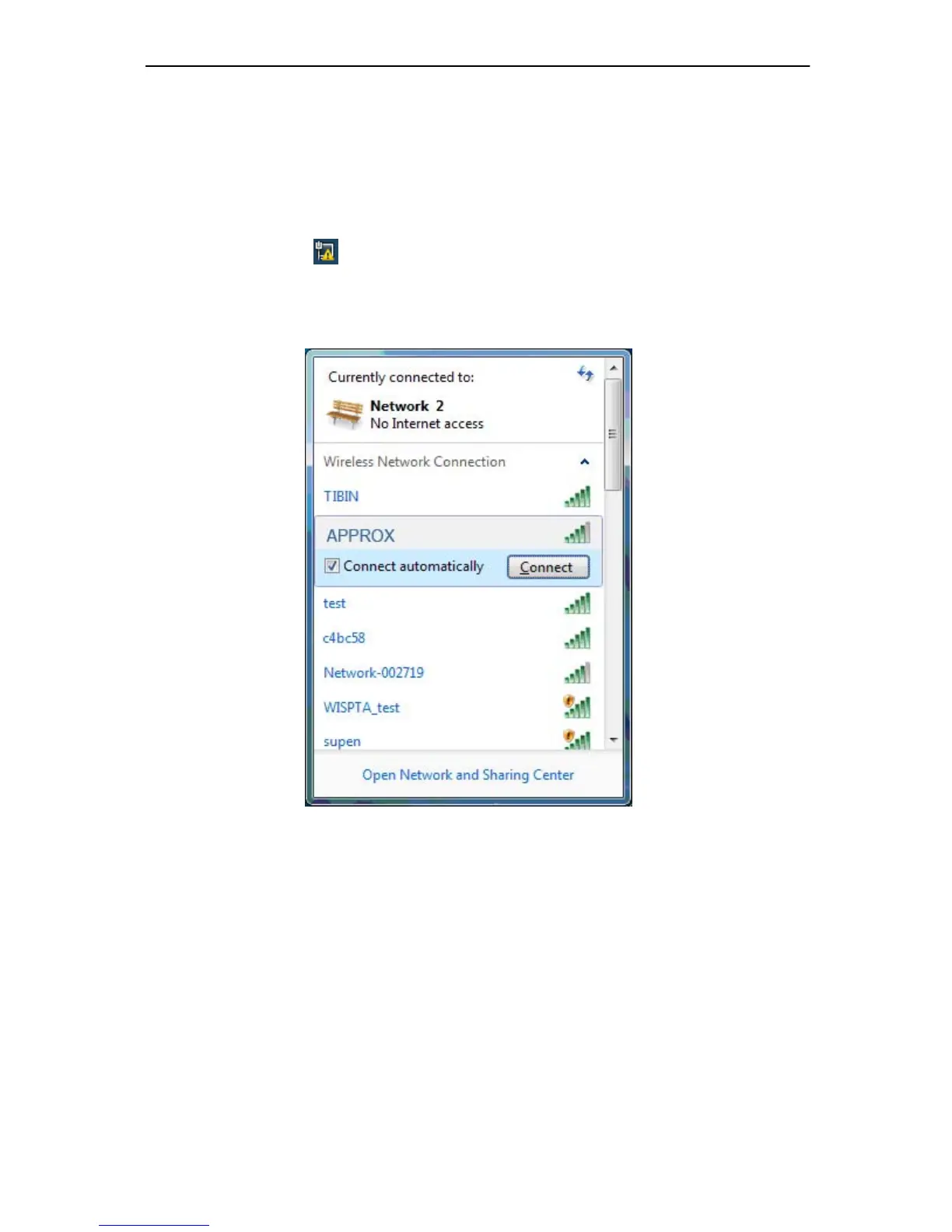
1. Right-click the icon
at the bottom of your screen in your system tray and then you will
see the ava ilable wirele ss network list. Se lect the SSID of your Access Point, take
APPROX for example. Click Connect.
Figure 3-19 Select A Network



 To Next Page