150Mbps Wireless Lite-N USB Adapter – APPUSB150 User’s Guide English
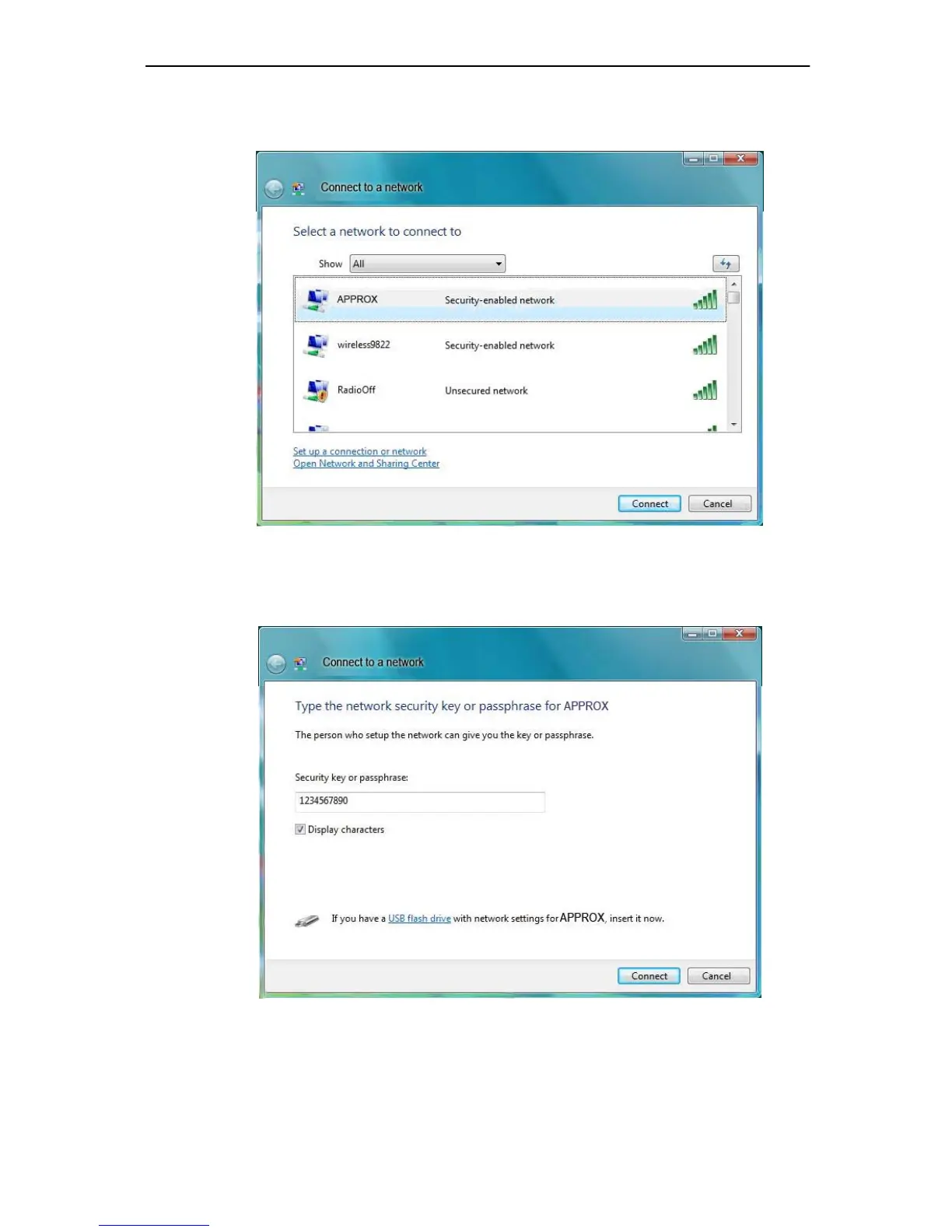
2. This page will then display and you will see the available wireless network list. Select the
SSID of your Access Point, take APPROX for example. Click Connect.
Figure 3-15 Select A Network
3. Enter the passphrase, take 1234567890 for example. And then click Connect.
Figure 3-16 Enter Passphrase



 To Next Page