150Mbps Wireless Lite-N USB Adapter – APPUSB150 User’s Guide English
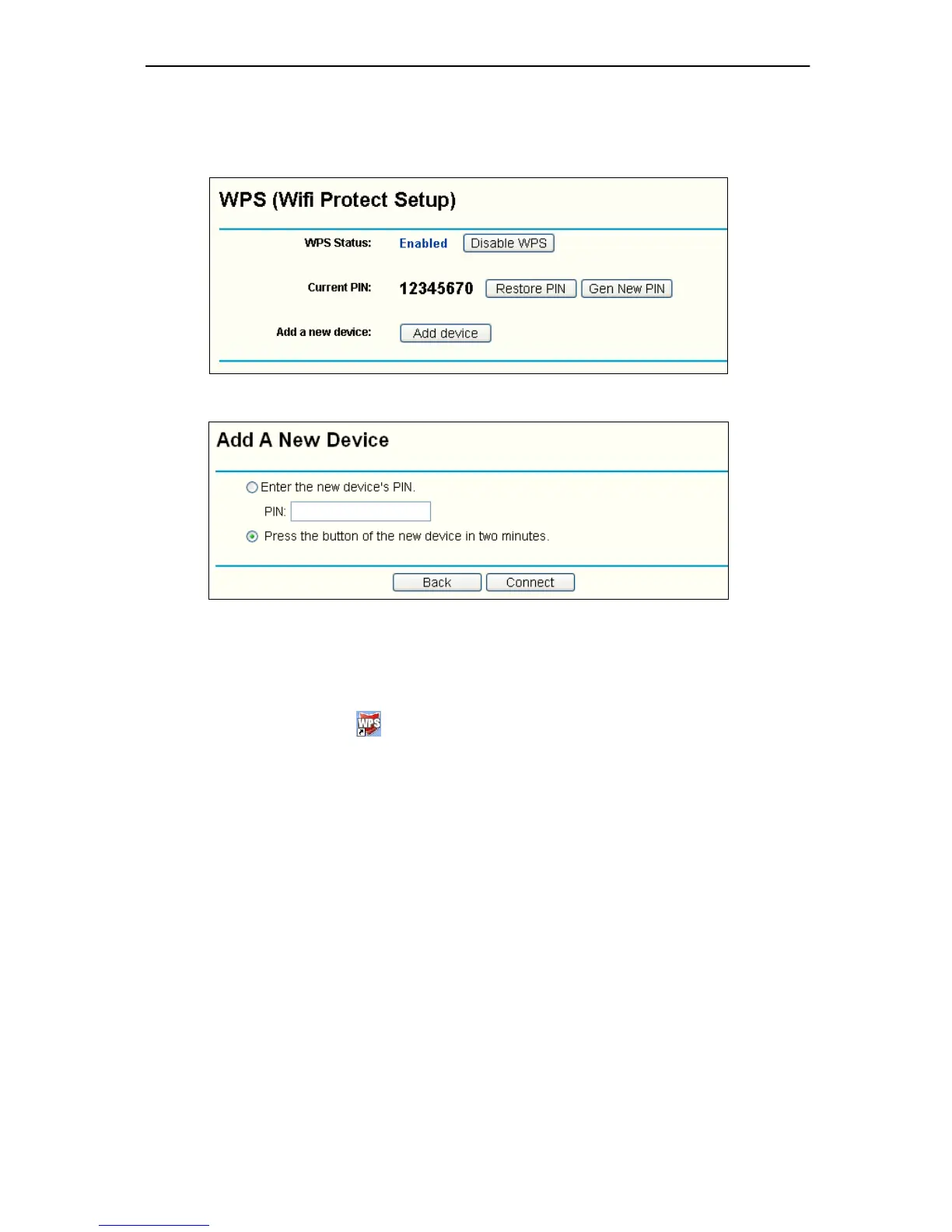
2) Open the Router’s Web-based Utility and click WPS link on the left of the main menu.
Then Figure 4-3
will appear. Click Add device, then you can see Figure 4-4. Select
Press the button of the new device in two minutes and click Connect.
Figure 4-3
Figure 4-4
2. Secondly, press the WPS button of the adapter. There are two ways:
1) Press and hold the WPS button of the adapter directly for 2 or 3 seconds.
2) Double click the icon on the deskto p to open the WPS Utility and then you can
see the welcome screen shown as Figure 4-5 . Click Next to continue. Then select
Push the button on my access point in the next screen shown in Figure 4-6 and click
Next.



 To Next Page