MANUAL BASIC
SIMPLY POWERFUL · 38·
13 | COMMUNICATION WITH WIFI
• PROCEDURE
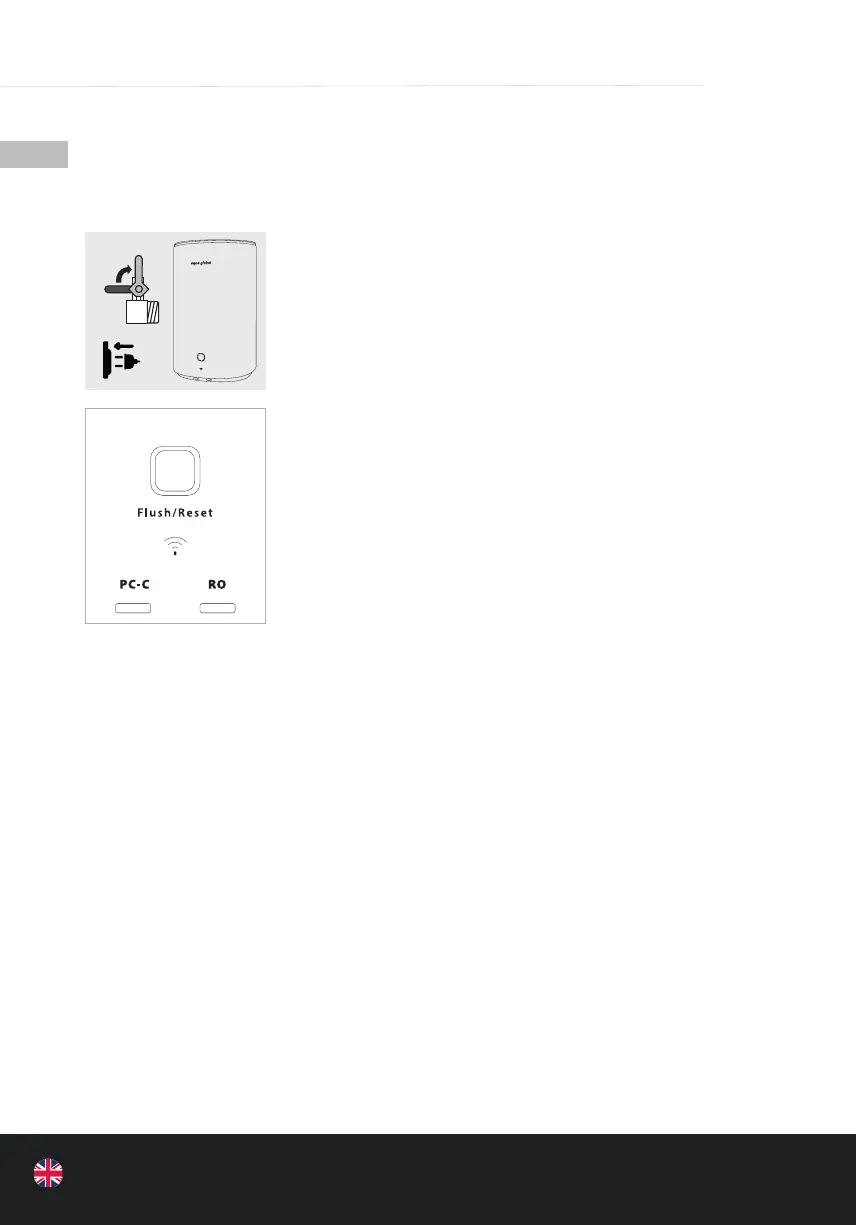
• At rst open the shut-off valve and plug in the mains plug so that
the appliance can start working
• When the appliance goes into the normal water ltration mode,
touch the WIFI button for 3 seconds to enter the fast network
distribution mode (refer to the WIFI manual for details) to check
that the APP works.
• When establishing a connection, press the WIFI symbol on the
Basic for approx. 3 seconds until the blue lights at “PC-C” and “RO”
ash purple. Then wait for approx. 30-60 seconds until the lights
stop ashing and light up continuously. The light then automati-
cally changes from purple to blue. The Wi-Fi connection has been
established.
• 1- Flush button / Reset button: Button. Indicator lights in three
colors: blue, orange, and red. In standby mode, the blue light is
on and is always on. When the appliance is working (cleaning),
the blue light continues to ash. When the appliance is ushing
automatically, the light turns orange. When you rinse manually,
the orange light ashes. If the lter‘s service life is coming to
an end or is in maintenance status, the light turns red. (Priority:
Check repair, red light on > Flush, orange light on > Work, blue
light on).
• 2- WIFI touch button; hold for 3 seconds to enter the Wi-Fi fast
network distribution mode. The two lter lights light up in pink
at a frequency of 2 Hz. Speci c reference manual for the WIFI dis-
tribution network.


 To Next Page