13
4.4 Energy saving
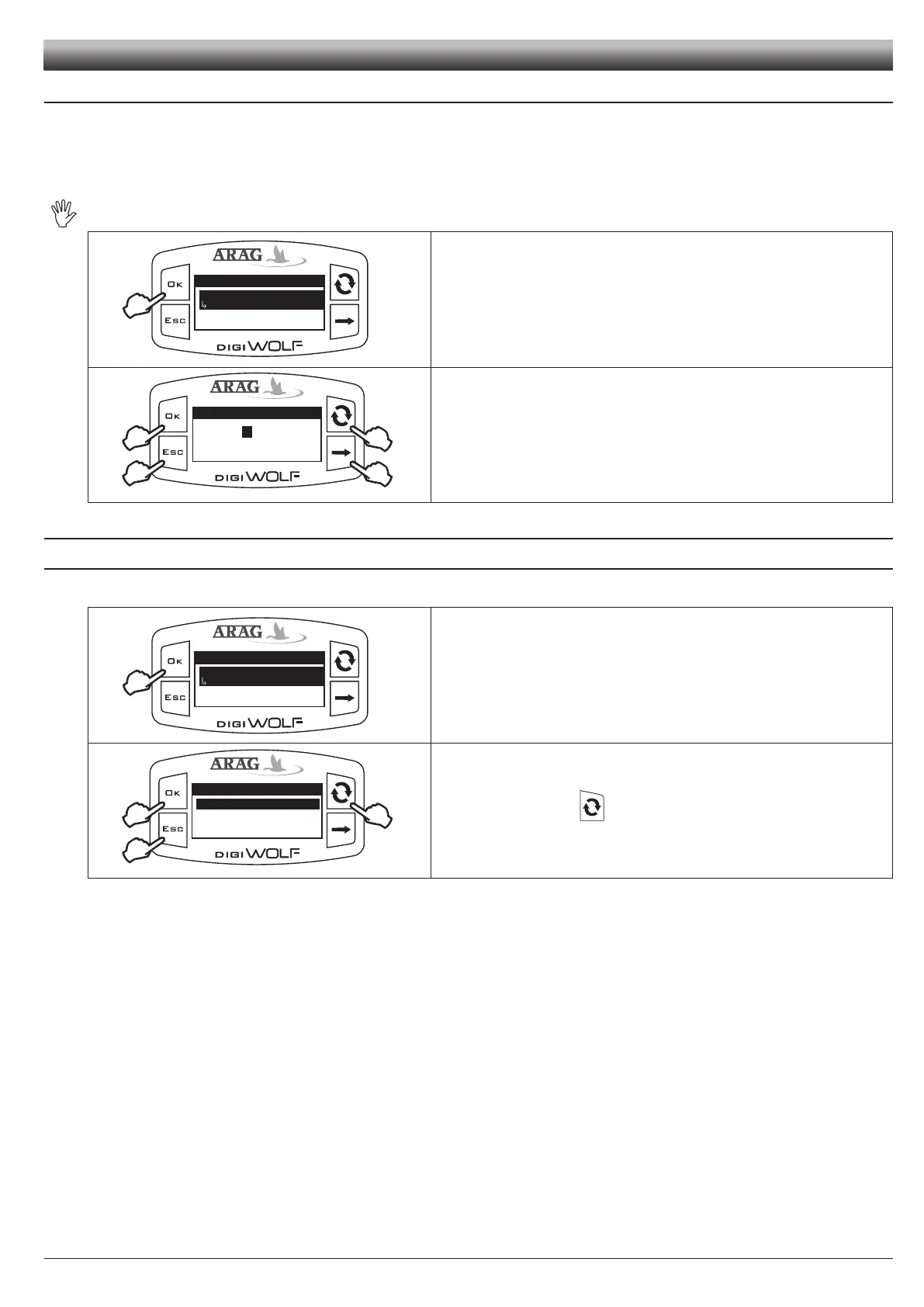
DigiWolf allows the setting of some parameters in order to prolong battery life:
- Backlight shut-off:
it is possible to set a time in seconds after which the backlight will turn off automatically if no key is pressed.
- Display shut-off:
it is possible to set a time in minutes after which the display will turn off automatically if no key is pressed and there is no liquid ow.
After switch off, the display will automatically turn on by pressing any key or when the device detects liquid ow.
Energy saving
Backlight shut-off
Display shut-off
30s
1) Access energy saving menu (Setup menu > Energy saving).
Under the selected item, the currently set value will be displayed.
Press
OK to access modication of the selected item.
Backlight shut-off
Min value
Max value
C
1
300
B
A
300
s
C
2) Set the value:
A) Press to toggle from one digit to another
B) Press in succession to modify the value of the digit highlighted by the cursor
C) Press OK to save, or ESC to exit without saving.
4.5 Options
4.5.1 Language
Set desired language and units of measurement.
Options
Language
Units of measurem.
English
Access language setup menu (Setup menu > Options > Language).
Under the selected item, the currently set value will be displayed.
Press
OK to access language selection.
2
1
2
Language
Italiano
English
Español
Português
1) Select language using .
2) Press OK to save, or ESC to exit without saving.
Fig. 27
Fig. 28
Fig. 29
Fig. 30
SETUP



 To Next Page