11 /35EN
Refrigerator / User manual
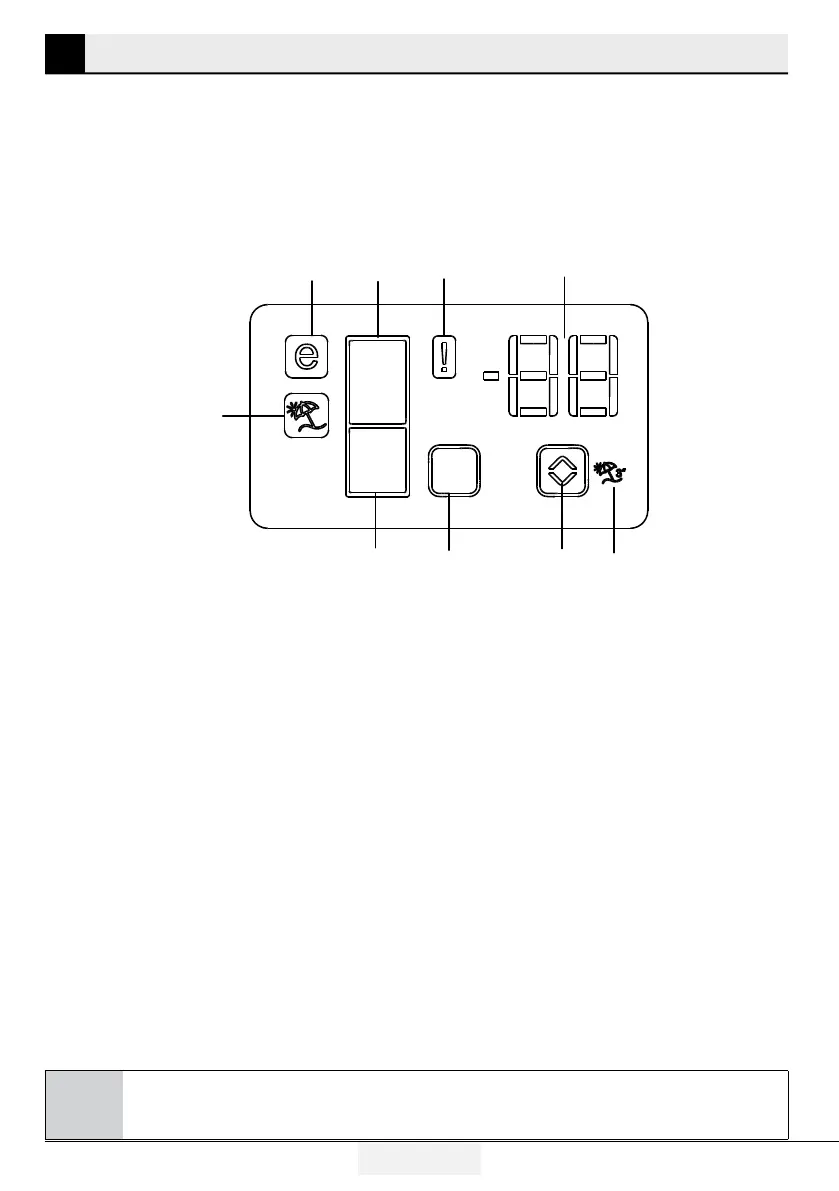
5.1. Indicator panel
Indicator panels may vary according to the product model.
Audio – visual functions on the indicator panel helps you in using your product.
45
7
6
*8
9
1
2
3
1. Fridge Compartment Indicator
2. Error status indicator
3. Temperature indicator
4. Vacation function button
5. Temperature setting button
6. Compartment selection button
7. Freezer compartment indicator
8. Economy mode indicator
9. Vacation function indicator
*optional
C
*Optional: Figures in this user manual are given as an example and may not match the product
exactly. If the relevant parts are not available in the product you purchased, the figure applies to other
models.
5 Using your appliance




 To Next Page