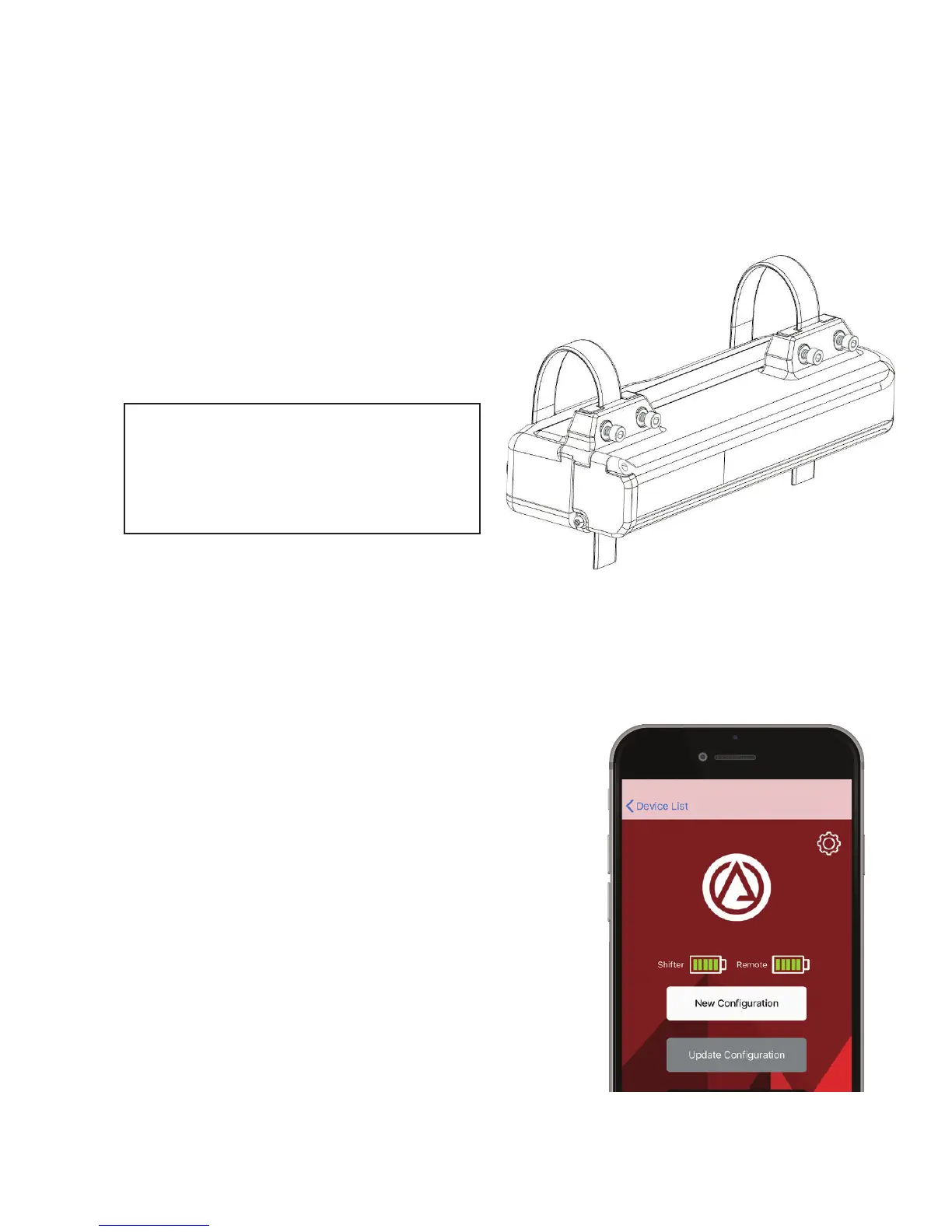
• Pull the p-straps over the chainstay and through the slot on the mounting boss.
• Push the shifter up against the
chainstay while pulling the p-straps
tight and tightening the clamp
screws from behind.
It can help to put a temporary
zip tie in place to hold the shifter
against the chainstay while you
tighten the p-straps.
3. Congure
• Turn on the shifter by pressing the power button for 1 second. You should feel
the power button click when pressed AND released. If you don’t feel the click,
give the button a little tug.
• Red light on the shifter will ash indicating
that the shifter is available to pair.
• Open the Archer app and nd the device
labeled either Archer_D1x or D1x_######.
Pair with the device if prompted.
• Press
New Conguration
and proceed
through the prompts on the app.
4:20 PM


 To Next Page