23
USER MANUAL - version 3
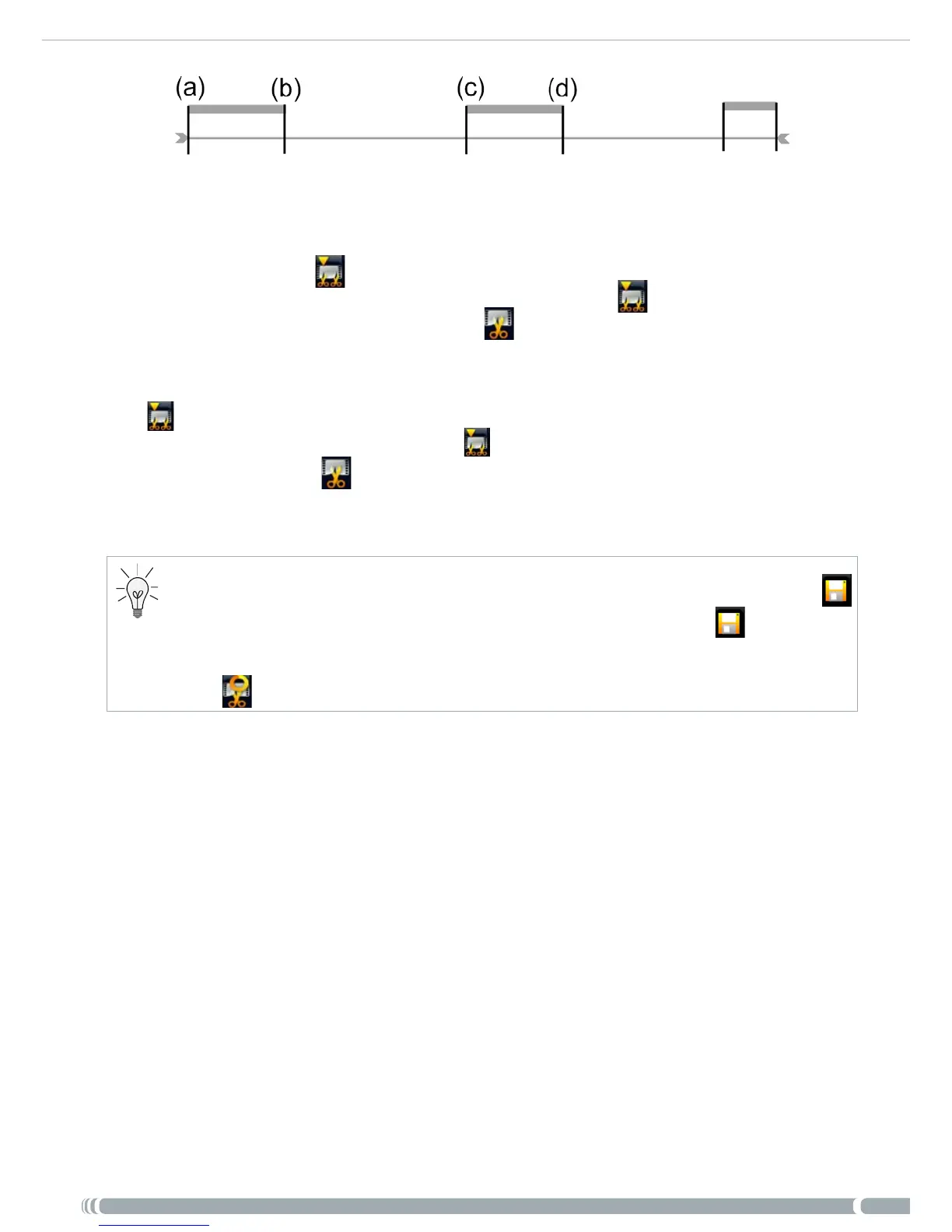
Open the video le you want to edit and pause it.
In the progression bar, go to the beginning of the rst undesired section (a), select
the “Insert a mark” menu item, and choose “Start Mark”. Forward to the end of
the rst undesired section (b), select the “Insert a mark” menu item, and choose
“End Mark”. Select the “Edit Selection” menu item and choose “Cut”, which will
cut out this part of the recording.
Go to the beginning of the second undesired section (c), select the “Insert a mark”
menu item, and choose “Start Mark”. Forward to the end of the second undesired
section (d), select the “Insert a mark” menu item, and choose “End Mark”. Select
the “Edit Selection” menu item and choose “Cut”, which will cut out this section.
Do the same for the other section(s) that you want to cut out.
If you want to keep the edit points and be able to re-edit another time, select the “
Save edit
”
menu item, and choose “
Save
”.
If you want to save the edited le as a new individual le, select the “
Save edit
”
menu item, and
choose “
Write to new File
”. A conrmation screen will pop up.
If you want to cancel the edit points and restart editing, choose the “
Cancel changes and restart
edit
” menu item.
•
•
•
1.
2.
3.
4.



 To Next Page