22
DVR Station Gen 5
5. ediTing yOur reCOrdings
Video les recorded with the ARCHOS DVR Station can be edited by deleting the sec-
tions you do not wish included. The editing you can do is either cropping or cutting of
particular segments of the video le.
You will mark a segment of your video le, and then you will tell the ARCHOS to de-
lete everything except the marked segment or to delete the marked segment from the
video le. These operations can be done multiple times on the same video le.
Once nished, you will have the option to save the edit marks with the video or to
write a new video le. If you save your le with edit marks, you can always go back
and change your edits at another time. The actual video information is not deleted. On
the other hand, you can write a new le which will only include the video parts that
you specied in the edit session. This le will be smaller but you can never un-edit it.
5.1. example 1
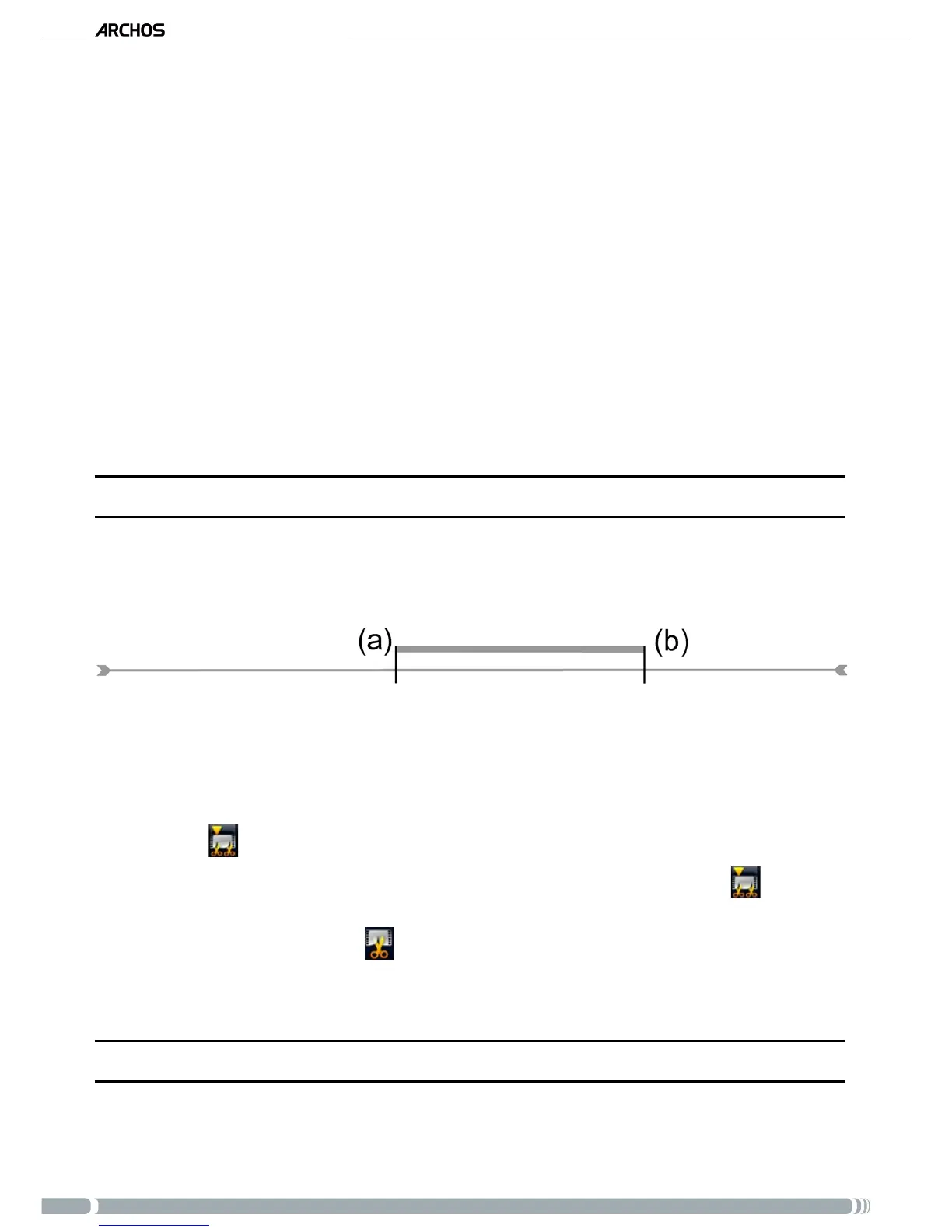
You have recorded a music video program and would like to keep one single music presenta-
tion. But you do not want to keep the rest of the television recording.
Beginning of recording Video section to keep End of recording
Open the video le you want to edit and pause it.
In the progression bar, go to the beginning of the desired section (a), select the “Insert
a mark” menu item, and choose “Start Mark”.
Forward to the end of the desired section (b), select the “Insert a mark” menu
item, and choose “End Mark”.
Select the “Edit Selection” menu item and choose “Crop”, which will delete
everything except the designated section.
5.2. example 2
You have recorded a television program but would like to remove certain sections before
the program started, parts during the program, and the program afterwards because you had
recorded a little extra.
•
•
•
1.
2.
3.
4.



 To Next Page