24
DVR Station Gen 5
6. using THe usb COnneCTiOns
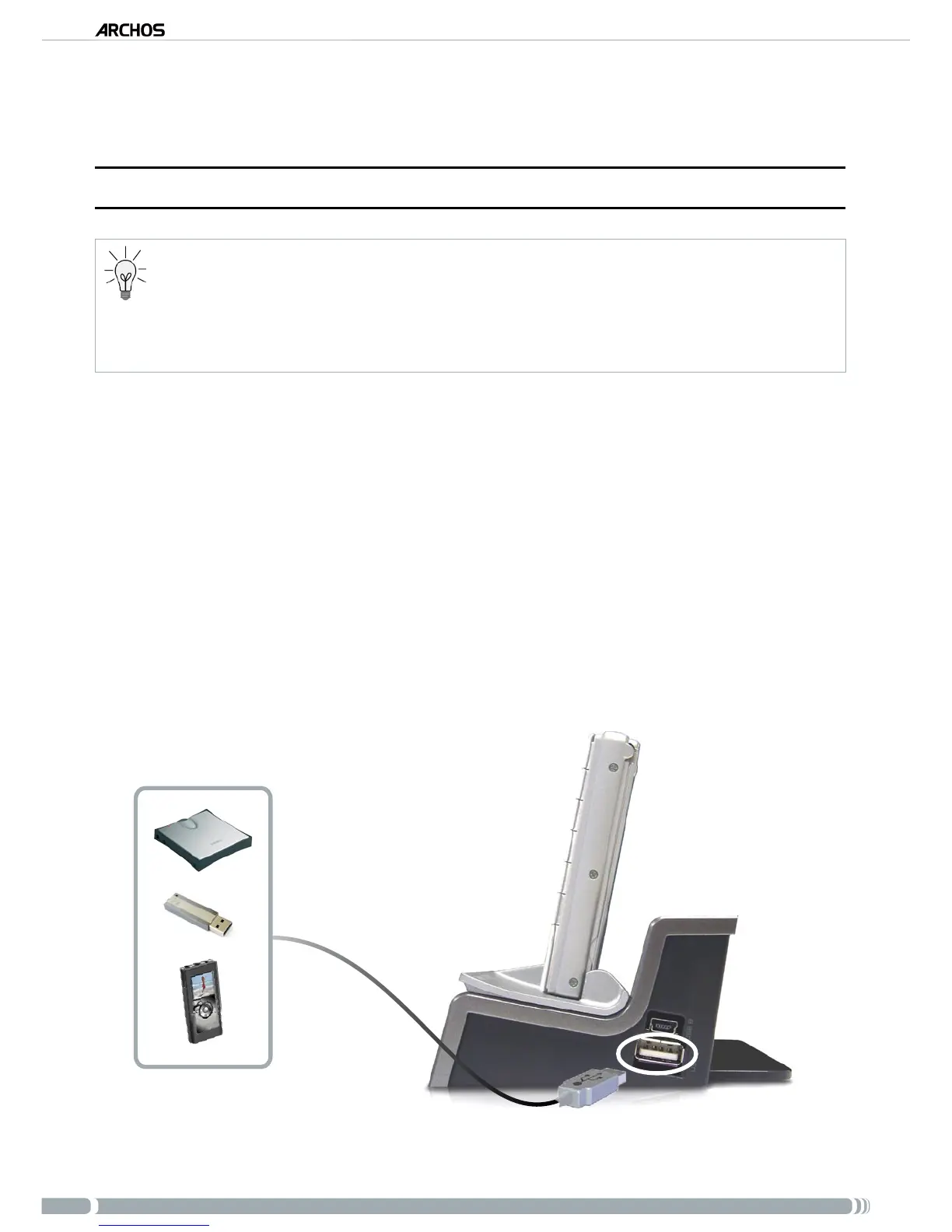
6.1. COnneCTing a usb exTernal deViCe TO THe arCHOs
The DVR Station allows you to connect a USB external device to your ARCHOS, so that you can trans-
fer les or play content directly on the ARCHOS.
These devices can be Mass Storage Class (MSC) or PTP devices.
Check your manufacturer’s information to nd out whether your device is an MSC or PTP device. Non
Mass Storage Class devices such as printers, Ethernet adapters, mice, keyboards, etc. are not supported.
•
•
•
Insert the ARCHOS Gen 5 device into the DVR Station.
Once the ARCHOS is on, connect the external USB device (with a standard USB cable
if needed) into the DVR Station (usb a port).
Turn on the external USB device if needed (check the documentation of your external
USB device).
A double browser window will appear on the ARCHOS: the external USB device will
appear in the left panel, and your ARCHOS device’s hard drive in the right panel.
You can then play les directly on the ARCHOS or transfer them onto it.
usb a
1.
2.
3.
4.
5.



 To Next Page