39
3939
39
Division II - Operation/
Maintenance
Check to make sure the emergency/park-
ing brake engages properly and that the
brake (when engaged) locks the wheels.
1. Engage the emergency/parking
brake.
2. Attempt to push the ATV.
NOTE: The emergency/parking
brake must lock the wheels. If it
doesn’t, take the ATV to an autho-
rized Arctic Cat ATV dealer for ser-
vice.
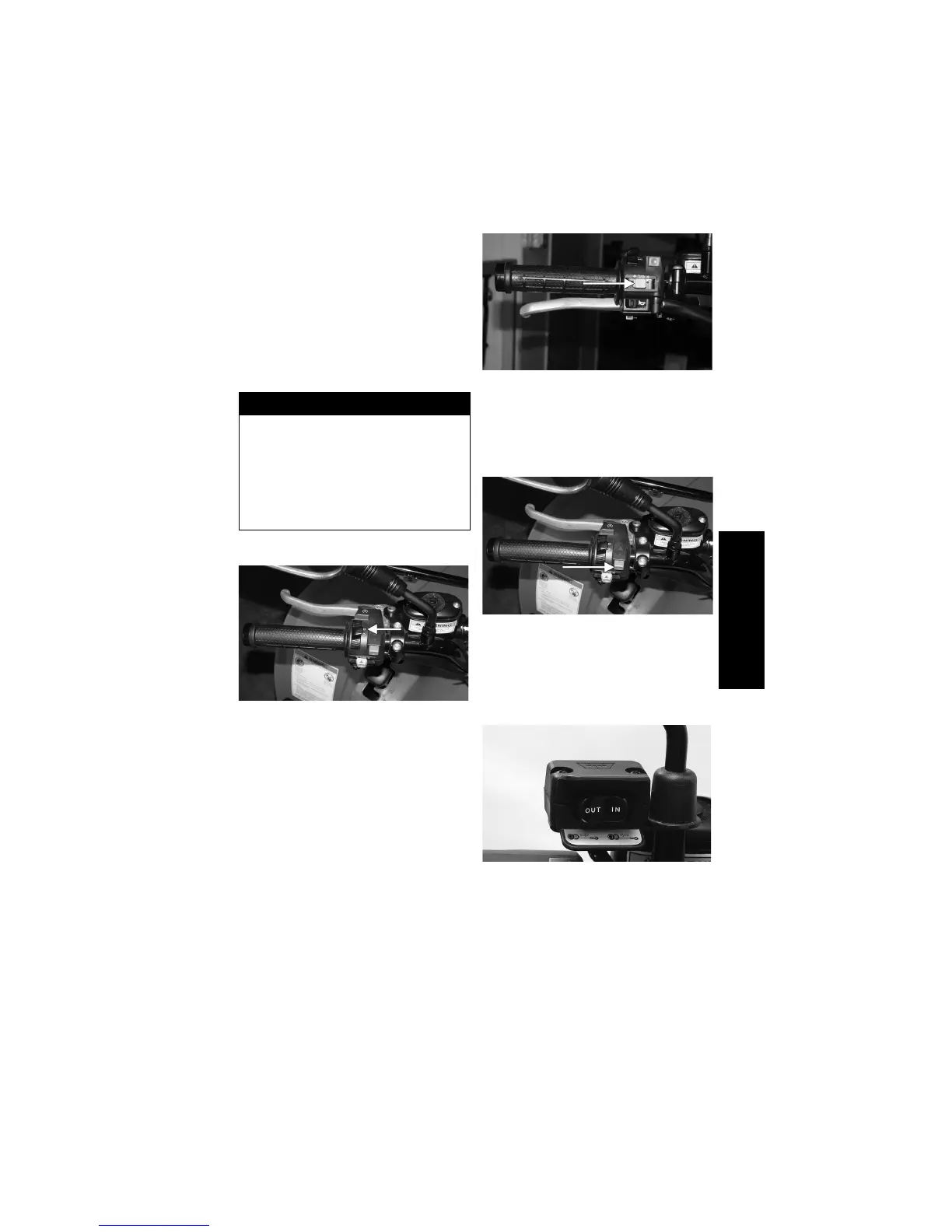
Headlight Switch
ACE-025B
Use the headlight switch to select the
high or low headlight beam or parking
lights when the ignition switch is in the
LIGHTS position. When the switch is in
the HI position, the high beam will illu-
minate. When the switch is in the LO
position, the low beam will illuminate.
When the switch is in the PARKING
position, the front and rear lights will
illuminate.
Turn Signal Switch
ACE-023B
To activate the turn signals, slide the turn
signal switch to the direction of the
desired turn. When the turn is completed,
press and release the turn signal switch.
Hazard Lights Switch
ACE-025A
To activate the hazard lights, press and
release the hazard light switch. To deacti-
vate the hazard lights, press and release
the hazard light switch again.
Winch Switch
ACE-017
To release the cable, slide the toggle
switch to the left; to spool-in the cable,
slide the switch to the right.
! WARNING
Always check to be sure that the
emergency/parking brake has been
disengaged before operating the
ATV. An accident could result if the
emergency/parking brake is left
engaged while the ATV is operated.
This could cause an accident.



 To Next Page