BXT3-V2.3
ARCURE SA – 14, rue Scandicci – 93500 Pantin – France - Tel.: +33 144 068 190
www.arcure.net
09/05/2019 14/41
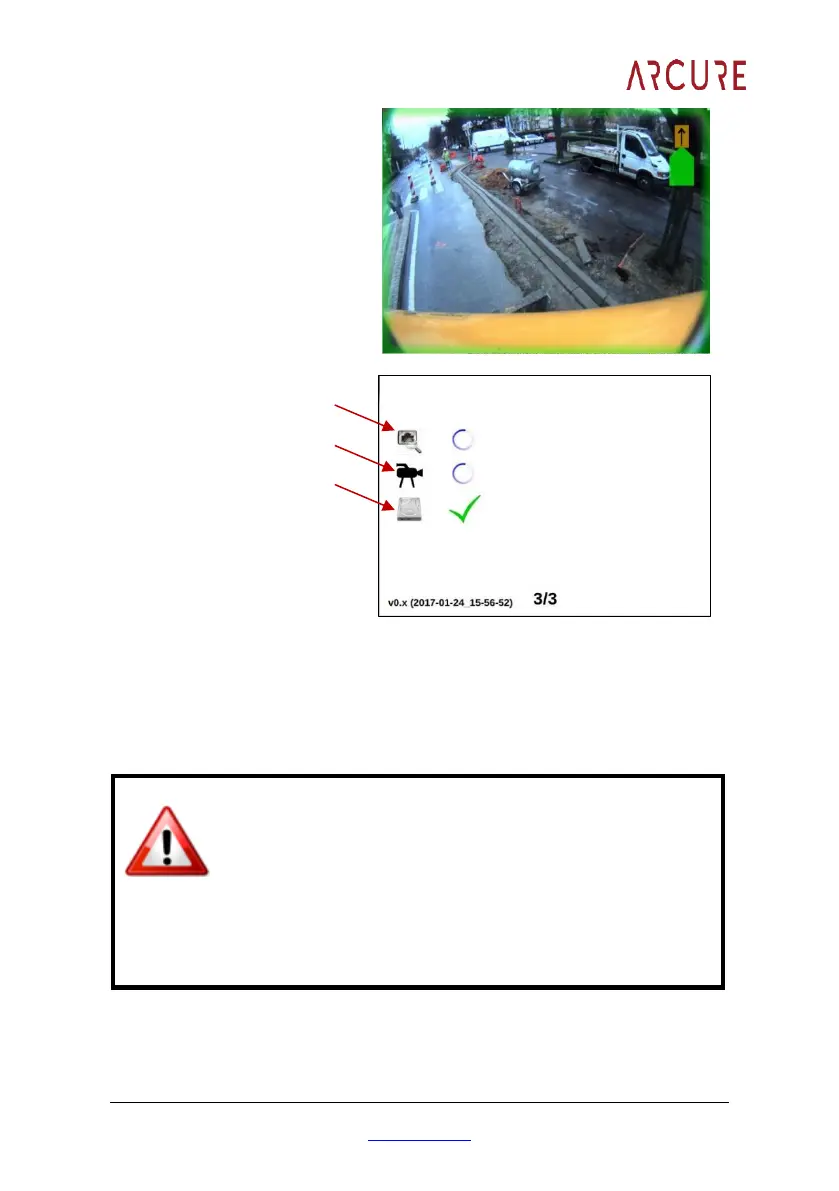
Do not shut down the processing unit during initialisation. The complete
initialisation process can last from 30 to 70 seconds.
The frame displayed on the screen is green if BLAXTAIR® is operational AND
does not detect any danger.
If the frame is red, the BLAXTAIR® is operational and
detecting obstacles or pedestrians.
If the frame is orange, the BLAXTAIR® requires
calibrating.
If there is no frame, the BLAXTAIR® is initialising.
If the frame is purple, the BLAXTAIR® has a problem. Please contact
the after sales service.


 To Next Page