BXT3-V2.3
ARCURE SA – 14, rue Scandicci – 93500 Pantin – France - Tel.: +33 144 068 190
www.arcure.net
09/05/2019 13/41
4.2 Installation and start
Your BLAXTAIR® system has been installed by an authorised engineer.
To remain operational with optimal performance, the equipment should not be
disconnected or moved. The positioning of the sensor head(s) and processing
unit(s) have been set to achieve the best possible performance and the
system has been calibrated accordingly.
As soon as the driver switches on the vehicle, the BLAXTAIR® system starts
automatically.
The processing unit emits a ‘beep’ after 5 seconds (+/- 1 second) to confirm
power up.
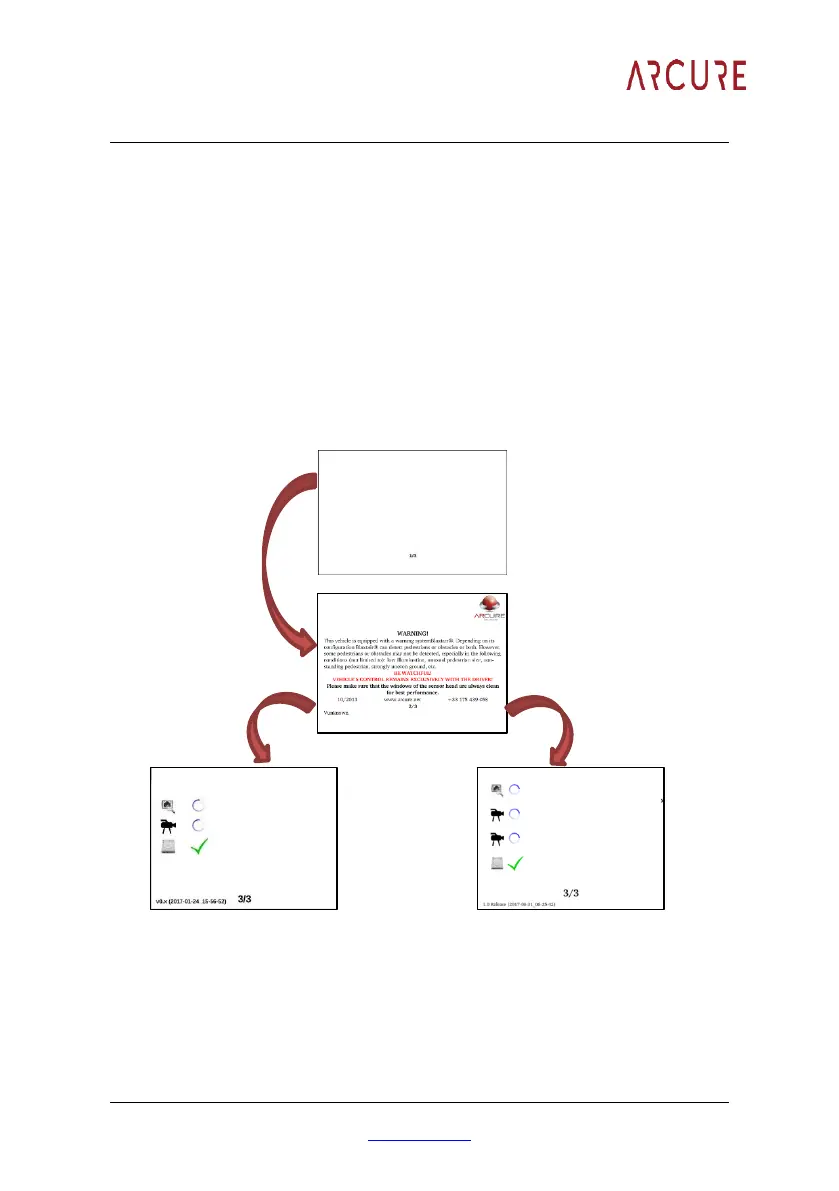
The picture below shows the different screens that are successively displayed
by the monitor during the initialization process.
The system performs a ‘self-test’ sequence. Once all the ticks of this page turn
green, the video is displayed on the monitor, with a green boarder, and the
LED (if installed) will turn green indicating that Blaxtair system is now fully
operational.


 To Next Page