BXT3 – V2.3
ARCURE SA – 14, rue Scandicci – 93500 Pantin – France - Tel.: +33 144 068 190
www.arcure.net
09/05/2019 33/41
8 Troubleshooting
8.1 BLAXTAIR® does not start
• Turn on the ignition and wait a few seconds;
• Check that the vehicle powers the radio, the lights, night lights
and/or any other electronic equipment on board;
• Turn off the ignition;
• Turn off the general power of the vehicle;
• Check BLAXTAIR®’s supply fuse and replace it if necessary;
• Turn on the general power of the vehicle;
• Turn on the ignition.
If the problem persists, contact your installer or Arcure’s customer support.
8.2 The alarm flashes purple
Switch off BLAXTAIR® and restart it.
If the problem persists, contact your installer or Arcure’s customer support.
Note the messages and/or icons displayed on the screen.
8.3 The detection performance is degraded
1. Check if an icon is displayed on the screen. An icon on the screen
may reveal a technical problem impacting detection performance.
Refer to section 8.4 to identify the meaning of the icons;
2. Check that the view of the detection zone captured by the sensor
head is properly displayed on the screen;
3. Check that the installed equipment (processing unit, sensor head)
has not been moved from their initial position (intentionally or
following a shock);
4. Check that the detection conditions described in section 6 are met :
There is no partial or complete obstruction of one or both windows of

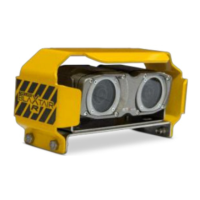

 To Next Page