11
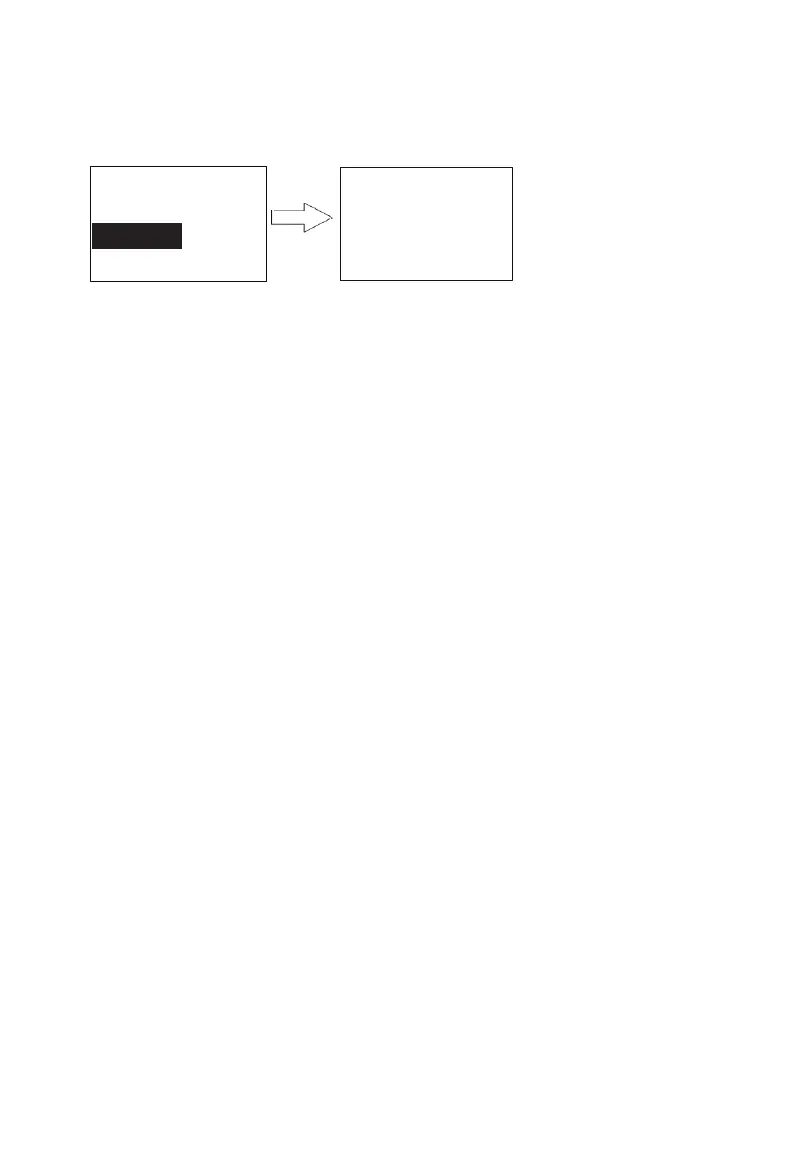
Menu
System
Audit Logs
2↑,8↓, # Enter
FP ID:001
Date: 06/20/2016
Time: 21:23:16
↑(2) 00012 (8)↓
18. Audit Trail log
Login system, enter menu page (refer page 5 “5. Rule of operation”).
You may check audit trail logs on lock directly. Touch “2” or “8” to page up or down
19. Passage mode enabling/disabling
20. Key unlock
21. Low battery alert
Icon show battery level. Remind user to change battery when low battery.
When power runs out, attach 9V battery to the ports that are located at the bottom of the
lock to power up the system.
If you can’t login the system, the system can be reset to the factory-set default mode by
pressing the reset button. To reset the system, press the reset button and hold until you hear
a long beep. The reset button is located on the PCB board. If you’ve already installed the
lock onto a door, you will need to take the lock off the door in order to locate the reset
button. After resetting the system, Programming Code will revert back to the default
programming code (1234). All user fingerprints and user codes will remain in the system.
You may login system to use command to delete all fingerprint or user code when you need
it.
The lock can be set at a passage mode. When the lock is in a passage mode, anybody could
open the door by pushing down the lever.
To enable a passage mode, press * within 5 second after any user unlocks the lock by using
either a fingerprint or a user code. Any user unlocks the lock by using a fingerprint or a user
code will disable a passage mode,
Insert a key in the cylinder to rotate 180° CLOCKWISE, then rotate lever to unlock. Rotate a
key 180° COUNTER CLOCKWISE then take out the key to lock.
22. Additional power
23. System reset


 To Next Page