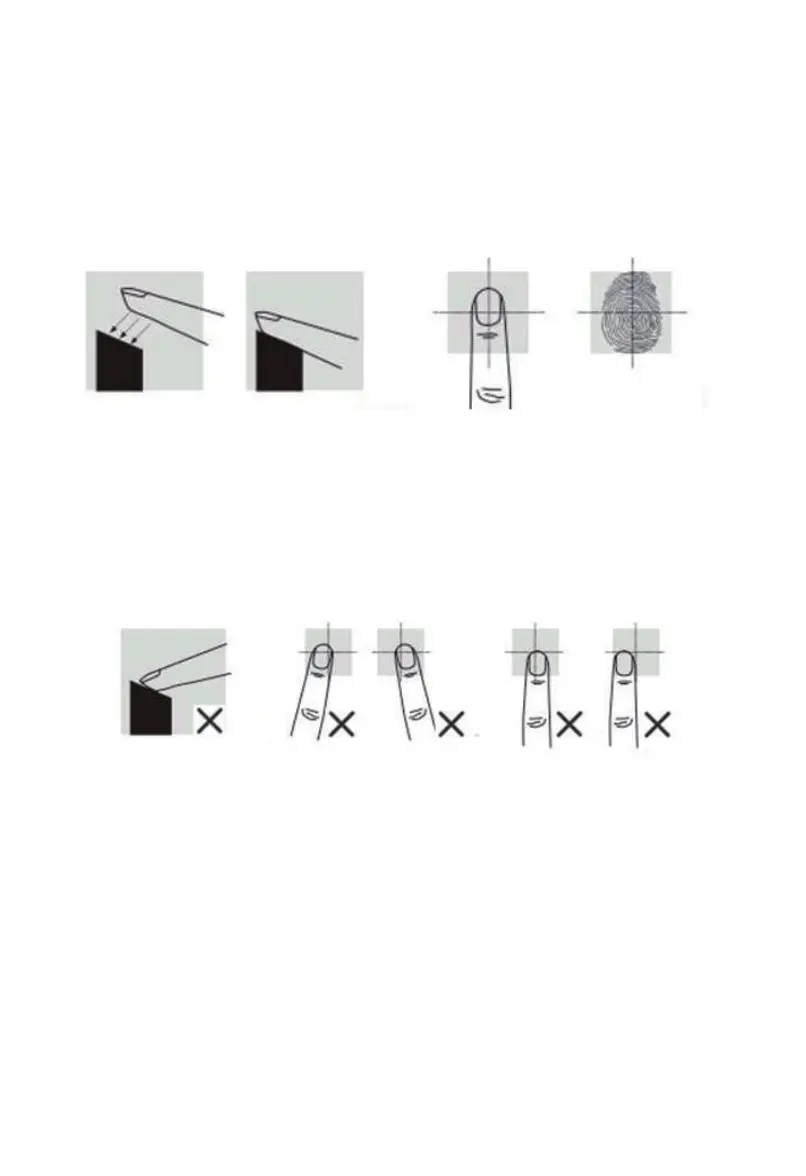
3. How to scan your fingerprint
04
When placing your finger on the fingerprint sensor to scan, make sure that the location of the
fingerprint “core” is making direct contact with fingerprint sensor. Apply medium pressure,
or just enough to flatten the skin on your finger.
The fingerprint sensor won’t get your fingerprint image if you take the following way.
We recommend that you register index finger, thumb or finger with visible fingerprint image.
It is important that your finger be clean when registering or verifying with your fingerprint.
Washing your hands with moisturizing soap and using hand lotion will also improve accuracy.
The fingerprint scanner scan fingerprint 2 to 3 times, user must lift finger and place back
between scanning.


 To Next Page