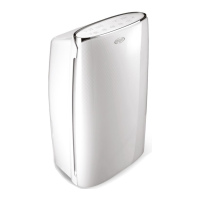
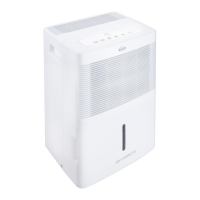
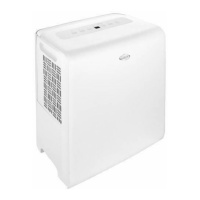
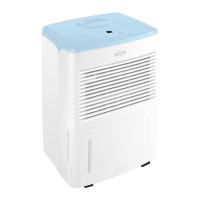
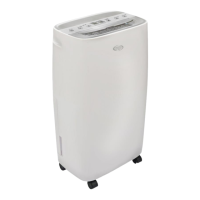
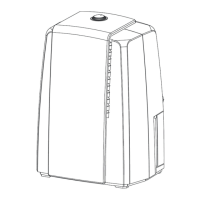
This document outlines the operation and maintenance of the Argo Platinum 21 and Platinum 41 dehumidifiers, designed for domestic use.
Function Description:
The Argo Platinum dehumidifiers are highly efficient appliances designed to remove excess moisture from the air, creating a more comfortable and healthier indoor environment. They operate by drawing in humid air, passing it over a cooling element to condense the moisture, and then releasing drier air back into the room. The collected water is stored in a condensation collection tank, which needs to be emptied periodically. The units are designed to operate within a room temperature range of +5°C to +35°C. When operating at lower temperatures, the dehumidifier may enter a defrost mode to prevent ice formation on the evaporator, during which the compressor stops but the fan continues to run. The dehumidifier will only activate if the room's humidity level exceeds the user-defined set value.
Usage Features:
The dehumidifiers offer a range of features to enhance usability and performance:
- Control Panel: The front view of the unit features a control panel with various buttons and LED indicators.
- ON/OFF Button: Used to power the dehumidifier on or off.
- Fan Button: Allows adjustment of the fan speed to High, Medium, or Low settings.
- ON/OFF Timer Button: Enables programming the unit to switch on or off at specific times, with increments of 1 hour, up to 24 hours. The display shows the set time.
- Humidity Button: In SMART and QUIET modes, the desired humidity level can be adjusted from 30% to 80% in 10% increments. The appliance will only begin operation if the room's humidity is above the set level.
- Mode Button: Provides selection of different dehumidification modes:
- Smart: The unit intelligently selects the optimal humidity level based on the current temperature.
- Cont (Continuous): The unit runs continuously until the room humidity reaches 50%.
- Quiet: The unit intelligently selects the optimal humidity level based on temperature, keeping the fan at a minimum for quiet operation. In this mode, the fan speed cannot be adjusted.
- Dry: A special laundry drying feature that directs airflow straight up to assist in drying clothes.
- Wind Direct Button: Allows the user to choose between continuous deflector swing for optimized airflow or a fixed angle for the flap.
- LED Indicators:
- FILTER CLEAN LED: Illuminates to indicate that the air filter requires cleaning.
- WATER FULL LED: Lights up when the condensation tank is full, and the appliance stops running, accompanied by a 10-second beep. The unit will resume operation once the tank is emptied and correctly reinstalled.
- TANK FULL ALARM: Sounds a beep for approximately 10 seconds and illuminates an LED if the internal tank is full or incorrectly positioned.
- DEFLECTOR POSITION LED: Indicates whether continuous swing or a fixed flap position is selected.
- DEHUMIDIFICATION MODE LED: Shows the currently selected operating mode.
- DISPLAY: Shows the set humidity level.
- TIMER LED: Indicates the set time for the timer function.
- FAN SPEED LED: Shows the current fan speed (High, Mid, or Low).
- Auto-Stop: The unit automatically shuts down if the tank is full, incorrectly positioned, or if the room humidity is 5% below the set humidity.
- Auto Restart: The dehumidifier restarts automatically after a power failure.
- Memory Function: The unit retains its settings after a power failure.
- Child Lock: A safety feature that disables the control panel buttons. It can be activated or deactivated by pressing the Mode and Timer buttons simultaneously for 1 second.
- Defrost Function: When operating at low room temperatures (between +5°C and +15°C), the unit may accumulate ice on the evaporator. In such cases, the dehumidifier enters defrost mode, where the compressor pauses, but the fan continues to run, to ensure efficient operation.
Maintenance Features:
Regular maintenance is crucial for the dehumidifier's longevity and efficient operation:
- Condensation Collection Tank: The water extracted from the air is collected in a removable tank located at the rear of the unit. When the tank is full, the unit will stop operating, and the "FULL TANK" LED will illuminate. To empty, carefully remove the tank using both hands, empty the water, and then reposition it correctly.
- Continuous Condensation Drainage: For continuous operation without needing to empty the tank, a PVC hose (14 mm internal diameter, 1.3-1.5m length, not included) can be connected to the drainage hole. Ensure the hose is connected to a continuous drainage channel and its height does not exceed that of the drainage hole.
- Exterior Surface Cleaning: Always unplug the dehumidifier before cleaning. Use a damp, soft cloth to clean the exterior. Avoid using solvents, petrol, xylene, talcum powder, or brushes, as these can damage the surface or color of the casing. Do not immerse the appliance in water.
- Water Tank Cleaning: It is recommended to clean the water tank every few weeks to prevent mold and bacteria growth. Fill the tank with clean water and a small amount of detergent, swill it around, then empty and rinse thoroughly. Specific instructions are provided for Platinum 21 and Platinum 41 models regarding the removal and reinstallation of the tank cover and float.
- Air Filter Cleaning: The air filter removes dust and dirt from the air. A clogged filter can increase electricity consumption and reduce humidity removal efficiency. The "FILTER CLEAN" LED will illuminate when cleaning is required. To clean, press the side levers to separate the front panel, remove the filter by pulling the top, and clean it with a vacuum cleaner or clean water (not exceeding 40°C). Do not use alcohol, benzene, or other aggressive products. Allow the filter to dry naturally before reinserting it. The dehumidifier should not be operated without the filter.

 Need help?
 General
 Weight and Dimensions

 To Next Page