V 10/19
52
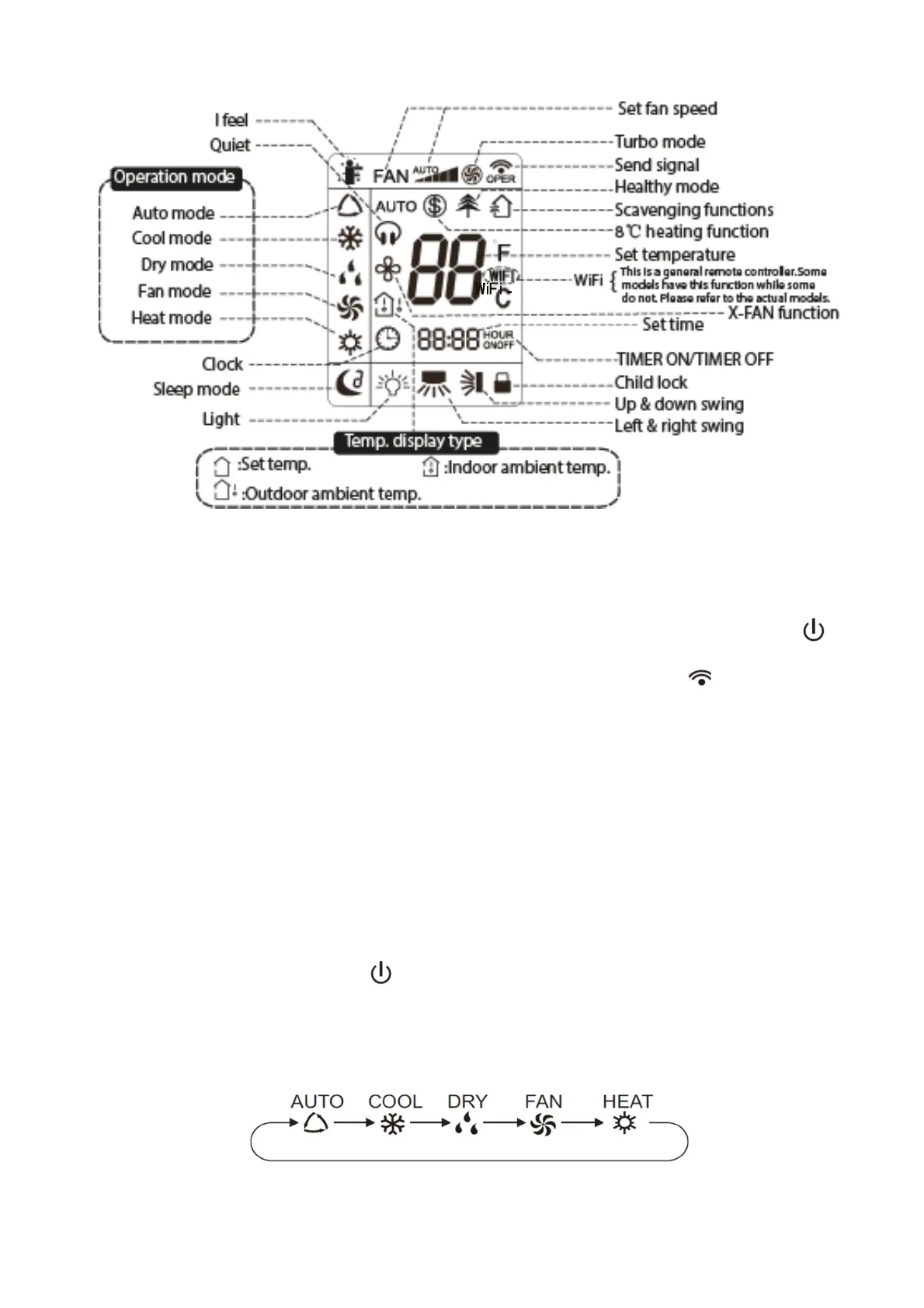
Getting to know the display icons
Getting to know the remote control buttons
N.B.:
When you connect the power, the air conditioner will emit a beep. The power indicator will
illuminate (red). You will now be able to control the air conditioner with the remote control.
With unit on, when you press the ON/OFF button on the remote control, the icon on the remote
control display will flash once and the air conditioner will emit a beep. This means that the signal
has been sent to the unit. When the unit is on, the icons for the set functions will appear on the
display.
This remote control can control the temperature in Auto mode.
If the air conditioner is equipped with WIFI or wired control, you must first control the unit in Auto
mode with the standard remote control and then you can connect it to the app and set the
temperature in Auto mode via smart-phone or wired control.
If the remote control is combined with a unit that can’t control the temperature in Auto mode, the
temperature set in this mode may not be valid or the temperature shown on the unit display may
not match that shown on the remote control's display in Auto mode.
1. ON/OFF button
Press the ON/OFF button to turn the air conditioner on or off. When you turn on the air
conditioner, the power indicator on the indoor unit's display will illuminate (green). The
colour varies for different models. The indoor unit will emit a beep.
2. MODE button
Press this button to select the desired operating mode.
When you select automatic mode, the air conditioner will operate automatically according to the
factory settings. The set temperature cannot be adjusted and will not be displayed. Pressing the




 To Next Page