www.argonaudio.com
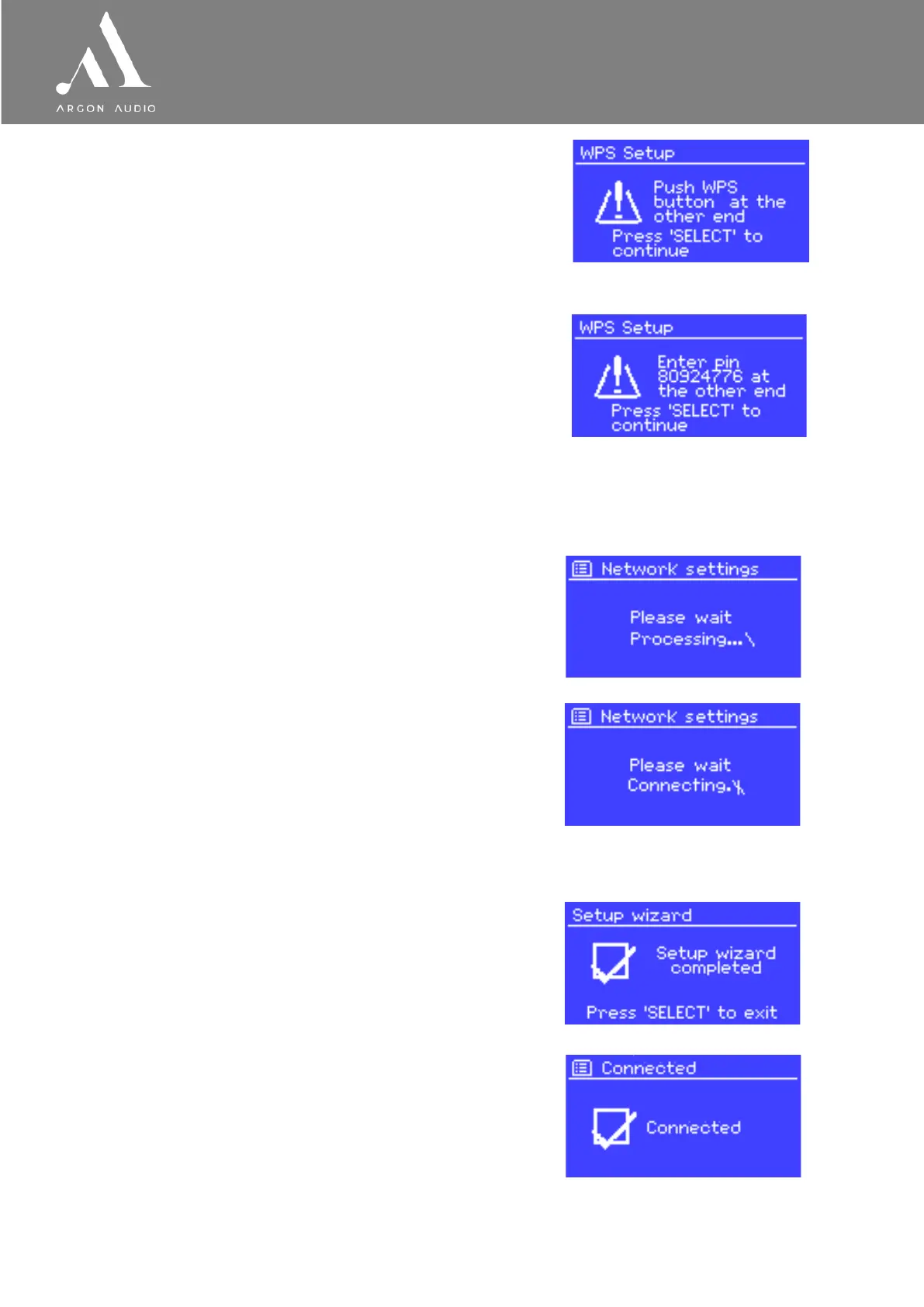
• Push Button >
Stream3M prompts you to press the connect button on the router.
It then scans for a ready Push Button Connect network and connects.
• Pin > (code number)
Stream3M generates an 8-digit code number which you enter into the
wireless router, access point, or an external registrar
(e.g. advanced versions of Windows Vista).
• Skip WPS >
Enter key as for a standard encrypted network, above.
For more information on setting up a WPS encrypted network, see your WPS router’s instructions.
Completion
Stream3M tries to connect to the selected network.
If connecting fails, Stream3M returns to a previous screen to try
If the network connection is lost, Stream3M automatically tries to reconnect.


 To Next Page