www.argonaudio.com
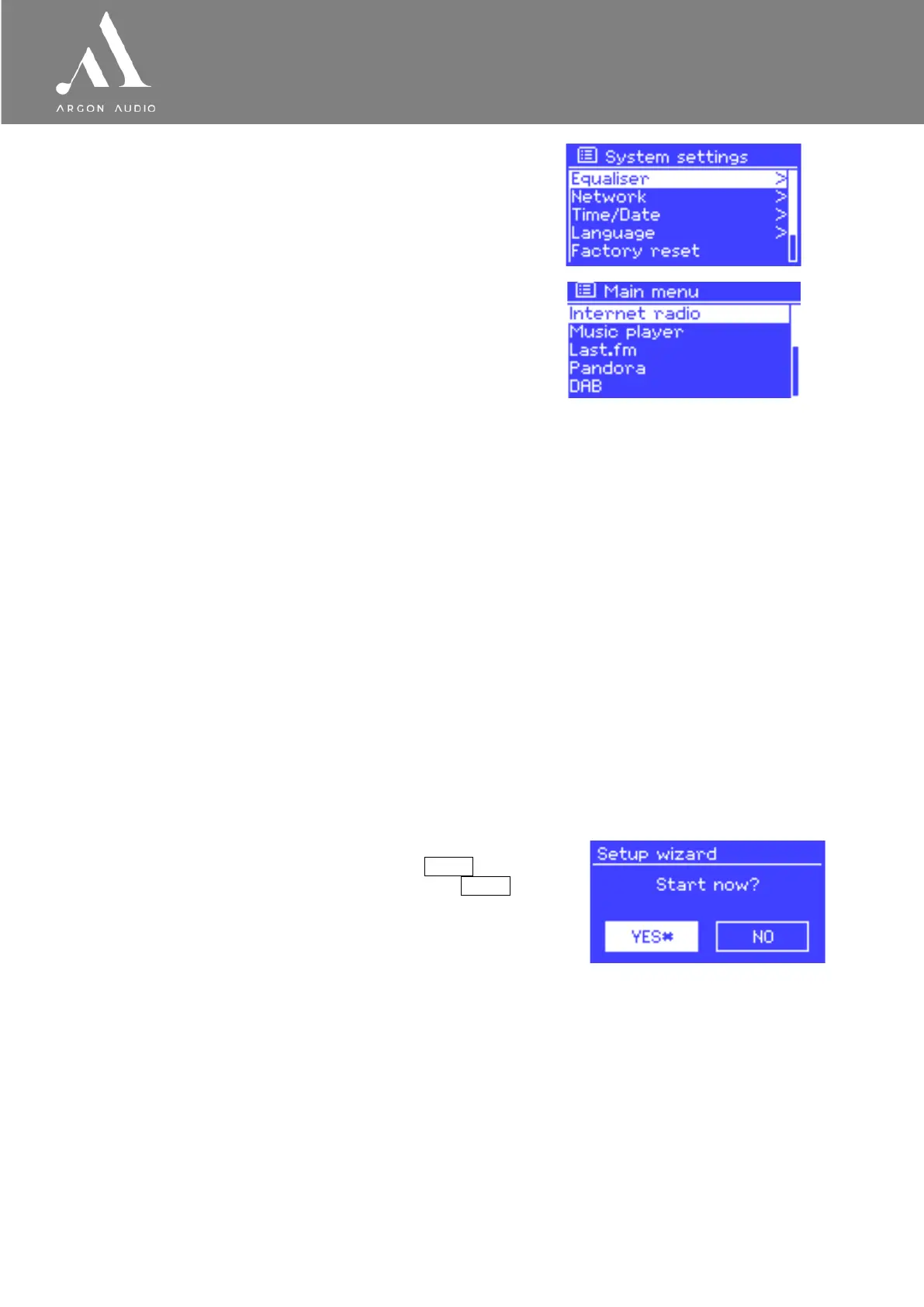
The System settings menu allows access to system
settings and information such as network, time, language
and software update.
Menus with more options than will fit on one screen have a
scroll bar to the right.
The Main menu allows access to all modes
plus sleep and timer functions.
(note; Last FM and Pandora only available in the US)
Some menus, for example the System settings menu, have several submenus.
3. Getting started/setup
Although the Argon Stream3M is sophisticated, getting started is simple. To play DAB or FM radio, all you
need is a power source (a 100-240 V mains supply).
For Music Player mode, you need a wireless network and a UPnP music server (e.g. a PC).
For Internet-connected modes such as Internet radio, you also need a broadband Internet connection.
To set up the Stream3M:
1. Place Stream3M on a suitable shelf or table
2. Connect the power adaptor between Stream3M and the mains supply.
3. To receive broadcast radio (DAB and FM), extend the telescopic antenna.
The setup wizard starts.
3.1 Setup wizard
When Stream3M is started for the first time, it runs through a
setup wizard to configure settings for date/time and network.
Once this has finished, the system is ready to use in most
modes.
Note: To change these settings later, select Menu > System
settings >. To run the setup wizard again, select Menu >
System settings > Setup wizard.
Select Yes to start the setup wizard.
If you choose No, the next screen asks if you would like to run
the wizard next time Stream3M is started. The system then
starts without configuring time/date and network settings and
enters the Main Menu.
Note: If power is removed while the wizard is in progress, the
wizard will run again next time Stream3M is started.
3.1.1 12/24 hour display
To change between 12 and 24 hour display, select Set 12/24 hour and then select your preference.
3.1.2 Time/date
The time and date can be updated manually or automatically. With auto-update, the time and date are
automatically synchronised with external clocks. Auto-update is generally more accurate.


 To Next Page