www.argonaudio.com
11. UNDOK Wireless Device Remote Control
The UNDOK Argon Audio Wireless Device Remote Control is an application for IOS and Android devices
that allows users to control Argon radios from these devices. Using the Wireless Device Remote Control
application, you can navigate between the radio’s music modes and browse and play content remotely.
The UNDOK Wireless Device Remote Control works on all iPhones, iPod touch and iPad devices running
iOS 3.1.3 or later as well as Android devices running 2.2 or later. It is compatible with the IR2.2 software
running on the Argons’s Venice 6.2 module and all Venice 6.5 modules Wireless Device Remote Control
is not compatible with iNet1.
Note: For brevity, “Phone” is used to mean iPhone, iPod touch, iPad and Android” in this chapter.
11.1 Obtaining and installing the UNDOK Wireless Device Remote Control application
To install the UNDOK Wireless Device Remote Control application on the Phone:
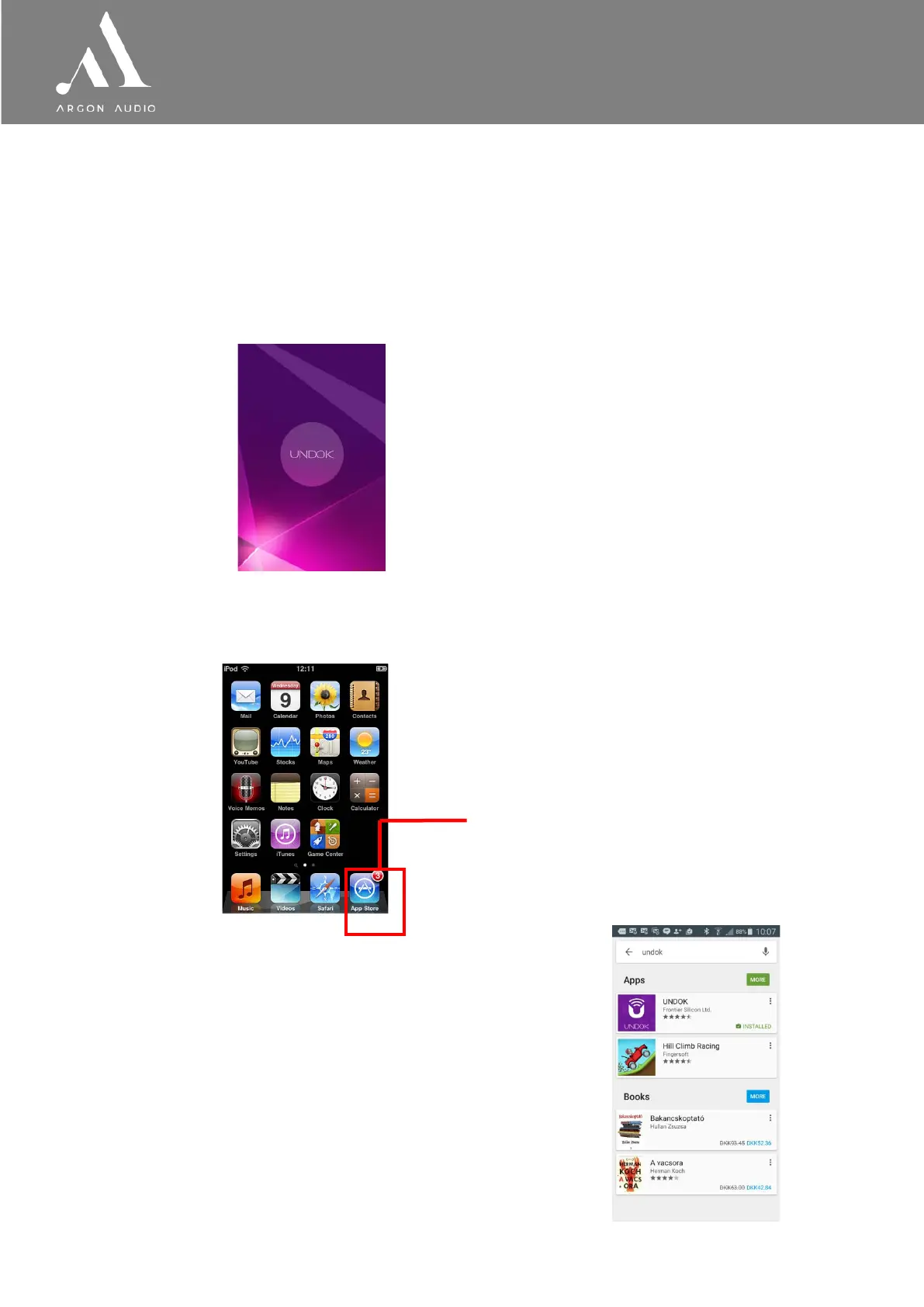
1. In the Phone’s main menu, open the App Store/Play store by clicking the App Store icon:
2. In the App/Play Store, search for UNDOK
3. Select UNDOK – wireless device remote control.
:
App Store icon


 To Next Page