Page 12/17
FreewayCAM Install Guide
6. Recommended Camera Position
A good ANPR engine can read the plates from images taken in various conditions. However, if you
want to achieve over 95% recognition rate with short recognition times, you have to calculate the
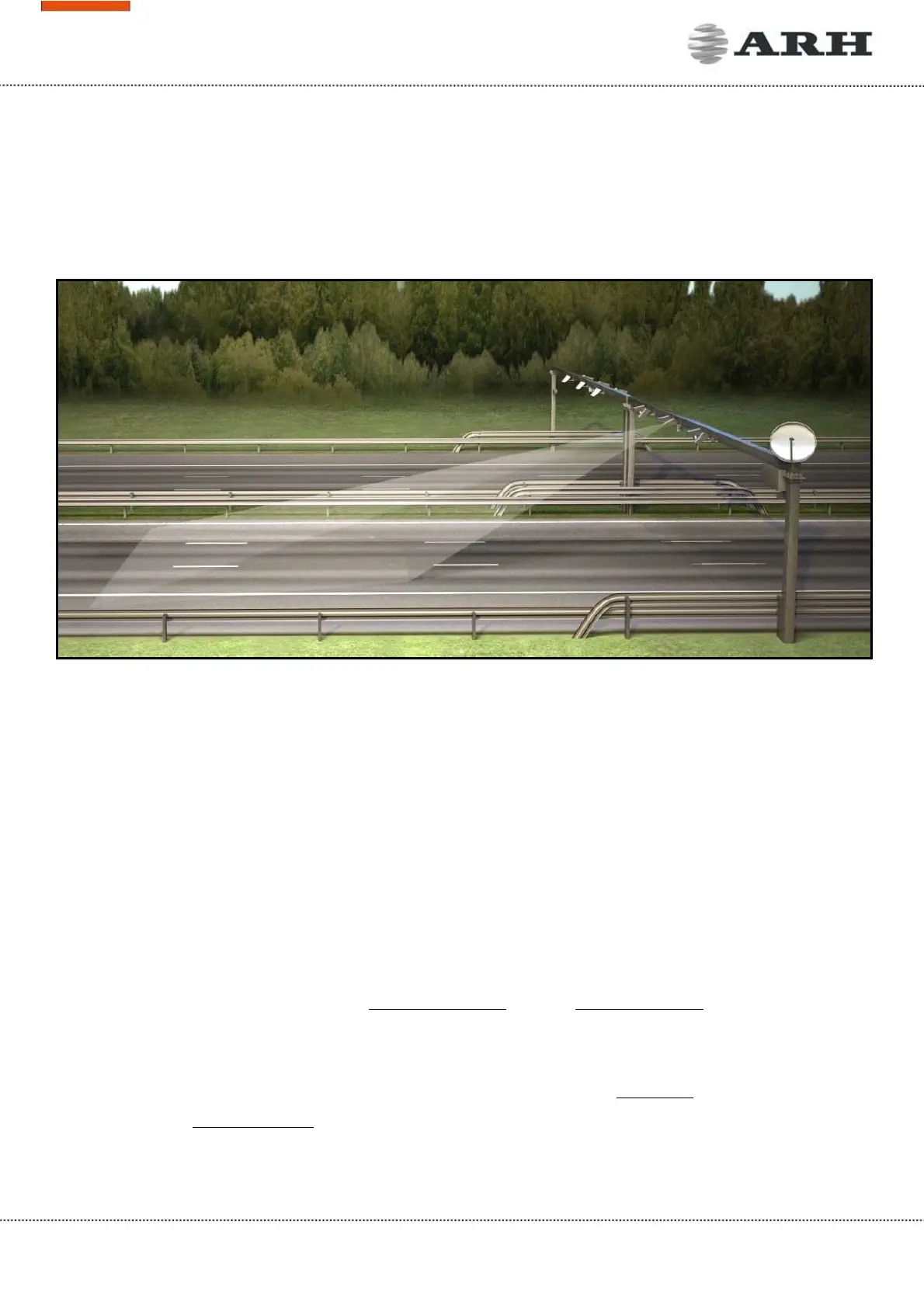
position of the camera accurately. The best position is if the camera is installed on a gentry above the
traffic lane (see below).
If there is no possibility to install a gentry above the concerned road section the installation of the
camera can be done near the road. In this case the angle between the camera axis and the direction of
the vehicle movement should be minimal and the camera should be installed 1 – 1,5 meters above the
headlights of the vehicles.
The distance between the camera and plate is also important. If the camera is too far from the plate,
the characters may not be large enough for recognizing them. In this case, zoom-in until you reach the
proper size. If the distance is too short it may happen that a part of the plate is over the camera’s field
of view (when the vehicle is near to the side of the lane or the plate is not at the middle of the
vehicle).
From the point of ANPR/LPR the most important is the size of the characters on the image. For English
characters it is recommended to have at least 16 pixel average character height, for Arabic or other
special characters it is recommended to have 20 pixel height (due to they are more calligraphic than
the English characters). The too large characters are also not suitable for ANPR, therefore try to avoid
settings where the character size is greater than 50 pixels in height. A line width of a character on the
image should be at least 2 pixels.



 To Next Page