Page 6/17
FreewayCAM Install Guide
2. Install the Hardware
NOTE: Remove protective film from the protecting plate (on the camera front) before using the
camera.
Adjust the bracket
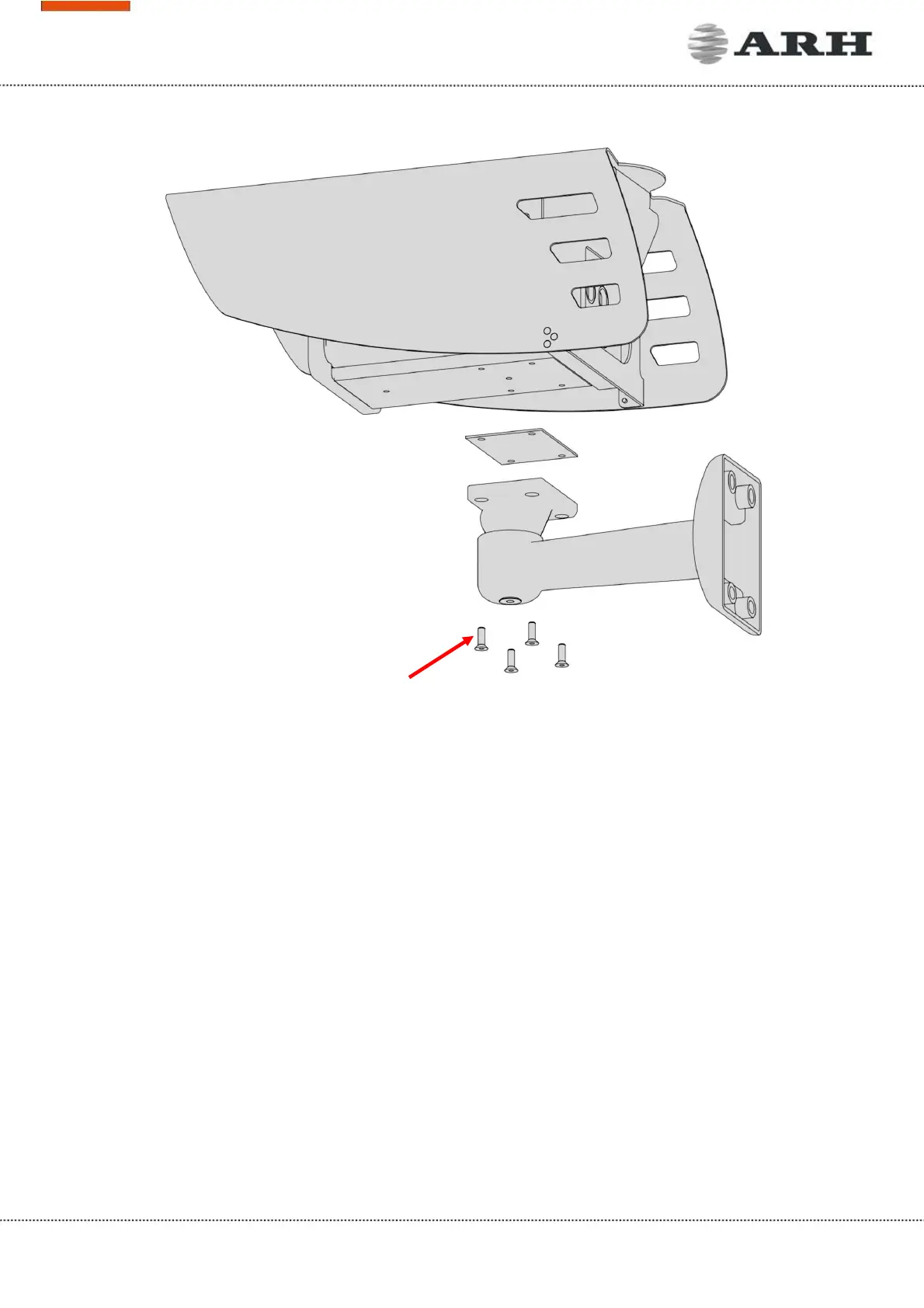
1. Loosen the camera fastening screw on the bottom of the bracket. (Use size 5 Allen key).
2. Adjust the bracket into the desired position.
3. Tighten the screw back.
NOTE: Do not overtighten the screws.
2.1 Mounting
The bracket can be mounted into different surfaces. Use appropriate screws for installation according
to the mountable surface.
NOTE: Failures due to inappropriate installation void the warranty.
Camera fastening screws



 To Next Page