HEAT operation(available on HEAT models only)
●Press the “Mode” button until the “HEAT” indicator light comes on.
●Press the “Increase Temp Button” AND “Decrease Temp Button” to select your desired room temperature.
The temperature can be set within a range of 13°C~27°C/55°F~81°F.
●Press the “Fan Speed” button to choose the fan speed.
NOTE: When operating in very cold rooms, the appliance defrost automatically, momentarily interrupting
normal
operation. During this operation, it is normal for the noise made by the appliance to change.
- In this mode, you may have to wait for a few minutes before the appliance starts giving out hot air.
- In this mode, the fan may operate for short periods, even though the set temperature has already
been reached.
SMART operation
When you set the air conditioner to SMART mode, it will automatically select cooling, heating (cooling only
models excluded), or fan only operation depending on what temperature you have selected and the current
room temperature.
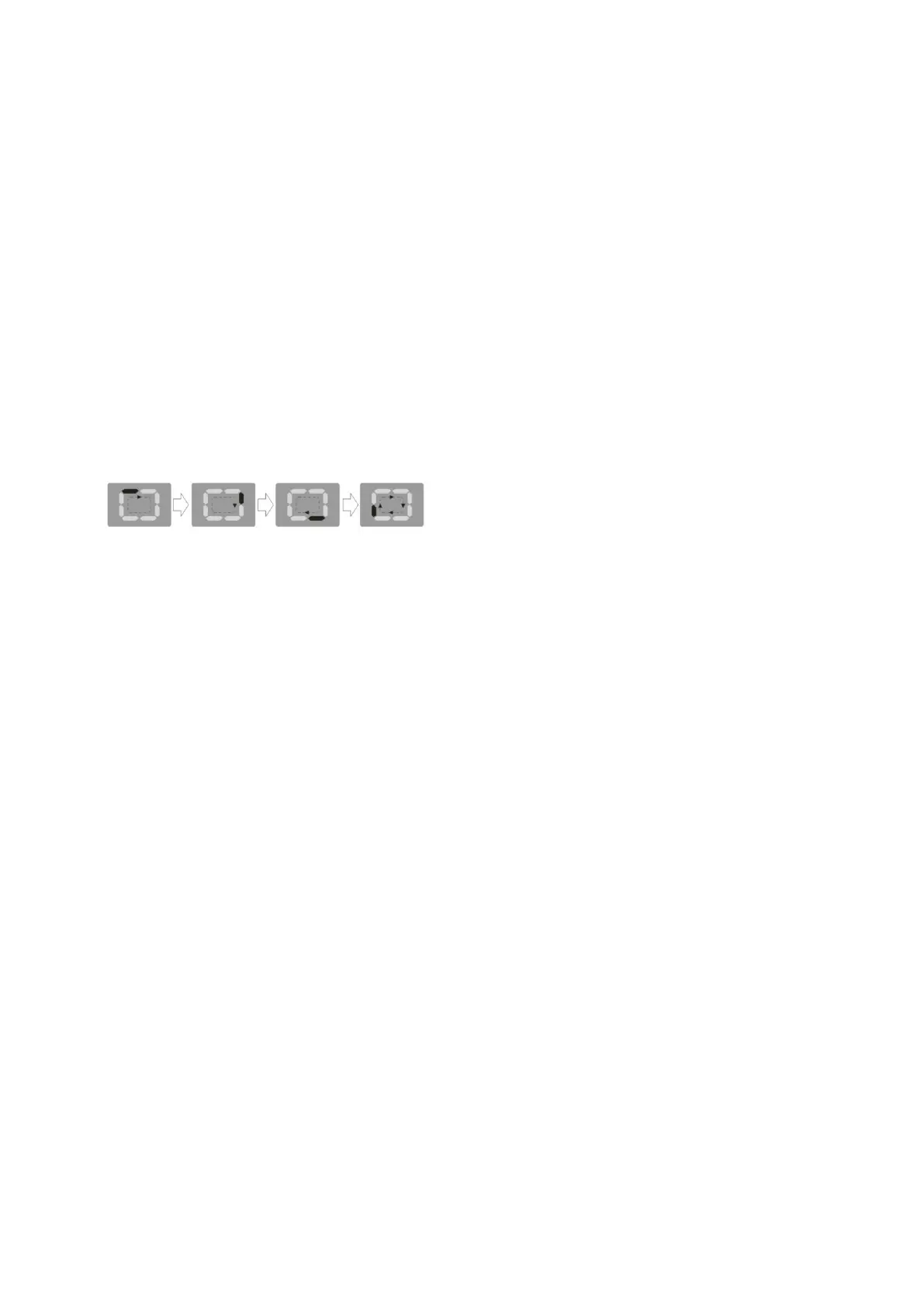
●Press the “MODE” button until the LED screen indicates the below.
●Press the “Fan Speed” button to choose the fan speed.
●The air conditioner will control room temperature automatically according to the temperature point set by
you.
-If the appliance is cooling only model, the unit operates in Fan mode when the room temperature is below
23℃ (73℉), and Cool mode when the room temperature is above 23℃(73℉).
-If the appliance is cooling and heating model, the unit operates in Heat mode when the room temperature is
below 20℃(68℉), and Fan mode when the room temperature is from 20℃ (68℉) to 23℃(73℉), and Cool
mode when the room temperature is above 23℃ (73℉).
TIMER operation
-This timer can be used to delay the appliance start-up or shutd-own, this avoids wasting
electricity by optimizing operating periods.
●PROGERAMMING SHUT DOWN
-Press the “Timer” button when the unit is ON to select an auto STOP time.
-Continue to press “Timer” repeatedly to scroll through the time selections of 1-24 hours. Once you have
reached the time you would like to select,wait about 5 seconds and the timer symbol will appear on the
LED screen indicating that the timer is active and the unit will STOP in the selected amount of hours
●PROGERAMMING START-UP
-Turn on the appliance, you can set the operation mode, fan speed, desired temperature,
-Turn off the appliance.
-Press the “Timer” button when the unit is OFF to select an auto START time.
-Continue to press “Timer” repeatedly to scroll through the time selections of 1-24 hours. Once you have
reached the time you would like to select,wait about 5 seconds and the timer symbol will appear on the
LED screen indicating that the timer is active and the unit will START in the selected amount of hours
CAUTION: Please open the louvre when set this function if the horizontal louver is adjusted by manually
NOTE: - Press the “Timer” button again, the Auto Start-Up/Shut Down timed program will also be cancelled
-Turning the unit ON or OFF at any time or adjusting the timer setting to 0.0 will cancel the Auto
Start-Up/Shut Down timer program.
- Should a malfunction occur, the Auto Start-Up/Shut Down timed program will also be cancelled
-In case of power off, it is necessary to TIMER set again


 To Next Page
 Loading...