OPERATING FROM THE REMOTE CONTROL (cont.)
Turn ON / Turn OFF the air conditioner
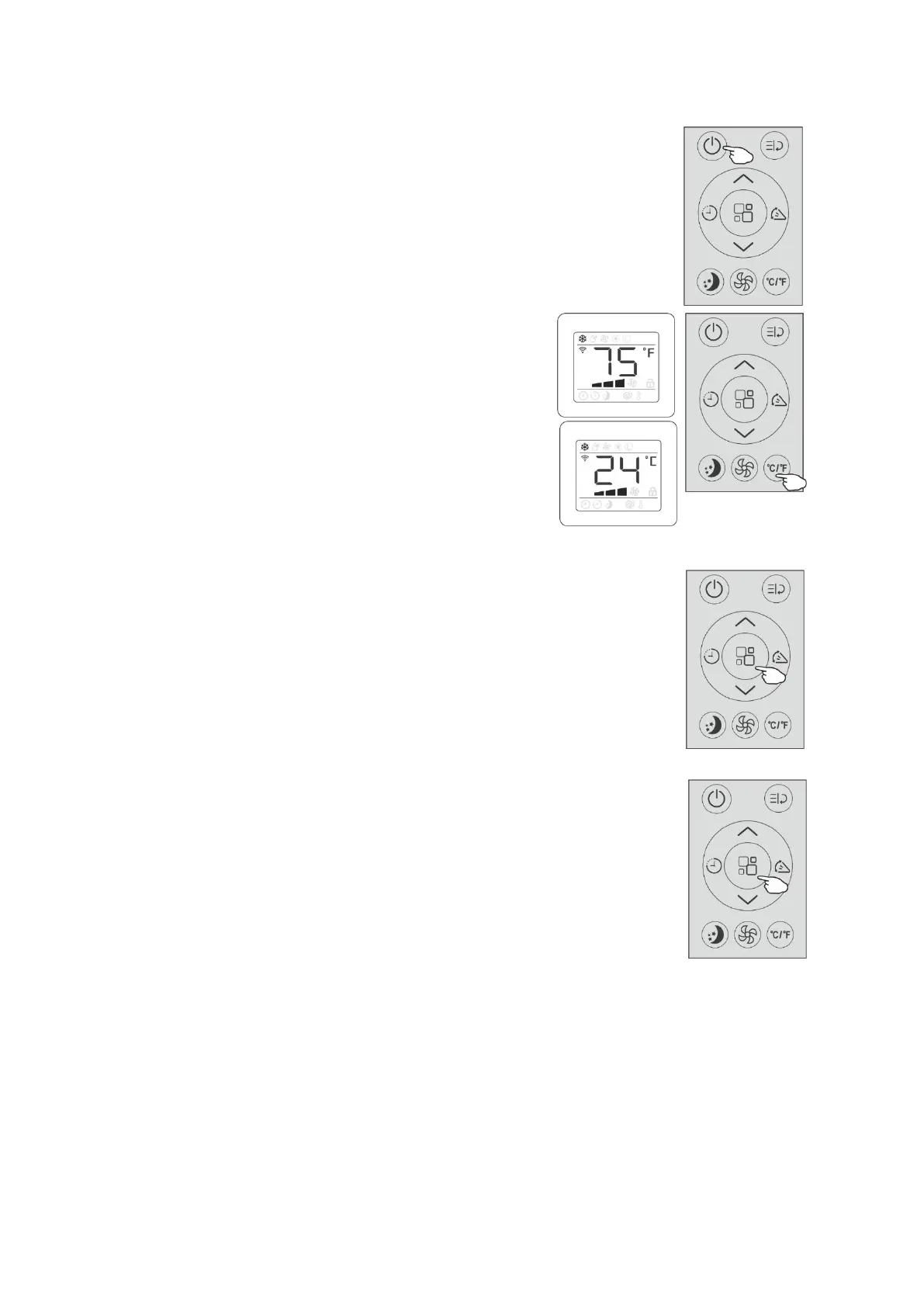
●Press the “On/Off button” to turn on or turn off the air conditioner.
Switch the unit of the temperature
●When the appliance is powered on,press the “℃/℉ button”,
then you can secect the unit of the temperature from
Fahrenheit or Celsius.
NOTE:
●This will indicate an “E” momentarily when battery is
Installed.It will automatically change to ℉ and display
Fahrenheit or ℃ and display Celsius.
Cooling mode
The cooling function allows the air conditioner to cool the room and
at the same time reduces air humidity.
●To activate the cooling function ( COOL ) ,press the “Mode button”
until the symbol “Cooling mode” appears on the display.
●With the button “Increase button” or “Decrease button” set a
temperature 18℃-32℃(64℉-90℉) lower than that of the room.
●Press the “Fan speed button” to select the fan speed:Low,Medium,
High or Auto.
Dry mode
This function reduces the humidity of the air to make the room
more comfortable.
●To set the Dry mode , Press “Mode button” until the symbol
“Dry mode” appears in the display.
An automatic function of pre-setting is activated.
●In this mode, you cannot select a fan speed or adjust the
temperature. The fan motor operates at LOW speed.
NOTE:
●Keep window and door closed for the best dehumidifying effect.
●Exhaust hose attachment is not required in this mode.
● It is recommended that the dehumidification drain and drain hose
be used for continuous drainage.


 To Next Page