OPERATING FROM THE REMOTE CONTROL (cont.)
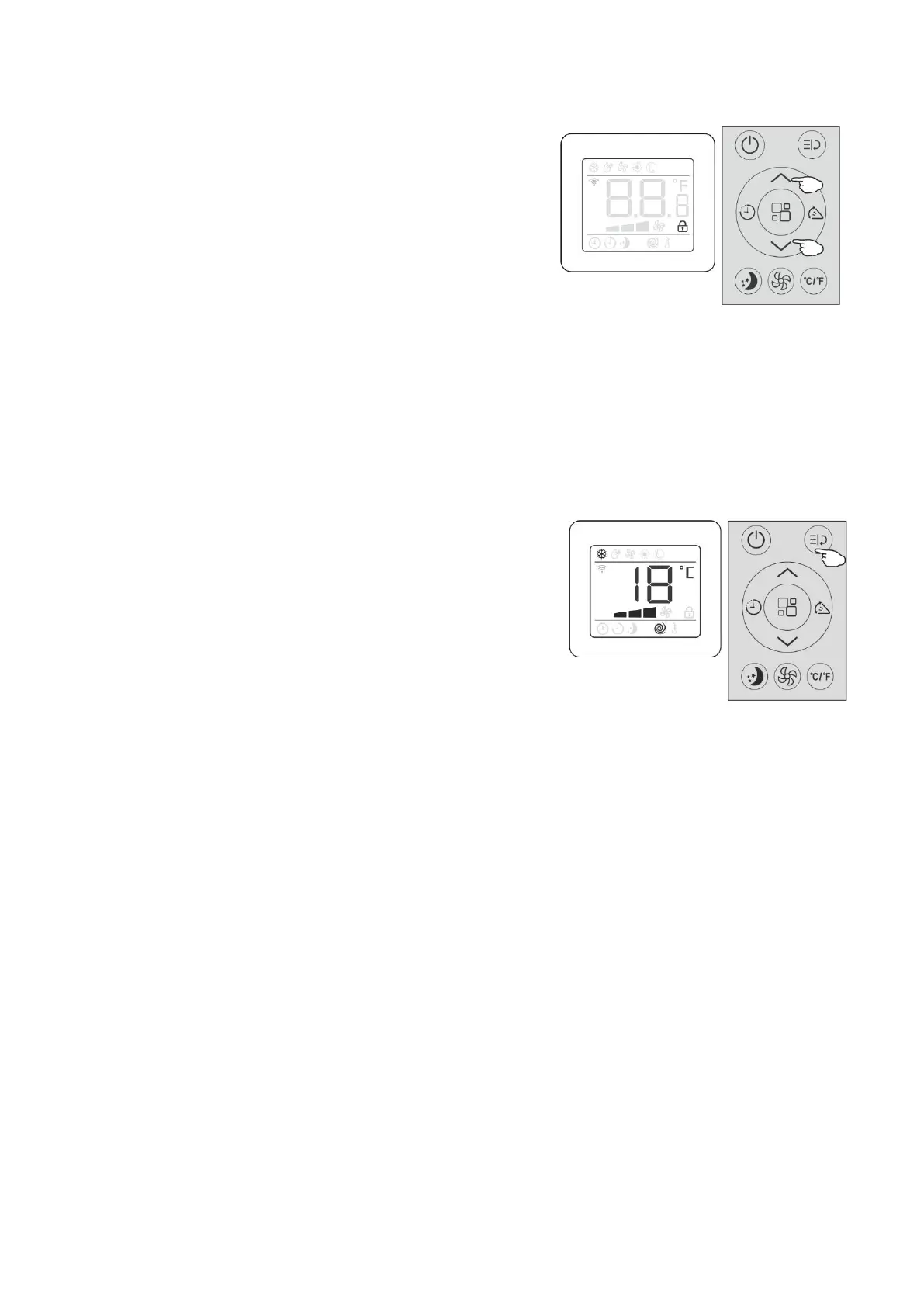
Chlid lock
This function is used to prevent children from inadvertently
Changing the setting by pressing the remote control buttons
●Press and hold the “Increase button” and “Decrease button”
Simultaneously for at least 3 seconds to activate the child
lock function.When it is activated the lock symbol will appear
on the LED screen.Settings cannot be changed by pressing
random bottoms on the remote.
●To deactivate the child lock, Press and hold the “Increase button”
and “Decrease button” Simultaneously for at least 3 seconds again.
the lock symbol will not appear on the LED screen and the settings
on the remote can be changed
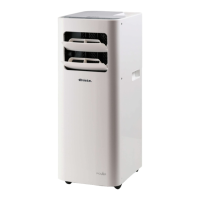
Function button
Press the “function button” to access TURBO and FOLLOW ME(optional)
Functions.
TURBO is ideal for a warm room,It will automatically set the
Temperature to 18℃(64℉) at HIGH fan speed to cool the room
In the shortest time.
●To operate TUEBO
●Press the “function button”
the “Turbo” symbol flashes on the LED screen.
●Press the “function button” again, the “Turbo” symbol will stop
flashing and illuminate on the LED screen
●To cancel TUEBO
●Press the “function button”
the “Turbo” symbol flashes on the LED screen.
●Press the “function button” again, the “Turbo” symbol will stop
flashing and no longer be illuminate on the LED screen indicating
that TURBOfunction is deactivated.


 To Next Page