Chapter 2: Installation
24 2X-A Series Installation Manual
Adding the menu inserts
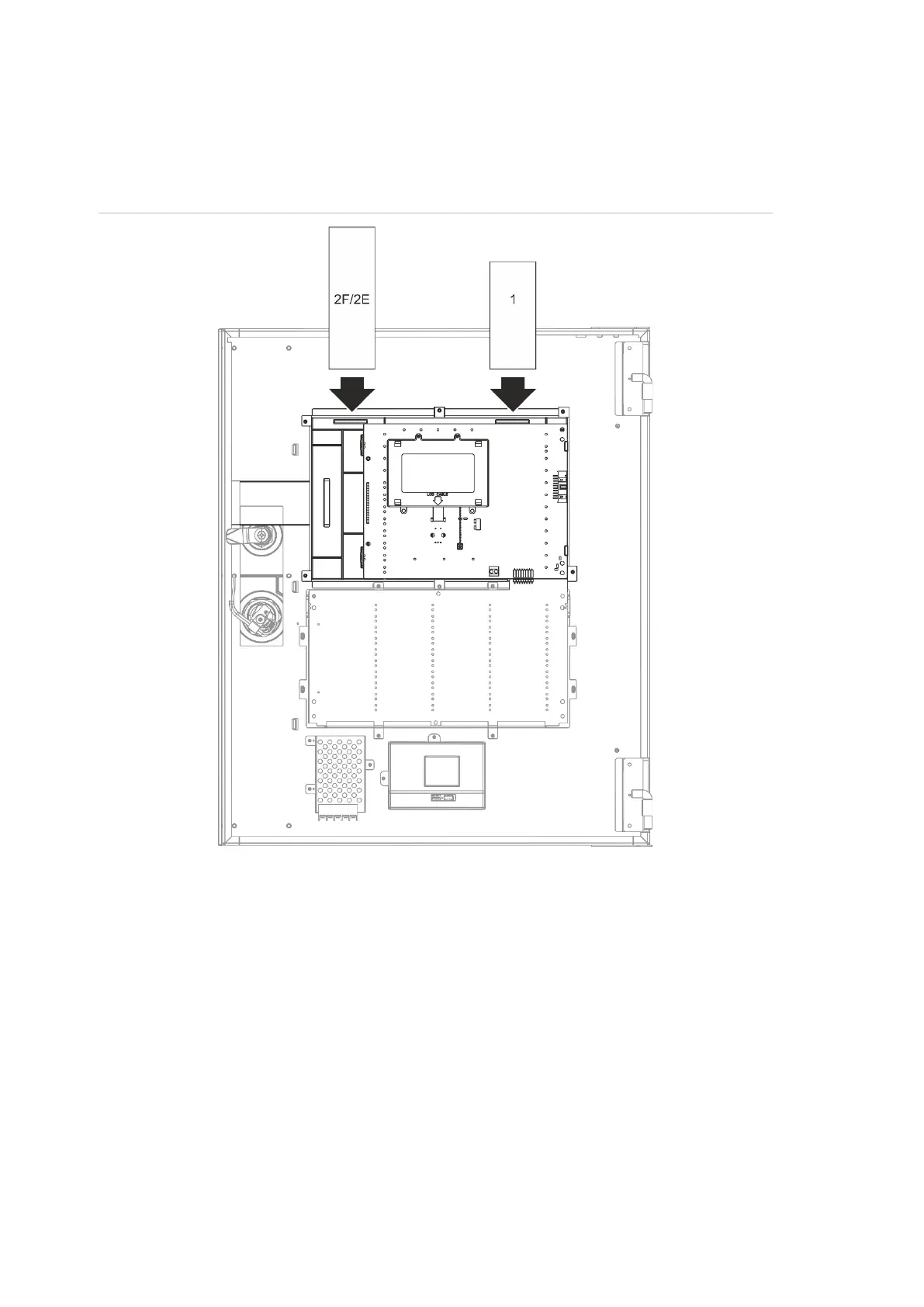
Add the control panel interface menus as shown below.
Figure 9: Adding the menu inserts
The inserts are numbered 1 and 2F/2E, and are inserted at the locations
indicated above (with the printed area facing the front of the control panel).
For evacuation panels, remember to add descriptions to insert 2E for any output
groups assigned to the programmable buttons.
Note: Different versions of insert 2 are provided for fire panels (2F) and for
evacuation panels (2E), and each is marked with the corresponding control panel
product code. Be sure to use the correct version of the insert for your product.


 To Next Page
 Loading...