EasyManua.ls Logo

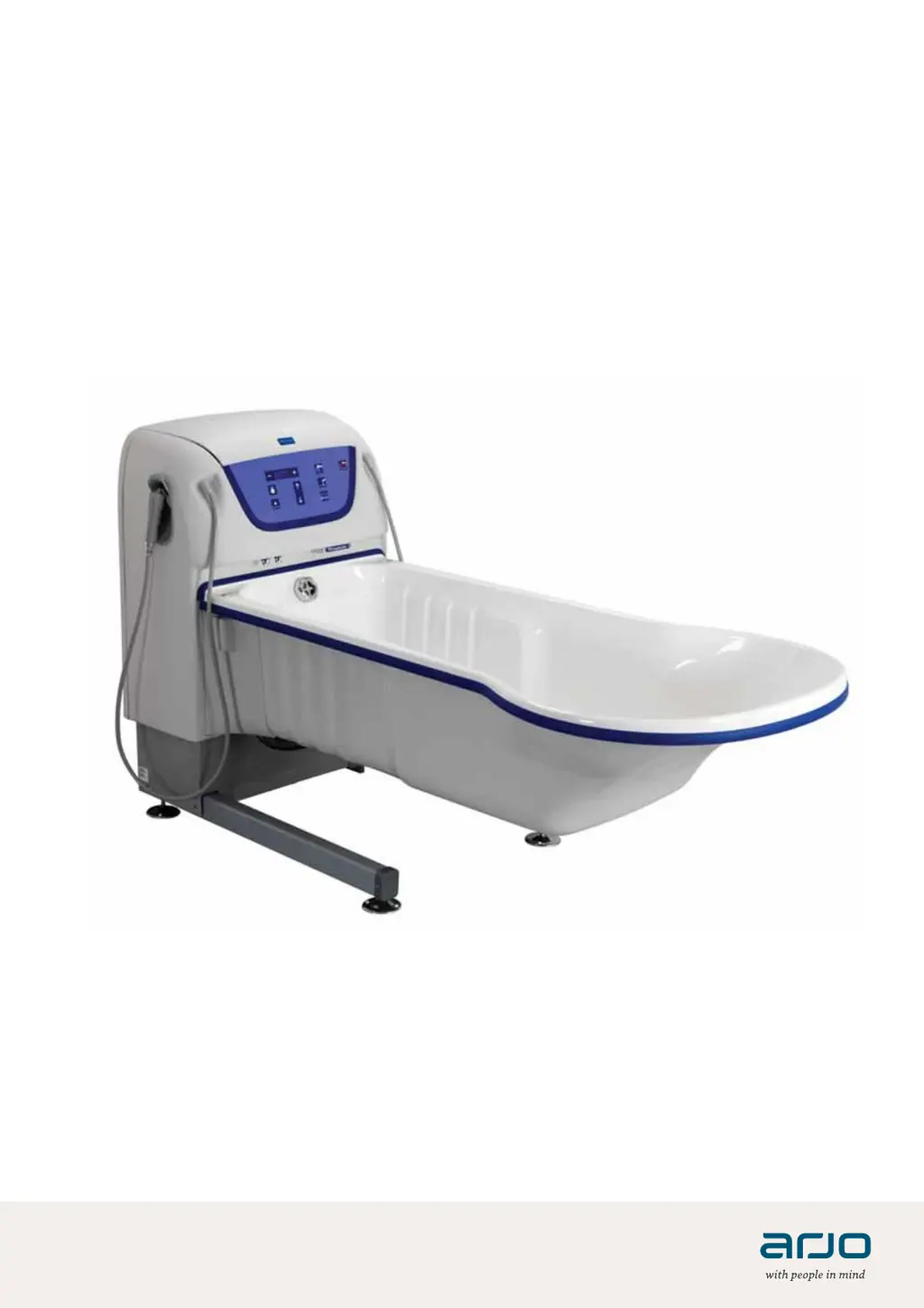
Arjo System 2000 Harmonie - User Manual

Arjo System 2000 Harmonie
72 pages
Print Icon
To Next Page IconTo Next Page
Loading...
System 2000
04.AR.12_15EN • 07/2019
INSTRUCTIONS FOR USE

Other manuals for Arjo System 2000 Harmonie

Questions and Answers

  • L
    Lisa Gomez MDAug 12, 2025
    Why is the water flow slow from the shower and filling spout in Arjo Bathtubs?
    • J
      joshuablankenshipAug 12, 2025
      If the water flow from both the shower and filling spout of your Arjo Bathtubs is slow, check the incoming hot water line to see if it is hot. Also, inspect and clean the filter for the incoming water according to the Care and Preventive Maintenance section on page 52.
  • S
    Sierra BryantAug 15, 2025
    How to fix slow water flow to the shower in Arjo Bathtubs?
    • S
      Sara GayAug 15, 2025
      If the water flow to the shower in your Arjo Bathtubs is slow, inspect and clean the shower head. Refer to the Care and Preventive Maintenance section on page 52 for instructions.
  • N
    Nicholas GillAug 20, 2025
    What to do if there's water on the ground near my Arjo Bathtubs?
    • B
      Brenda BriggsAug 20, 2025
      If you find water on the ground near your Arjo Bathtubs, immediately check for leaks in the incoming water lines and the bath drainage hose. Additionally, the bath may have short-circuited, causing it to fill continuously. In either case, turn off both the electrical and water supplies to the unit.
  • C
    Christina HenryAug 23, 2025
    Why won't the auto fill function stop filling my Arjo Bathtubs?
    • J
      Jamie HendersonAug 23, 2025
      If the auto-fill function on your Arjo Bathtubs doesn't stop, it might be due to residue buildup on the mechanical sensor plugs. Refer to the Cleaning and Disinfection Instructions on page 40 for guidance.
  • M
    michellebaileyAug 27, 2025
    What to do if the fill or shower function stops on my Arjo Bathtubs?
    • J
      John MatthewsAug 27, 2025
      If the fill or shower function on your Arjo Bathtubs stops working, reset the scalding protection. Follow the instructions for 'Reset scalding protection (P220 only) (5 steps) on page 18' or 'Reset scalding protection (P300 only) (4 steps) on page 19'.
  • R
    reidtanyaAug 31, 2025
    What to do if disinfection does not work on Arjo Bathtubs?
    • E
      Edwin GarnerAug 31, 2025
      If the disinfection process isn't working on your Arjo Bathtubs, ensure the bathtub is completely empty. Also, make sure that shower, fill or Hydromassage system, Hydrosound system are not activated. If the LED on the control panel is flashing and beeping P300 only, it means the disinfection level in the bottle is low and needs replacement. See section Cleaning and Disinfection Instructions on page 40!
  • E
    Edward NelsonSep 4, 2025
    Why is the sound not working on my Arjo Bathtubs Sound & Vision system, but the light is?
    • C
      Christopher HolmesSep 4, 2025
      If the sound isn't working on your Arjo Bathtubs' Sound & Vision system, but the light is, the USB memory stick might be defective. If possible check the USB LED light for indication: Solid light power 21 Flashing light reading! Try using a different USB memory stick.
  • D
    davidgonzalezSep 7, 2025
    What to do if the Sound & Vision system hand control is not working on Arjo Bathtubs?
    • T
      Tyler RodriguezSep 7, 2025
      If the hand control for the Sound & Vision system in your Arjo Bathtubs isn't working, check if the LED on the remote control flashes when active. If it doesn't, replace the Sound & Vision system hand control.

Summary

Intended Use

Installation Requirements

Specifies installation must follow assembly instructions and local codes.

Indication for Use

Relief of pain/itching, aid in healing inflamed tissue, removal of contaminated tissue.

Safety Instructions

Preparations

Site Preparation

Requirements for floor material, slope, and attachments before installation.

Actions Before the First Use

Steps to perform before using the System 2000 for the first time.

Actions Before Every Use

Steps to perform before each use of the System 2000 bath.

Control Panels

P220 Control Panel

Details the buttons and functions of the P220 control panel.

P300 Control Panel

Details the buttons and functions of the P300 control panel.

Buttons and Displays

Autofill Button

Controls the automatic filling of the bathtub to a preset level.

Shower Button

Controls the operation of the shower function.

Raise;Lower Bathtub Buttons

Buttons used to adjust the height of the bathtub.

Bathtub Water Temperature Display (P220)

Shows the current water temperature in the bathtub for P220.

P300 Display

Shows filling, shower, disinfectant temps, autofill levels, and error codes.

Hydromassage;Hydrosound System Button

Activates and deactivates the hydromassage or hydrosound system.

Disinfection Button

Activates the disinfection unit for cleaning the bath.

Product Description;Functions

Drain Control Knob

Operates the bathtub's drainage plug and includes an overflow outlet.

Autofill Function

How to use and adjust the automatic bathtub filling feature.

Shower Handle Operation

Instructions for using the shower handle and its lock button.

System Features and Accessories

Hydromassage System

Hydrosound System

Sound & Vision System

Change Default Setting (P300 only)

Bathe Patient using a Lift Hygiene Chair

Shower Patient

End the Bath

Bathe Patient using a Lift Bath Trolley

Use the Shower

Disinfect After Each Patient

Cleaning and Disinfection Instructions

Microbiological Formation Prevention

Replace Disinfectant Bottle (System 2000 bath with disinfection option only)

Clean and Disinfect with Disinfection Spray Handle

Clean and Disinfect with a Spray Bottle

Clean and Disinfect Hydromassage System with Automatic Disinfection

Disinfect Hydromassage System without Automatic Disinfection

Care and Preventive Maintenance

Caregiver Obligations

Yearly Checks by Qualified Personnel Only

Troubleshooting

Error Codes (P300 only)

Technical Specifications

Electromagnetic Compatibility

Arjo System 2000 Harmonie Specifications

General IconGeneral
BrandArjo
ModelSystem 2000 Harmonie
CategoryBathtubs
LanguageEnglish

Related product manuals