Networking
34
SkyPanel Web Portal
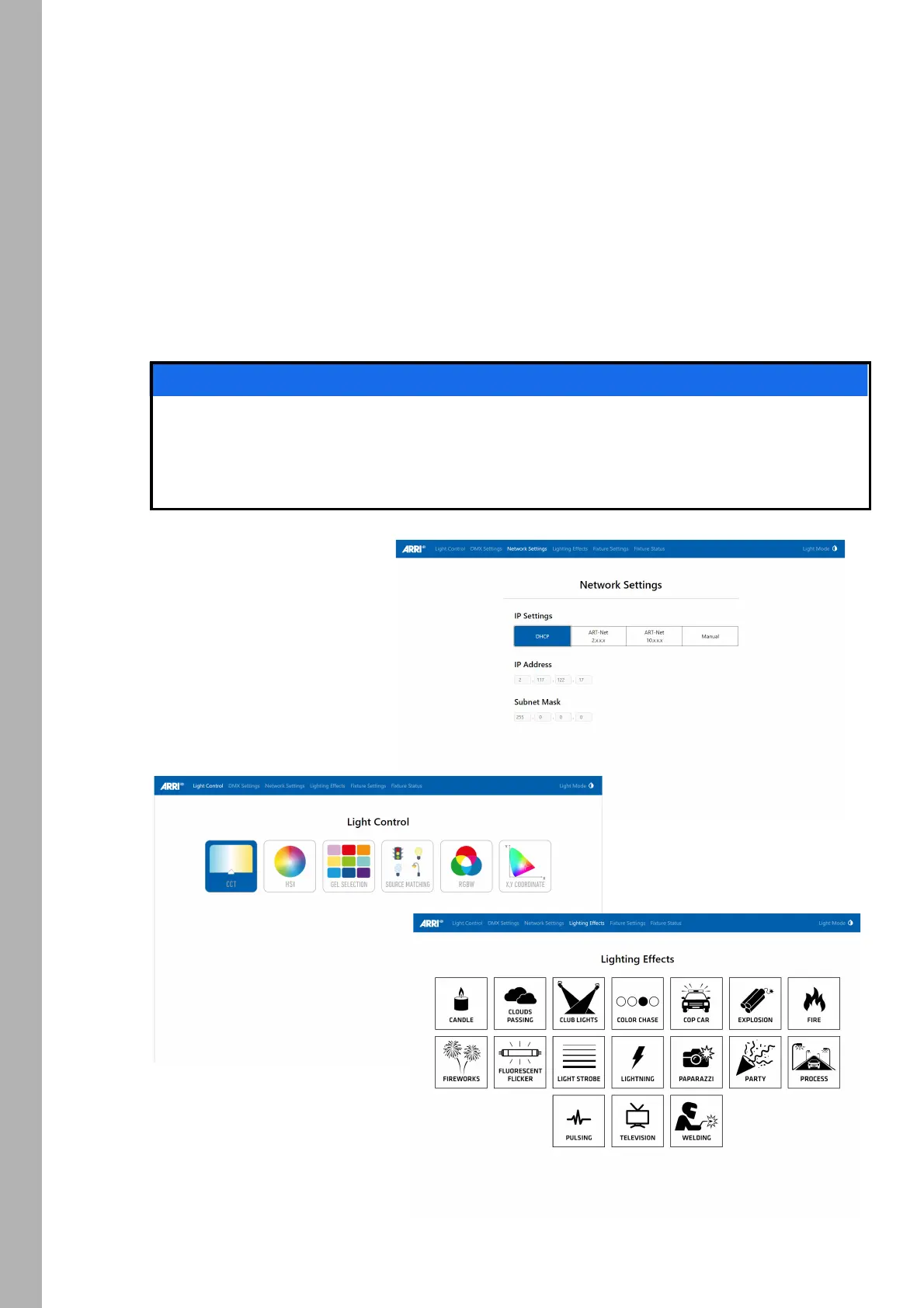
The SkyPanel provides a web page accessible via http, when connected to a network. Type in the IP
address of the SkyPanel in your web browser to open the web portal and change the settings listed below.
The web portal can also be found by using a Bonjour service to discover the fixture and open the web portal
without needing to know the IP address.
The web portal features:
• Select the control mode
• Activate and deactivate lighting effects
• Read and modify DMX settings
• Read and modify network settings
• Read and modify fixture settings
• Read the fixture state
• DMX Monitor
Always use the latest version of your web browser. Earlier versions might not be compatible to the
web portal of the SkyPanel. The following browsers has been tested successful with the ARRI web
portal: Safari, Chrome, Firefox, Opera, IE 11.
Please do not access the web portal during a show. The data exchange with the web portal might
cause delayed reaction and cause unexpected behavior of the fixture.
NOTICE



 To Next Page