TRINITY 2 balance quick guide 19
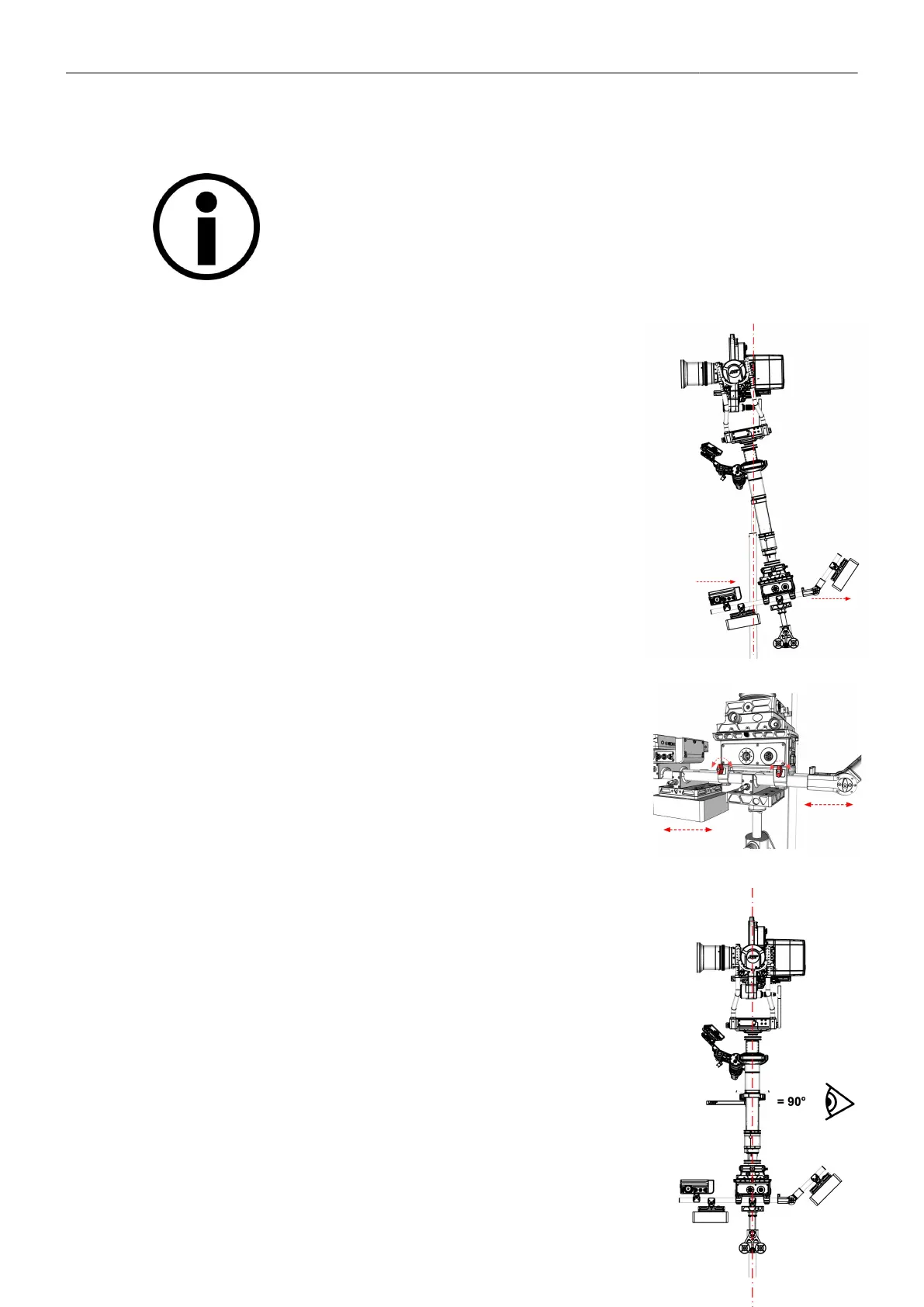
Vertical Balance
After the center of gravity COG of the camera has been set in the TRINITY 2
head, the camera is the reference for the following
adjustment.
Do not move the camera fore or aft from the previously
determined neutral position! (COG)
Fore and Aft
► Bring the TRINITY Rig back into the vertical position.
► Open the 19mm rod clamp at the battery hanger and move the en-
tire assemble (rods, batteries and the RCP-3) fore or aft till the en-
tire rig reaches a
neutral vertical position.
Check Fore and Aft
► To verify that the entire system is neutral in the vertical axis, check
that the post is in a line with the stand.



 To Next Page