TRINITY 2 assembly quick guide 6
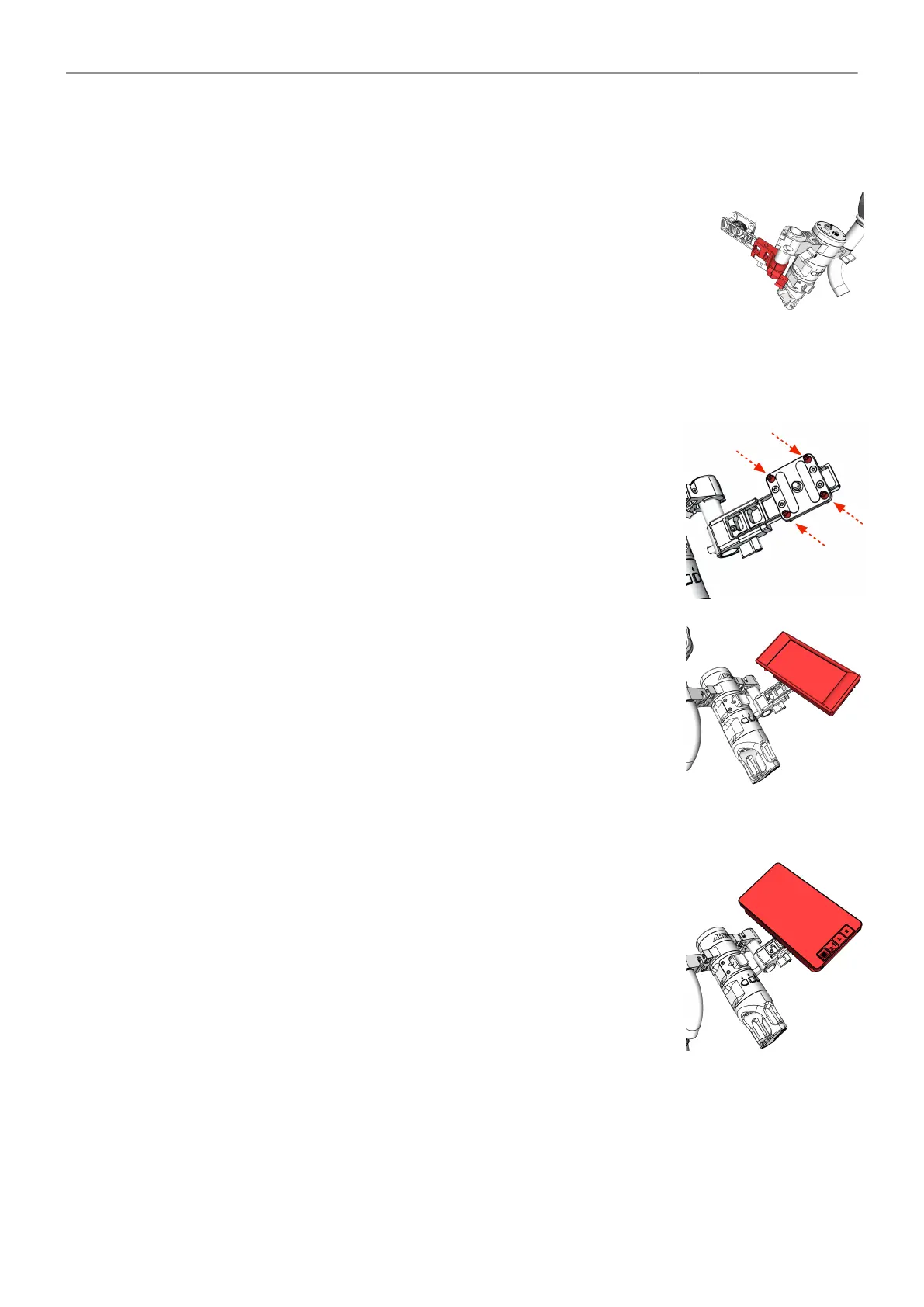
Mount the Monitor Adapter to the Master Grip TRINITY
► There are two different monitor adapters to choose from: Monitor
Adapter for Transvideo (K2.0014831)
Monitor Adapter for Small HD (K2.0014832).
► Slide the monitor adapter on the 19mm rod and bring it in the desired
position.
► Tighten the clamp.
Mounting the Transvideo Starlite Monitor
► Remove the location pins first.
► Place the monitor and bring it in the desired angle.
► Tighten the screw at the back.
Mounting the Small HD 503 Monitor
► Place the monitor.
► Bring it in the desired angle.
► Tighten the screw at the back.



 To Next Page