76 Appendix
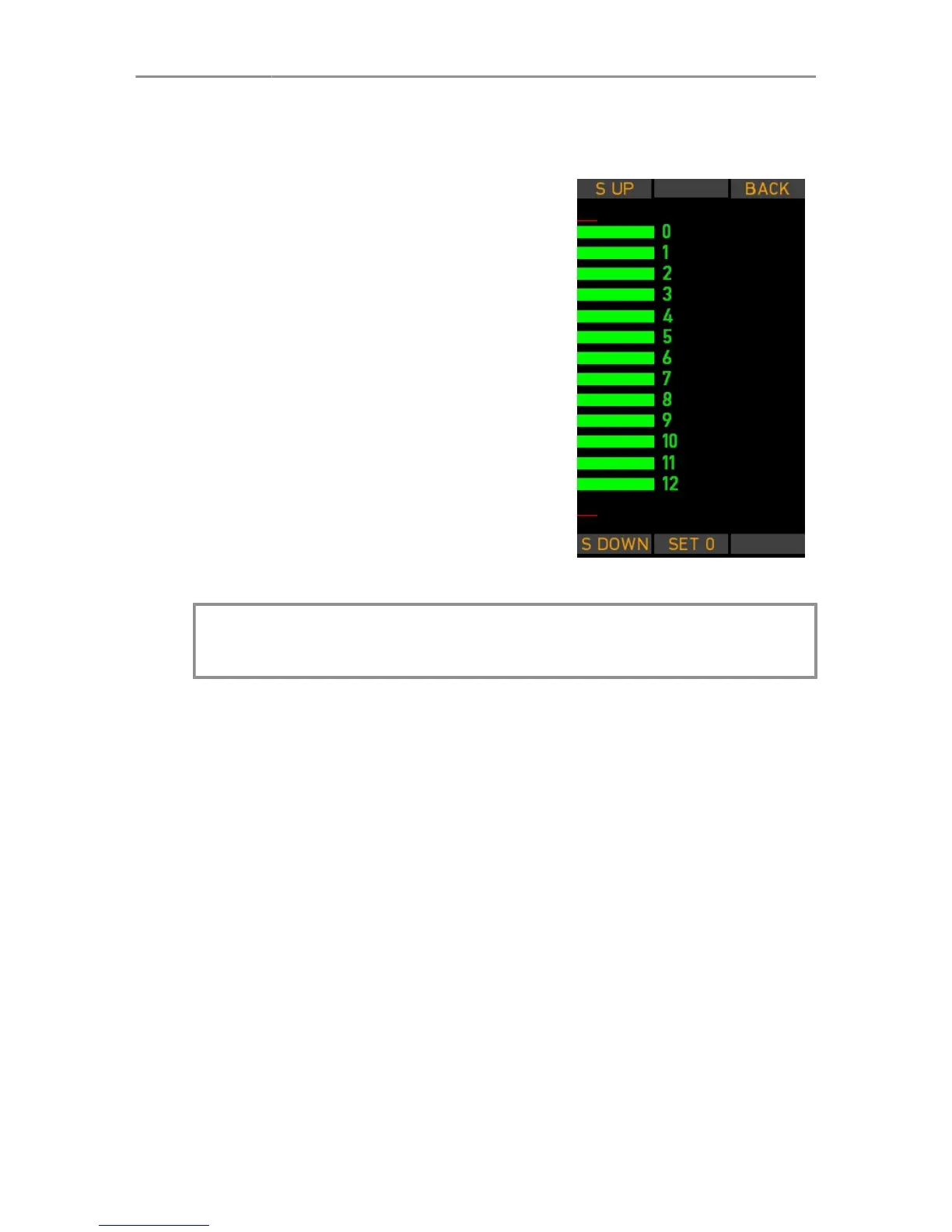
Slider Calibration Mode
Press the SLIDER soft button to en-
ter the Slider Setup screen.
Move the slider to its top-end posi-
tion, then press S-UP.
Move the slider to its bottom-end po-
sition, then press S-DOWN.
Move the slider exactly to the ”0” po-
sition on the display and press SET
0 to confirm and store the alignment
position. Repeat the procedure until
you finish with position 12.
Press the READY soft button at the
end of the procedure to return to the
SERVICE MODE screen.
The new calibration becomes effec-
tive after rebooting the WCU-4.
Note: Be aware of a possible parallax error between the slider
pointer and the displayed alignment bar.


 To Next Page