
 Need help?
Do you have a question about the Arris SVG2482AC and is the answer not in the manual?
Steps to connect a mobile device to the SVG2482AC wireless network.
Connect a computer or laptop to the SVG2482AC Wi-Fi network via the taskbar.
Utilize the WPS button for a quick wireless connection with compatible devices.
Details found on the gateway label, such as model, S/N, and MAC address.
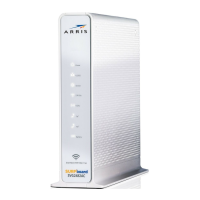
The ARRIS SURFboard SVG2482AC is a versatile wireless voice gateway designed to provide high-speed internet access and telephony services for home and small business networks. This device integrates the functionalities of a DOCSIS 3.0 telephony cable modem, a four-port Ethernet router, and a dual-band Wi-Fi access point, offering a comprehensive solution for connectivity needs. An optional battery backup is also available to ensure continuous telephony service during power outages.
At its core, the SVG2482AC operates as a DOCSIS 3.0 cable modem, enabling ultra-high-speed internet access by leveraging advanced cable technology. This allows for fast downloads, smooth streaming, and responsive online gaming. Beyond its modem capabilities, it functions as a robust router, featuring four Ethernet ports that allow for wired connections to devices such as desktop computers, gaming consoles, and network-attached storage (NAS) devices. This ensures stable and high-performance connections for critical devices.
The integrated dual-band Wi-Fi access point supports both 2.4 GHz and 5 GHz wireless radios, providing flexible connectivity options for a wide range of wireless devices. The 2.4 GHz band offers broader coverage and better penetration through walls, suitable for general internet use and devices further away from the gateway. The 5 GHz band, on the other hand, provides faster speeds and less interference, ideal for bandwidth-intensive activities like HD video streaming and online gaming in closer proximity to the gateway. The device supports secure wireless connections, allowing users to set up a protected Wi-Fi network for their home or small business.
Furthermore, the SVG2482AC is a telephony gateway, supporting voice services, particularly for XFINITY customers. It allows users to connect a standard telephone to the device, providing a dial tone and enabling voice calls over the cable network. This integrated voice functionality simplifies the setup by combining internet and phone services into a single device.
The SVG2482AC is designed for straightforward installation and setup. The initial physical connection involves connecting the coaxial cable from the wall outlet or RF splitter to the "Cable" connector on the rear of the SVG2482AC, ensuring it is hand-tightened. For wired devices, an Ethernet cable (included) connects from the client device to any open Ethernet port on the rear of the gateway. The power cord (included) then connects to the "Power" port on the SVG2482AC and plugs into an electrical wall outlet not controlled by a wall switch, which automatically powers on the device.
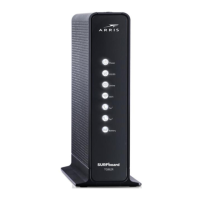
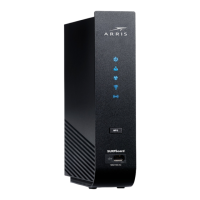
During startup, the front panel LEDs provide visual feedback on the gateway's status. The "Power," "US/DS" (Upstream/Downstream), and "Online" LEDs will flash and then light up solid white as the device establishes its connection. The "Wireless" LEDs will illuminate once wireless devices are connected. The "Online" LED turning solid white indicates that the SVG2482AC has successfully completed the online connection process, which typically takes five to ten minutes.
For XFINITY voice subscribers, activation of the telephony service is a key step. Existing subscribers who purchased the SVG2482AC are advised to call Comcast Customer Support for activation. New voice subscribers can proceed with online activation by opening a web browser and navigating to www.xfinity.com/activate, where they will follow instructions to enter their XFINITY account information and set up their Wi-Fi network name and password. The option to set up separate network names and passwords for the 2.4 GHz and 5 GHz wireless radios is available through "Show More Settings." For seamless transition, ARRIS suggests using the same Wi-Fi Network Name and Password if replacing an existing router or gateway.
Connecting to the Wi-Fi network is flexible, offering options for mobile devices, computers/laptops, and WPS-enabled devices. For mobile devices, users access the "Settings" screen, select "Wi-Fi," "Wireless," or "Connections," ensure Wi-Fi is ON, select the SVG2482AC Wi-Fi Network name from the list, and enter the Wi-Fi network password set during activation. Similarly, for computers or laptops, users locate the Wireless Network Connection icon on the taskbar, click on the SVG2482AC Network name, click "Connect," and enter the Wi-Fi network password. For WPS-enabled devices, users power on the SVG2482AC and the WPS-enabled device, then press the "WPS" button on the top of the SVG2482AC and press and hold the WPS button on their device for five or more seconds.
To verify internet connectivity, users can open a web browser on their connected device and type a valid URL, such as www.SURFboard.com, into the address bar and press Enter. The ARRIS website should open, confirming successful internet access. If it fails, contacting the service provider is recommended to set up or activate the internet service.
For telephony, a telephone cord (not included) connects from the telephone's "TEL LINE" port to the "TEL 1" port on the rear of the SVG2482AC. Users can then check for a dial tone to confirm the telephone service is active.
The SVG2482AC also features a Gateway Web Manager, accessible via a web browser by typing 10.0.0.1 in the address bar. The default username is "admin" and the default password is "password." This interface allows users to set up and manage advanced wireless gateway and network security configurations, offering granular control over their network environment. Upon first login, users will be prompted to change the default password for enhanced security.
The device is designed for minimal ongoing maintenance, primarily relying on its robust internal systems for stable operation. However, understanding the LED indicators is crucial for basic troubleshooting. During normal operation, the "Power," "US/DS," "Online," and "Tel¹" (if connected) LEDs on the front panel should be lit solid, indicating proper functioning. Any deviation from this, such as flashing or unlit LEDs when they should be solid, can signal a connection issue or a problem with the device.
For more detailed troubleshooting or configuration adjustments, the SVG2482AC User Guide is an essential resource. This guide, along with FAQs, technical support information, and additional ARRIS product details, is available online at the ARRIS Support website (www.arris.com/consumers). This online resource provides comprehensive instructions for customizing wireless network connections and other advanced gateway settings.
The optional battery backup feature for telephony services is a significant maintenance consideration. While battery usage is optional, it ensures that phone service remains active during power outages. Batteries are available for purchase online at shop.surfboard.com/arris-telephony-modem-back-up-batteries. The SVG2482AC User Guide provides specific instructions on how to install the battery, ensuring users can maintain voice communication even when the main power supply is interrupted.
For future reference and support, the gateway labels, located on the side and bottom of the device, contain critical information such as the model name, serial number (S/N), HFC MAC ID, default wireless network name (SSID), and default Wi-Fi Security Key. This information is often required when contacting customer service for assistance or when performing advanced network configurations. Users are encouraged to record their XFINITY account login name, password, gateway login password, and Wi-Fi network names and passwords (for both 2.4 GHz and 5 GHz bands) in the provided "Network Access Information" section for easy retrieval. This proactive step can significantly streamline future support interactions and network management tasks.
The SVG2482AC is a self-contained unit that generally does not require user-level internal maintenance. Keeping the device in a well-ventilated area and ensuring it is free from dust accumulation can contribute to its longevity and stable performance. Regular checks of cable connections to ensure they remain secure can also prevent intermittent connectivity issues. Software updates are typically managed by the service provider, ensuring the device runs on the latest firmware for optimal performance and security.
 General
| Model | SVG2482AC |
|---|---|
| Category | Gateway |
| DOCSIS Standard | DOCSIS 3.0 |
| Channel Bonding | 24x8 |
| Wi-Fi Standard | 802.11ac |
| Ethernet Ports | 4 |
| Voice Ports | 2 |
| Wi-Fi Bands | Dual-band (2.4 GHz and 5 GHz) |








 To Next Page