EasyManua.ls Logo

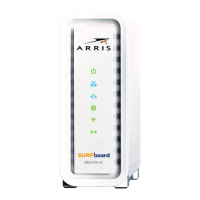
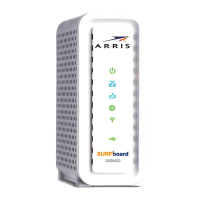
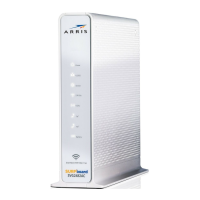
Arris Surf-Board SBG6700-AC - User Manual

Arris Surf-Board SBG6700-AC
86 pages
Print Icon
To Next Page IconTo Next Page
Loading...
User Guide
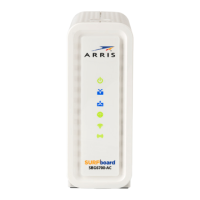
SURFboard® SBG6700-AC
Wireless Cable Modem Gateway
Firmware: SBG6X82-8.6.0.0-GA-08-046-NOSH

Table of Contents

Other manuals for Arris Surf-Board SBG6700-AC

Questions and Answers

  • D
    David BlackburnAug 10, 2025
    How to fix Arris Surf-Board SBG6700-AC Gateway when wireless devices cannot send or receive data?
    • D
      Dr. Kathleen BradleyAug 10, 2025
      If checking the coaxial cable and Ethernet connections and your IP address doesn't solve the problem, examine the Wireless Security Mode setting on the Wireless Primary Network screen. If WPA is enabled with a configured passphrase, ensure each wireless client uses the same passphrase. If the issue persists, verify that the wireless client supports WPA. If WEP is enabled with a configured key, confirm each wireless client has the identical WEP key and check if the client’s wireless adapter supports the type of WEP key configured on the gateway.
  • P
    Patricia JonesAug 26, 2025
    How to troubleshoot Arris Gateway if the power LED icon is off?
    • C
      Chris MaciasAug 26, 2025
      Check the power connection on the gateway and to the electrical outlet. Make sure the electrical outlet is working and is not controlled by a light switch. Try disconnecting the gateway power cord and connecting it to another electrical outlet that is not controlled by a light switch.

Arris Surf-Board SBG6700-AC Specifications

General IconGeneral
DOCSIS3.0
Downstream Channels8
Upstream Channels4
Wi-Fi Standard802.11ac
Wi-Fi SpeedUp to 1750 Mbps
Ethernet Ports4
Ethernet Speed10/100/1000 Mbps
Max Download Speed686 Mbps
Max Upload Speed131 Mbps
Wi-Fi BandsDual-Band (2.4 GHz and 5 GHz)
Security FeaturesWPA/WPA2

Related product manuals