19 of 36
EN
Programming menu
Menu 02 SET CLOCK
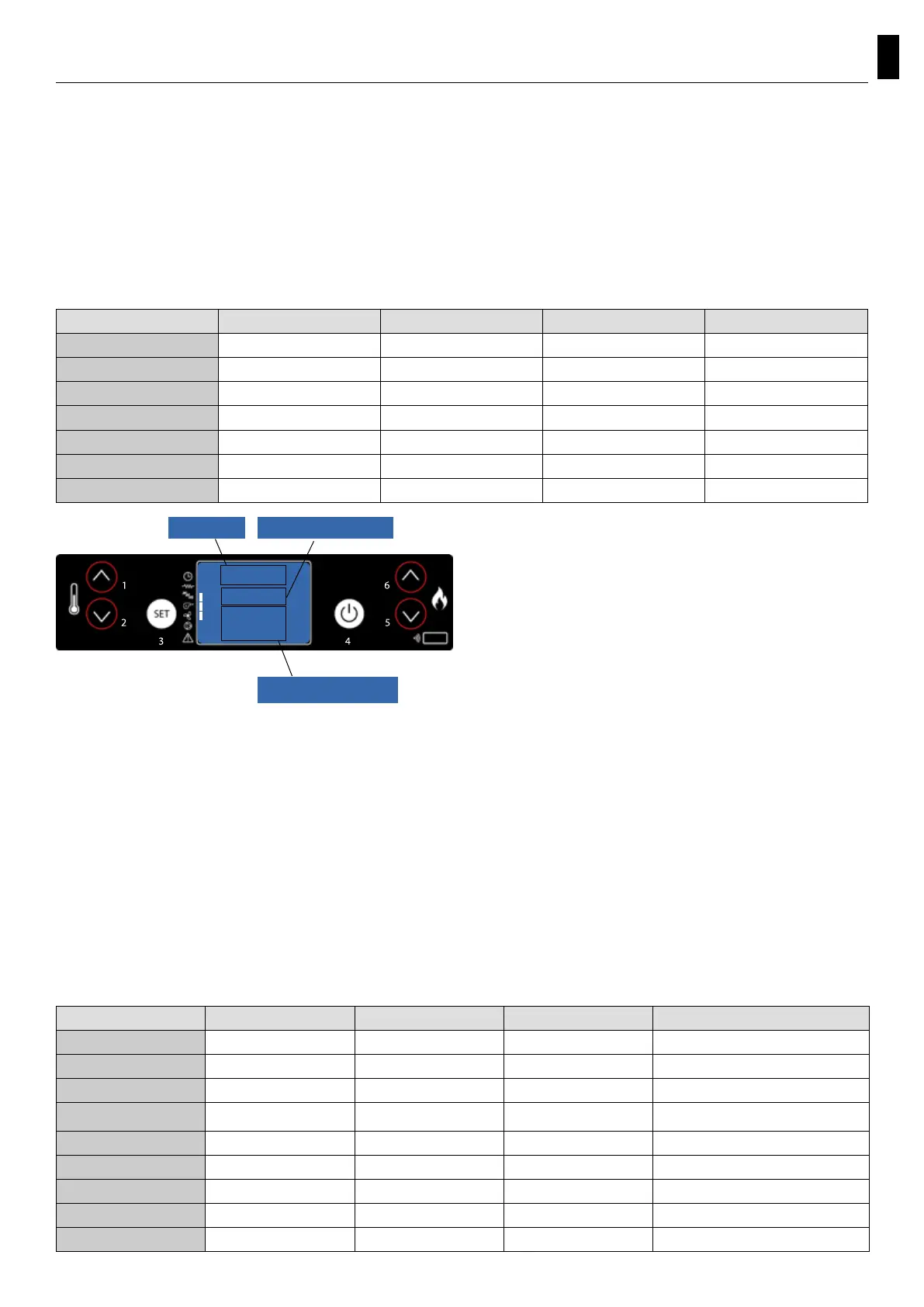
To access the set clock option, press the “SET” button (3), with the button - (5) scroll through the
submenus until MENU 02 - SET CLOCK and with buttons 1 and 2 select the current day. Press the “SET”
button (3) to conrm.
Then use buttons 1 and 2 to set the time and press “SET” (3) to advance to the minutes setting by
pressing buttons 1 and 2. By pressing set again it’s possible to access various submenus in order to set
the date, day, month, and year. To do so, repeat the steps indicated above, using buttons 1, 2, and 3.
The following table briey describes the structure of the menu, focusing only on those selections which
are available to the user.
Set the current time and date. The device comes
equipped with a lithium battery that allows the
internal clock to operate autonomously for over
3-5 years.
Menu 03 SET CHRONO
Press the “SET” button (3) and then button 5 to arrive at the desired menu; press “SET” (3) to enter.
Enter menu M-3-1 and with buttons 1 and 2 select whether or not to activate the thermostat (on/
off), which allows you to program the automatic ignition of the pellet insert. Once the thermostat
is activated/deactivated, press button “4” (OFF) and continue scrolling though the submenus using
button 5. Select which submenu you wish to enter in order to access the daily, weekly, and weekend
programmes.
To set the ignition times and days repeat the previous steps:
- access the submenu using “SET” (3)
- adjust the days, times, and activation status (on/off) with buttons 1 and 2
- conrm by pressing the “SET” button (3)
- exit from the submenu/menu with button 4 to turn it off
The following table briey describes the structure of the menu, focusing only on those selections which
are available to the user.
level 1 level 2 level 3 level 4 value
02 - set clock
01 - day day of the week
02 - hour hour
03 - minutes minutes
04 - day day of the month
05 - month month
06 - year year
06
Menu 02
MONTH
clock
menù levelinput
dialogue
level 1 level 2 level 3 level 4 value
03 - set thermostat
01 -
activate thermos.
01 -
activate thermos.
on/off
02 -
day programme
01 -
daily thermostat
on/off
02 - start 1 day hour
03 - stop 1 day hour
04 - start 2 day hour
05 - stop 2 day hour



 To Next Page