TROUBLESHOOTING cont...
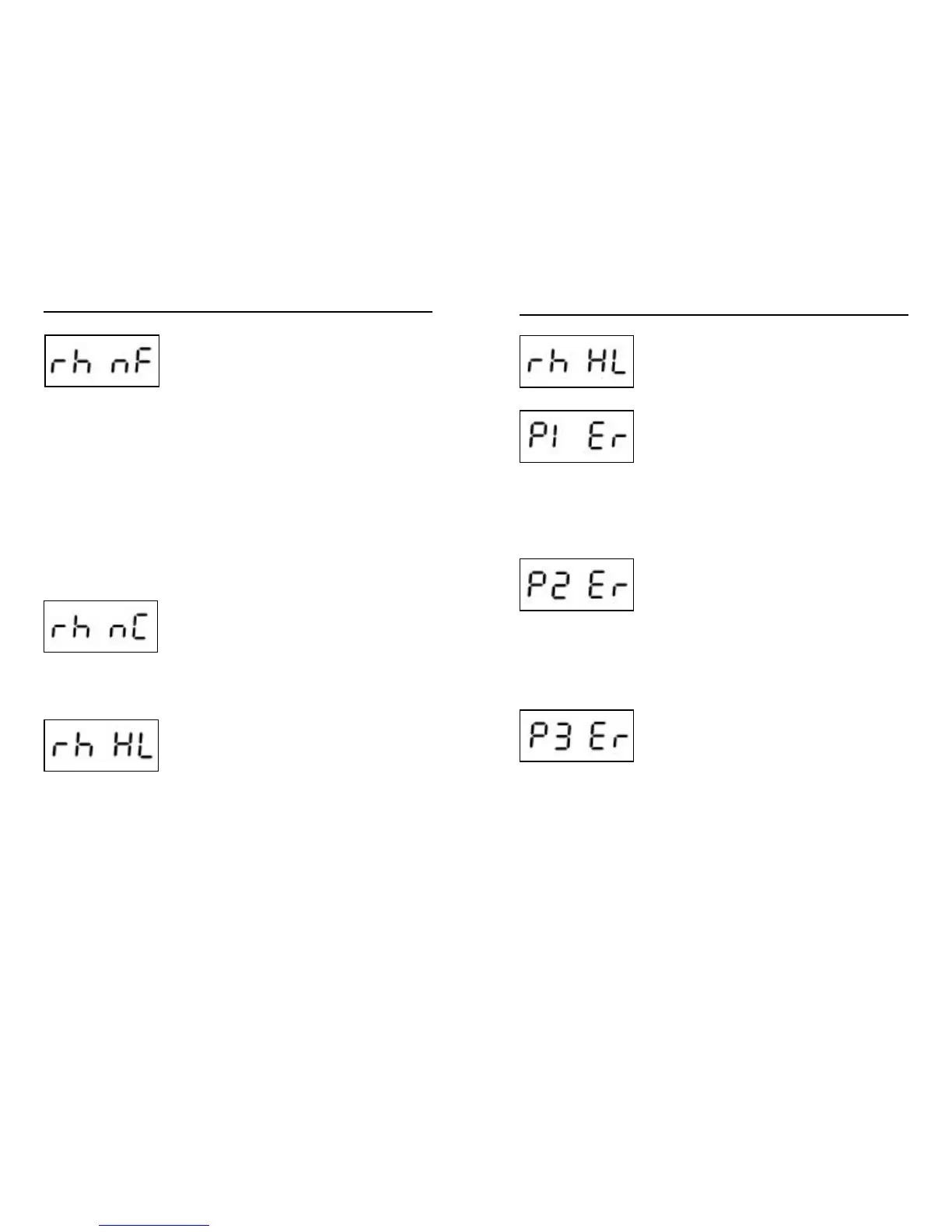
This code is displayed when a “no flow”
condition is detected by in.therm.
Important: System will make three continuous
flow checks during 9 minutes before displaying
this error.
• Make sure water valves are open and water
level is high enough.
• Check and clean filters.
• Make sure there are no air locks (or that no
object obstructs passage of water in in.therm
channel). Pumps will make strange noise and
error “P1 ER” might appear. Follow atr lock
procedure to clear them.
• Make sure that pump associated to heater
(Pump #1 or Circulation Pump) is running. If
not, call spa manufacturer to get low level
prog. number.
This code occurs when a communication
problem exists between in.xw and in.therm.
• Make sure remote heater cables are
connected properly and that none of the cable
connector pins are bent.
• If problem persists, contact your local dealer
to schedule a service call.
High Limit hardware circuit tripped.
Usually, kinetic heating protection or current
monitoring circuitry will shut the heater down
before this error occurs. Still, if it appears there
are typically two possible causes.
• Heater was previously stored in a very hot
location prior to installation and there is no
water yet in its tube to cool it down. Use a
hose to cool down the interior of the tube.
• External ambient temperature is high enough
to heat water, even though pumps remain off.
TROUBLESHOOTING cont...
High Limit hardware circuit tripped.
• Add cold water in spa and let heater cool
down.
• Reset spa pack using current breaker.
System hasn’t detected any current change
when turning on or off Pump 1.
• Make sure Pump 1 is connected properly.
• Manually change output status (on/off) of
Pump 1 and cycle through all possible states
(i.e. low and high speeds)
• Reset spa pack.
• If error does not clear, call your local dealer
and schedule a service call.
System hasn’t detected any current change
when turning on or off Pump 2.
• Make sure Pump 2 is connected properly.
• Manually change output status (on/off) of
Pump 2 and cycle through all possible states
(i.e. low and high speeds)
• Reset spa pack.
• If error does not clear, call your local dealer
and schedule a service call.
System hasn’t detected any current change
when turning on or off Pump 3.
• Make sure Pump 3 is connected properly.
• Manually change output status (on/off) of
Pump 3 and cycle through all possible states
(i.e. low and high speeds)
• Reset spa pack.
• If error does not clear, call your local dealer
and schedule a service call.
6766







 To Next Page