TROUBLESHOOTING cont...
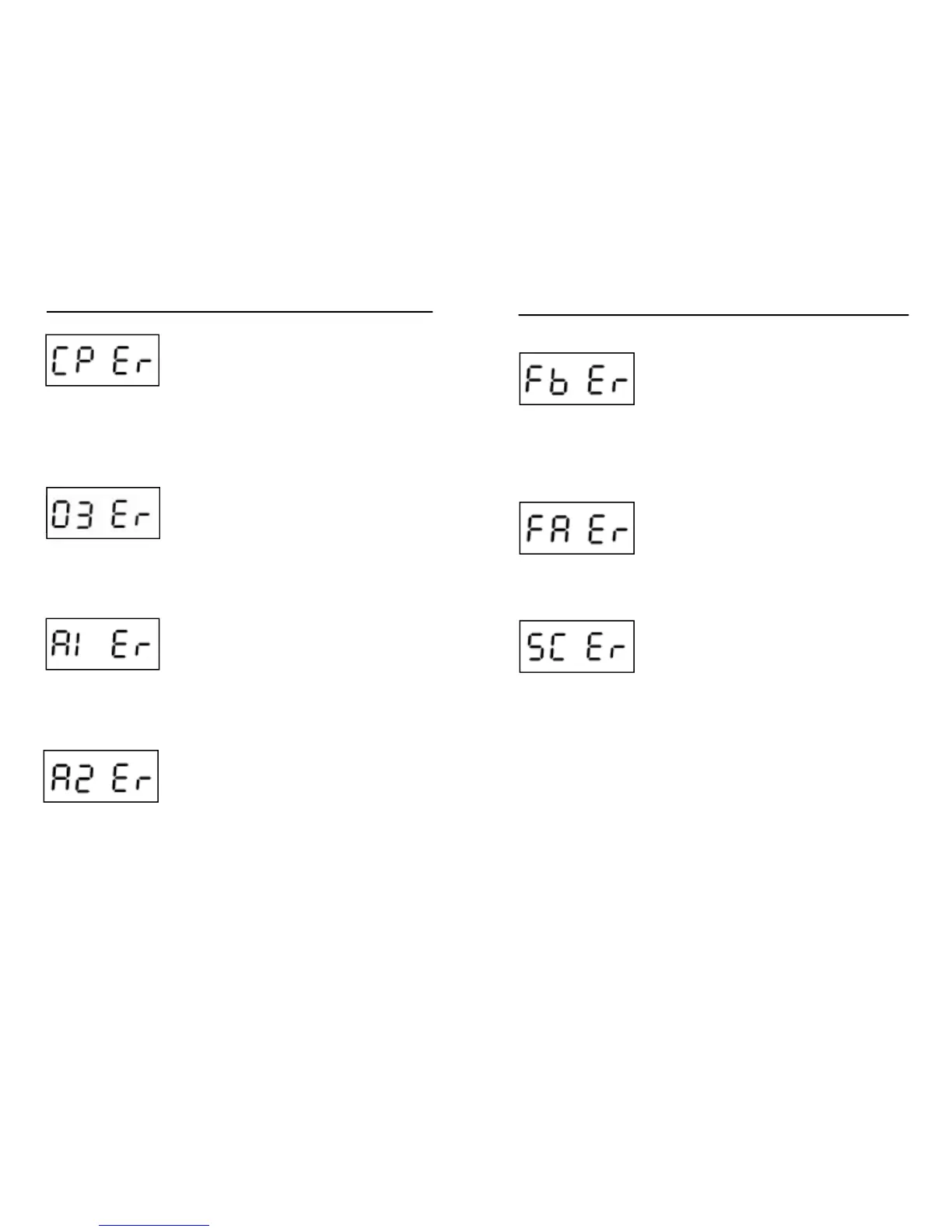
System hasn’t detected any current change
when turning on or off circulation pump.
• Make sure circulation pump is connected
properly.
• Manually change output status (on/off) of
circulation pump.
• Reset spa pack.
• If error does not clear, call your local dealer
and schedule a service call.
System hasn’t detected any current change
when turning on or off the ozonator.
• Make sure ozonator is connected properly.
• Manually change the output status (on/off) of
ozonator.
• Reset spa pack.
• If error does not clear, call your local dealer
and schedule a service call.
System hasn’t detected any current change
when turning on or off Aux. 1.
• Make sure Aux.1 device is connected properly.
• Manually change the output status (on/off) of
Aux.1 device.
• Reset spa pack.
• If error does not clear, call your local dealer
and schedule a service call.
System hasn’t detected any current change
when turning on or off Aux. 1.
• Make sure Aux.1 device is connected properly.
• Manually change the output status (on/off) of
Aux.1 device.
• Reset spa pack.
• If error does not clear, call your local dealer
and schedule a service call.
TROUBLESHOOTING cont...
System hasn’t detected any current change
when turning on or off fi ber box.
• Make sure fi ber box is connected properly.
• Manually change the output status (on/off)
of fi ber box and cycle through all possible
speeds.
• Reset spa pack.
• If error does not clear, call your local dealer
and schedule a service call.
System hasn’t detected any current change
when turning on or off the fan.
• Make sure the fan is connected properly.
• Manually change the output status (on/off).
• Reset spa pack.
• If error does not clear, call your local dealer
and schedule a service call.
System relearn error
• Every time a low-level option is changed, the
system must “relearn” currents associated to
each output/load. During this learning process,
the device connected to OUT8 (direct output,
no relay) must be disconnected if it draws
more than 0.4 amp. If it isn’t, system will
report a SC error code.
• Once the load is correctly disconnected, user
needs to restart the learning process by
pressing either Select or Change key on the
in.xm display panel (in.scan interface).
6968







 To Next Page