31
Having configured eMCM for a particular motor, it can now be used for its intended purpose of
monitoring and assessing the condition of the motor. In general, this involves first running eMCM
to measure and learn the properties of the motor and then running eMCM in its test mode to
perform the actual monitoring.
Without the learning period MCM has insufficient
information on which to base its decisions as the motor
ages and will not perform to its specifications.
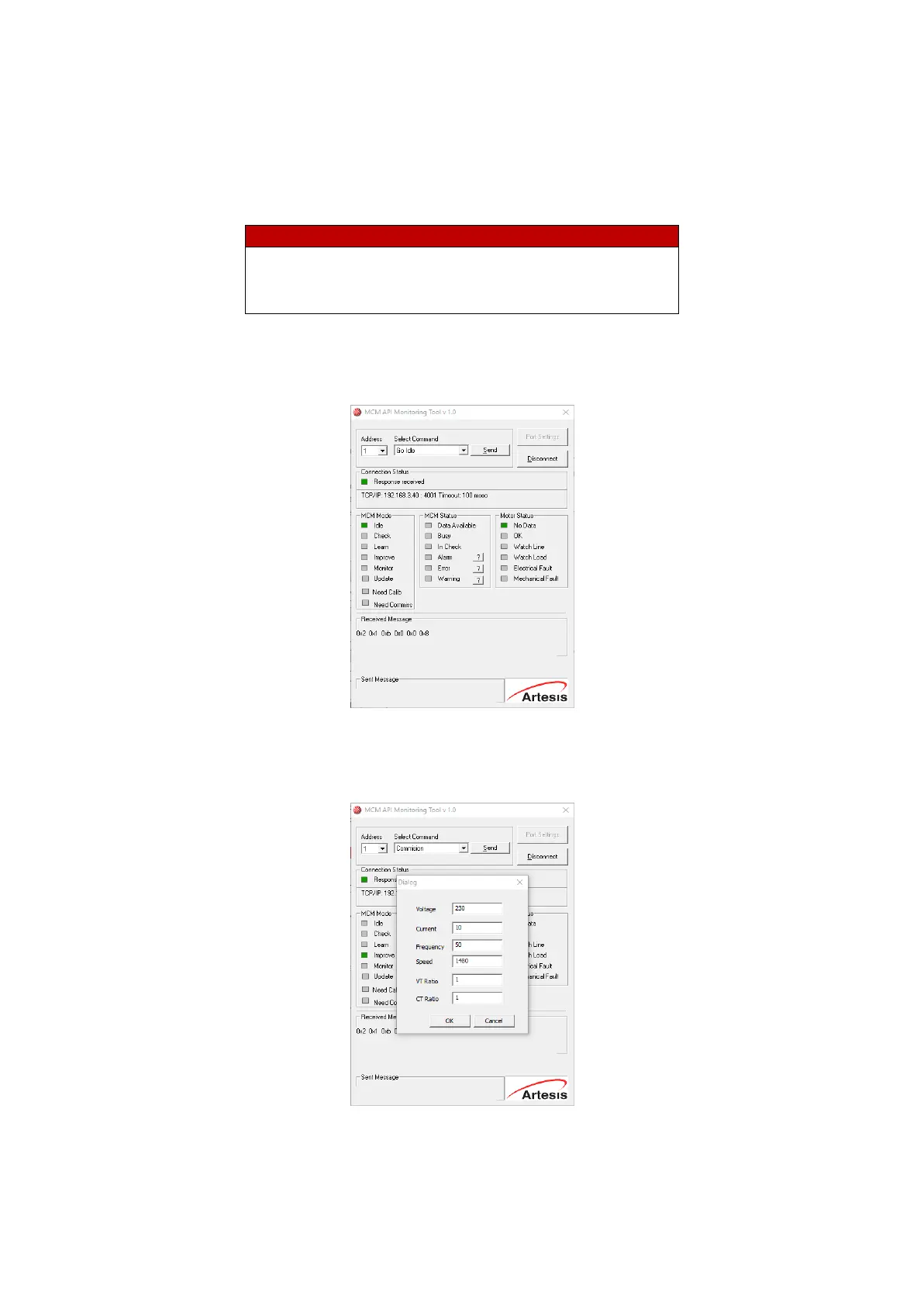
• Firstly, eMCM are sent “IDLE” mode (Go Idle). Busy alarm is expected to go off in the “MCM
Status” section.
• Select the "Commission" command from the "Select Command" drop-down list and press
the "Send" button. As seen in the popup window, motor tag information is entered into the
relevant fields and “OK” is selected.


 To Next Page