EasyManua.ls Logo

Arthrex AR-3210-0029 - User Manual

Default Icon
74 pages
Print Icon
To Next Page IconTo Next Page
Loading...
950-0073-00, Rev. B English
950-0073-00 B SM, English, Arthrex Synergy UHD4 System 1 of 74
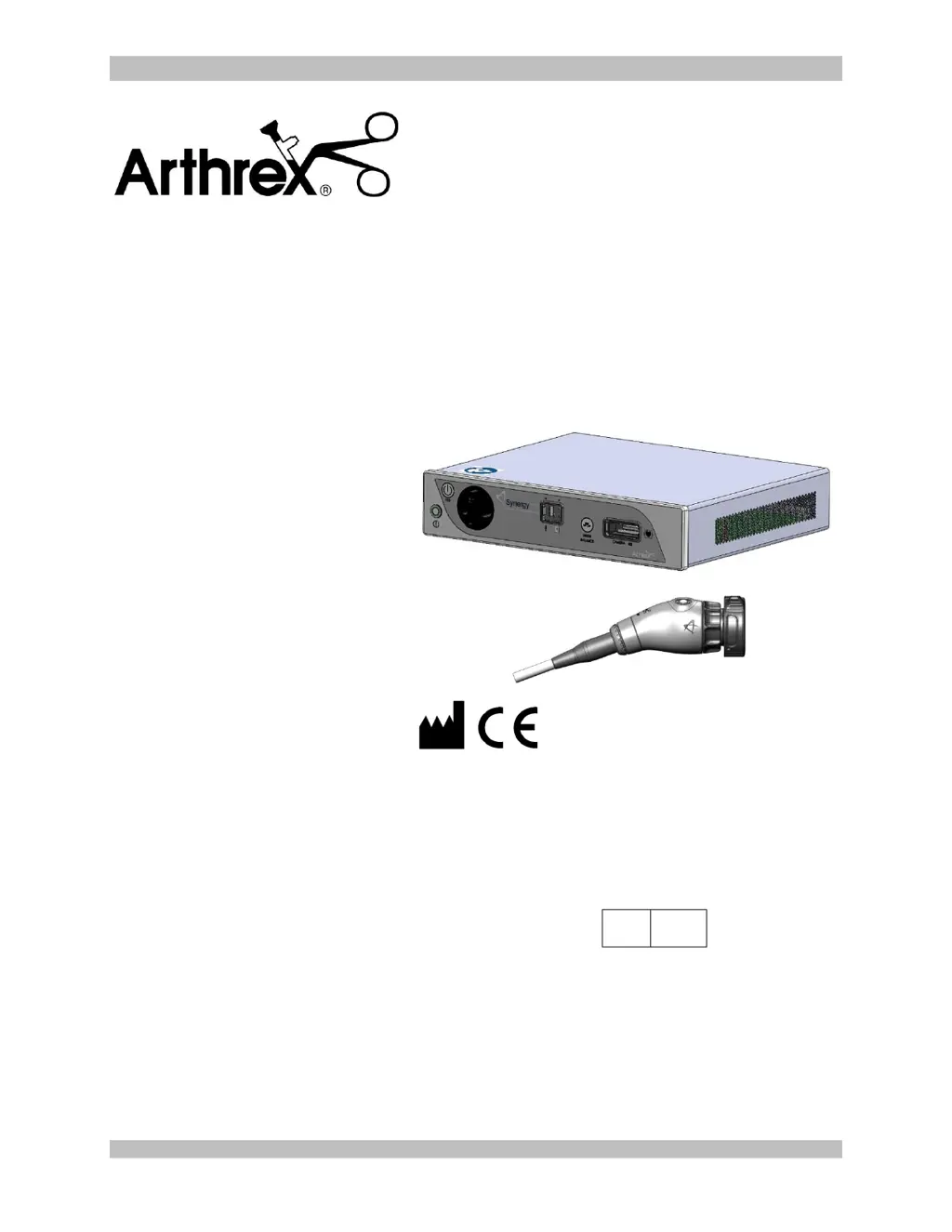
Synergy
UHD4
System
Service Manual
AR-3200-0020
AR-3200-0021
AR-3210-0018
AR-3210-0021
AR-3210-0022
AR-3210-0023
AR-3210-0025
AR-3210-0026
AR-3210-0028
AR-3210-0029
AR-3210-0030
The Arthrex Synergy
UHD4
System Camera Control Unit and
Camera Head Service Manual provides important information
for the safe operation and service of all components of the
Synergy
UHD4
Camera System, including accessories. Read
this Service Manual thoroughly prior to using this system and
keep it in an easily accessible place for use by all operating
personnel. Read and follow all safety warnings, cautions and
precautions.
Arthrex, Inc.
1370 Creekside Blvd.
Naples, FL 34108, USA
+1 (800) 934-4404
Technical Support
1-888-420-9393
EC
REP
Arthrex GmbH
Erwin-Hielscher-Strasse 9
81249 München, Germany
+49 89 909005-0

Table of Contents

Other manuals for Arthrex AR-3210-0029

Questions and Answers

  • J
    Jessica ThompsonAug 14, 2025
    What to do if there is no video image on the Arthrex Control Unit monitor?
    • W
      William EdwardsAug 14, 2025
      If there's no video image on the monitor, ensure the Control Unit and monitor are plugged in and powered on. Confirm all cable connections are correct, rerouting video cables if needed, and check for any cable damage, replacing them if necessary. Also, ensure the camera head cable connector is fully inserted into the Control Unit's camera head receptacle. If the issue persists, try replacing the camera head with a working one to see if the original camera head or cable is faulty and needs repair.
  • M
    Melinda DrakeAug 17, 2025
    How to fix intermittent picture on Arthrex AR-3210-0029 Control Unit?
    • J
      Joel PearsonAug 17, 2025
      To fix an intermittent picture, first, reinsert the camera head connector card edge fully into the CCU camera receptacle. Flex the video and power cables; if the picture is affected, inspect and replace the cables as needed. If flexing the camera cable affects the picture, it may need factory repair or replacement.
  • M
    Misty TylerAug 20, 2025
    What to do if Arthrex AR-3210-0029 camera does not power up?
    • S
      Sara FernandezAug 21, 2025
      If the camera doesn't power up and the standby LED doesn't illuminate, ensure the power cord is plugged into both the CCU and a properly grounded receptacle. If it is, try replacing the power cord, as it may be faulty.
  • J
    Janet PowersAug 25, 2025
    Why Arthrex AR-3210-0029 Control Unit camera will not white balance?
    • E
      Eric Carter MDAug 25, 2025
      If the monitor indicates “White Balance Fail”, it could be due to too much light, too little light, or the wrong color temperature light. Try moving the scope further away or closer to the white gauze during white balance, or adjust the LED Light Engine brightness accordingly.
  • D
    Dominic MoralesAug 27, 2025
    What to do if Arthrex AR-3210-0029 Control Unit tablet continually restarts?
    • H
      harrismichelleAug 27, 2025
      If the tablet continually restarts or won't progress beyond the Samsung startup screen, first, check the tablet cable and connector for any damage. Also, ensure you're using a Samsung model EP-TA10JWE charger with a minimum of 2.0A charge current and a USB 3.0 charger cable (both connectors) no longer than 6 ft. (1.83 meters). Replace the charger or cable if they don't meet these specifications.
  • M
    Madeline CamposAug 31, 2025
    How to fix poor color reproduction on Arthrex AR-3210-0029 Control Unit?
    • G
      graveslisaAug 31, 2025
      To correct poor color reproduction, white balance the camera head.
  • W
    Wendy WadeSep 3, 2025
    How to fix Arthrex AR-3210-0029 system that does not boot up correctly?
    • M
      Michael BarkerSep 3, 2025
      If the system doesn't boot up correctly or banners don't display properly, power down the device, wait three minutes, and then restart the system.
  • K
    Keith NealSep 6, 2025
    Why Arthrex AR-3210-0029 Control Unit camera head buttons do not function?
    • B
      Barbara WheelerSep 6, 2025
      If the camera head buttons do not function as programmed, reprogram the camera head buttons. Note that this solution applies only to the Tablet Data Input device option.
  • R
    ramirezjonathanSep 9, 2025
    What to do if AR-3200-1013 Tablet will not connect to Arthrex CCU?
    • M
      mileskristinSep 9, 2025
      If the AR-3200-1013 Tablet will not connect to the CCU, update the SynergyUHD4 Software to v4.13.1 or newer.

Summary

Introduction and Safety

1.3 Warnings and Precautions

Details critical safety warnings and precautions for operation.

System Components and Peripherals

2.1 Installation

Provides steps for installing the Synergy UHD4 system.

System Configuration and Operation

2.4 Scheduling and Case Management

Guides on scheduling, starting, and ending surgical cases within the system.

Maintenance and Troubleshooting

4.0 Maintenance Overview

Provides guidelines for regular and proper maintenance of the Synergy system.

4.3 Cleaning and Sterilizing

Covers universal precautions and procedures for cleaning and sterilizing instruments.

4.4 Troubleshooting

Provides a table of symptoms, possible causes, and corrective actions for common issues.

5.1 Troubleshooting Procedure

Outlines the step-by-step procedure for troubleshooting and testing the Synergy system.

Technical and Regulatory Information

Arthrex AR-3210-0029 Specifications

General IconGeneral
BrandArthrex
ModelAR-3210-0029
CategoryControl Unit
LanguageEnglish

Related product manuals