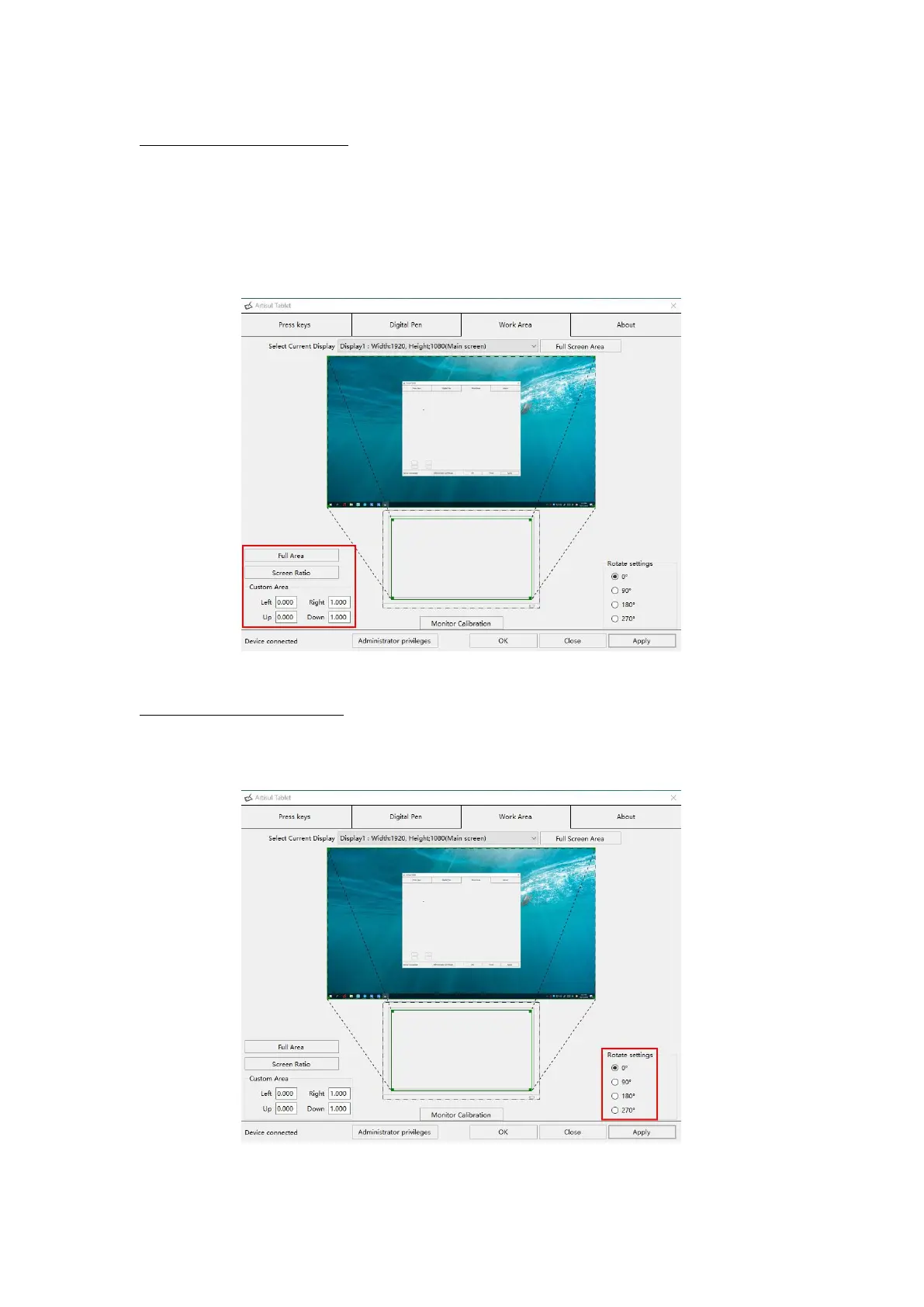
3.2.2 Working Area Setting
Define the display area that will be mapped to the screen area.
1. Full Area: the entire active area of the Display. This is the default setting.
2. Same Ratio with LCD.
3. Customized Area: 1.> Enter coordinate values. or2>. Drag the corners of the
foreground graphic to select the screen area.
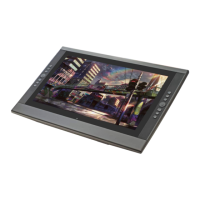
3.2.3 Rotate Working Area
By changing the direction of the tablet to adapt to the left and right hand operation.
You can rotate the tablet by 0°,90°,180° or 270°.



 To Next Page