1.3 Setting up Display
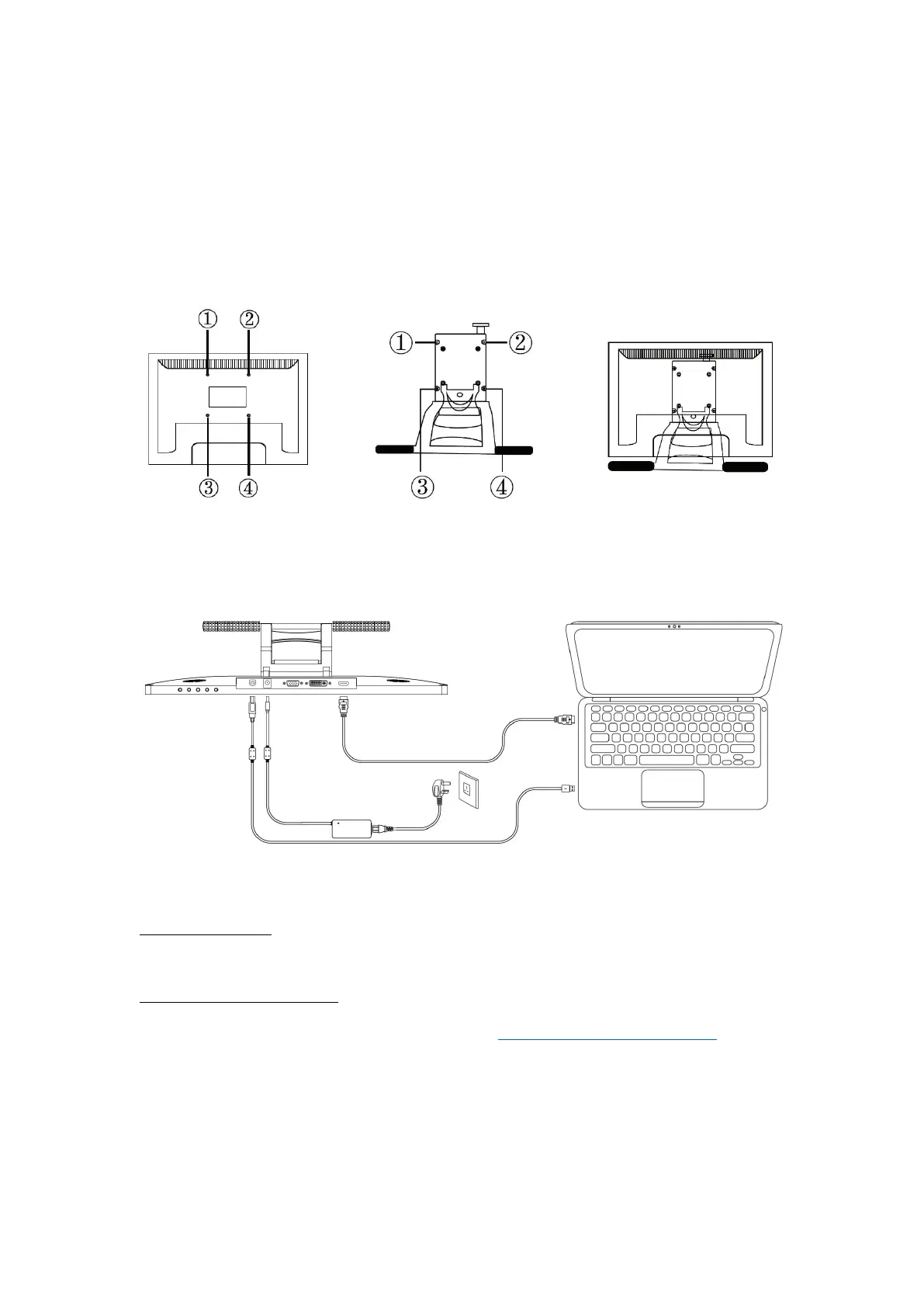
1. Take out the pen display and stand from the package, then assemble the
stand to the back of the display with attached screwdriver according to the
following instruction.
2. As shown on the below, connect the pen display to your computer with
attached power adapter, HDMI cable and USB Cable.
3. Press the power button on the bottom of the display to power on the
display
1.4 Installing the Driver
1.4.1 OS Support
Windows 7 or later,macOS 10.12 or later
1.4.2 Install via Download
Please download the driver from our website: www.artisul.com/downloads
Notice:
1. Before installing, you need to uninstall other driver of similar products, including
the old driver of this product.
2. Before installing, please close all graphics software and anti-virus software to



 To Next Page