2.1.5 Use the side buttons
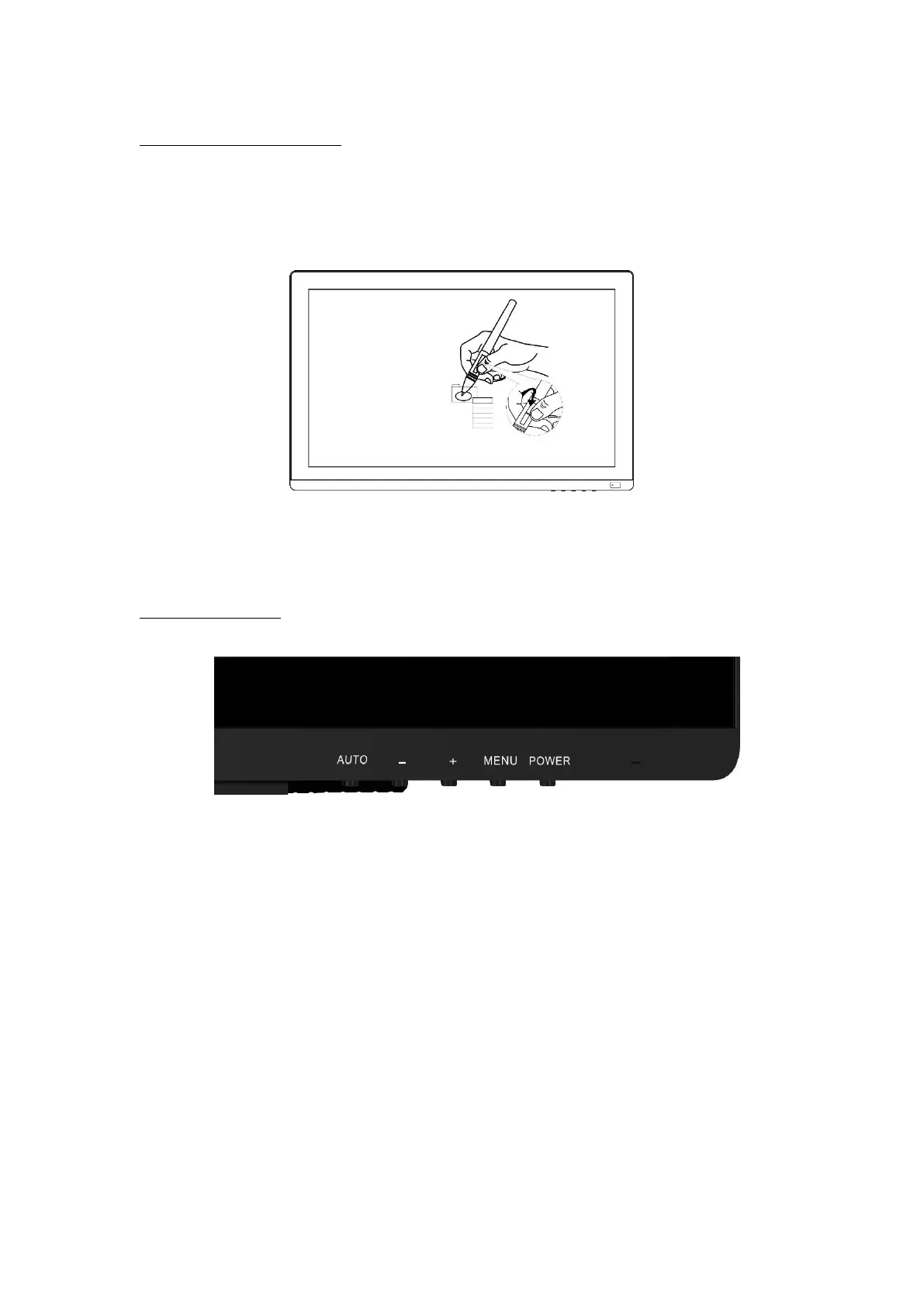
The side buttons of the pen can be set to two different customizable functions.
You can use the buttons whenever the pen tip is within 10mm of the display active
area.
You do not have to touch the pen tip to the display in order to use the switch.
2.2 OSD Setting
2.2.1 OSD Buttons
POWER --- Power on/off the display.
MENU ---- Press to call up the menu, after entering menu, it’s function is confirm.
+ ----- After entering menu, it’s function is to up/right/increase.
-
----- After entering menu, it’s function is to down/left/decrease.
AUTO ----- Before entering menu, it’s function is auto adjustment. After entering
menu, it’s function is back to previous menu.



 To Next Page