2.3. Quick Start: A basic patch
The patch below is an ideal starting point for getting to know the 1973-Pre plugin. We will use
the sequencer to modulate the saturation (drive) and the EQ amount of one or two bands.
It illustrates how you can use 1973-Pre to process sound. The example below was tested in
Cubase Pro, but it will work in a similar way in other DAWs.
Please load the default factory preset. This ensures that you have all knobs in the correct
starting position.
Let's give it try:
• Load a four-beat clip into an audio track in your DAW (a drum track is ideal for
testing the EQ and the saturation of the preamp).
• Load an instance of 1973-Pre as an insert on that same track.
• Make the interface of the 1973-Pre visible by clicking its name in the Mixer.
• Now start your DAW and play the loop. It will sound the way it was recorded.
By default, all parameters are in a neutral position. There is still some minor
harmonic distortion, but that's OK with our demonstration.
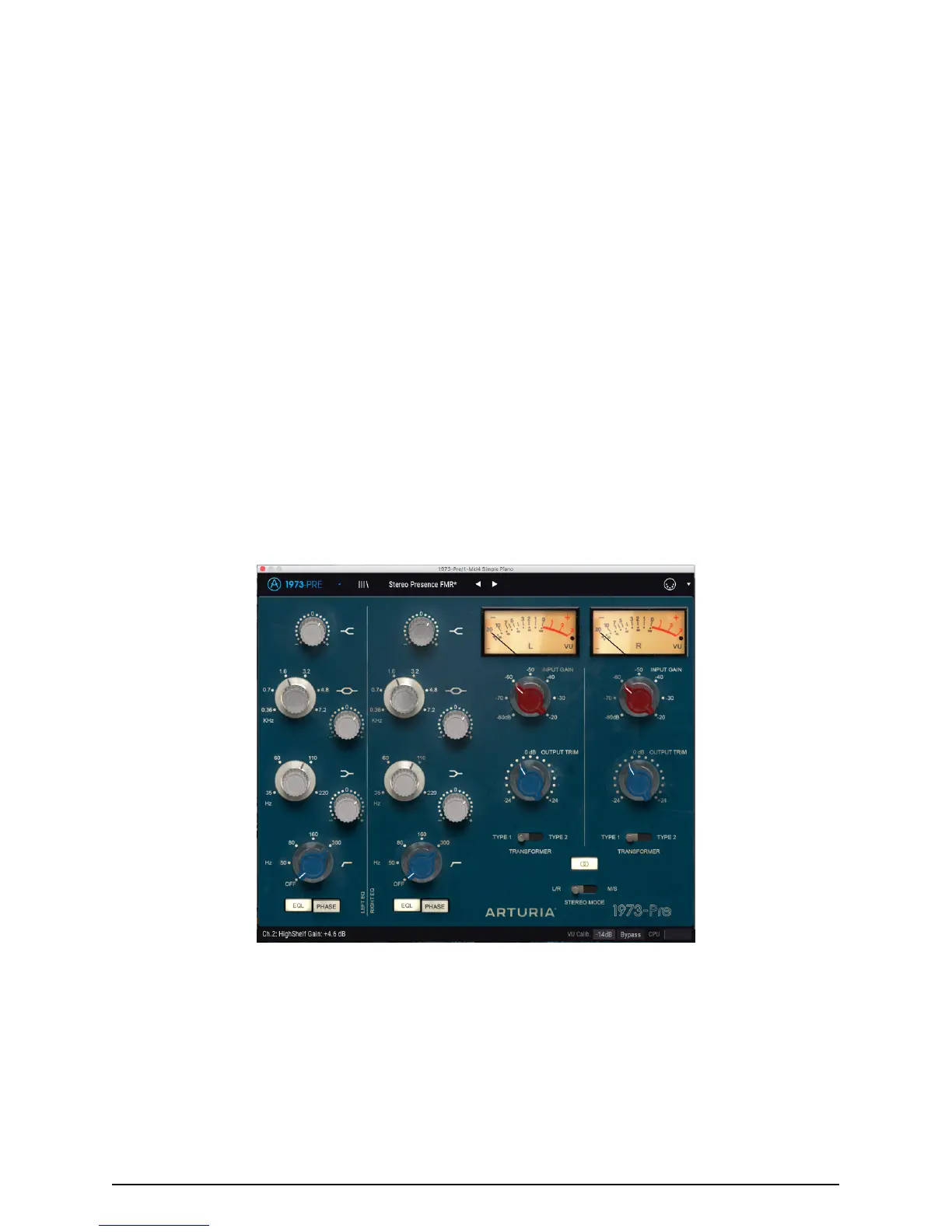
• Set the lnput Level to -50 and observe what happens on the VU meters; if a dot
signal appears on the right, the Input Level may be too much. Although harmonic
distortion can be used as a sound design tool, you may want to reduce that level.
By raising the Input Level, you just added some saturation to your signal.
• Now increment the High Shelf. Remember that this band is set to a relatively high
frequency (12kHz). So, just give it a little boost (maybe 1dB). This will give your
mix a little more "air".
1973-Pre configured to add some "presence" to the sound
8 Arturia - User Manual 1973-Pre - ACTIVATION AND FIRST START



 To Next Page