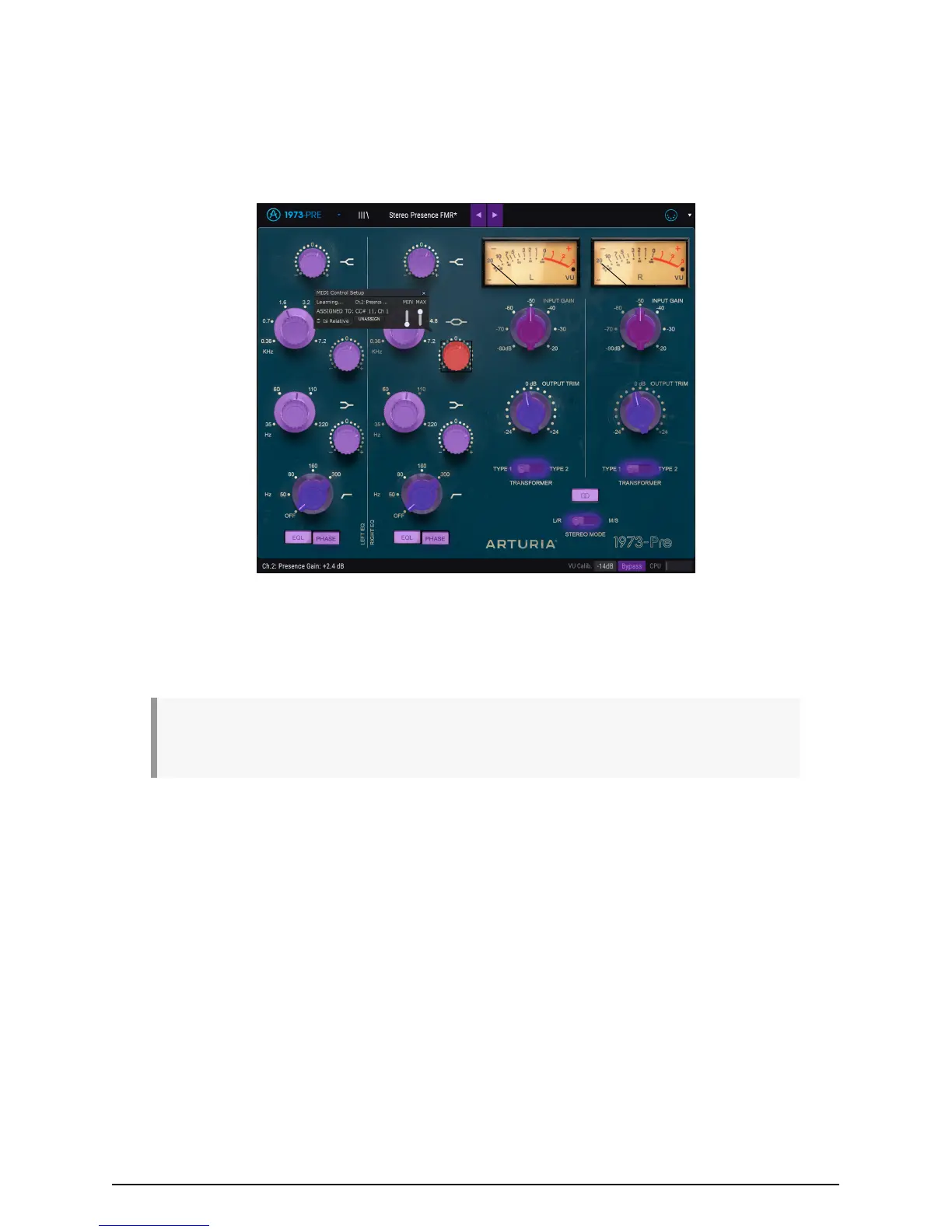
3.3. MIDI Learn assignment
The MIDI plug icon at the far-right side of the toolbar places the instrument in MIDI learn
mode. MIDI-assignable parameters will be shown in purple, which means you can map
physical controls to those destinations inside the instrument. A typical example might be
to map a real expression pedal to the Output Trim control, or knobs and faders on your
controller to the different virtual knobs and switches of the plug-in.
In the image above one of the parameter control knobs is red. That means it has already
been assigned to an external MIDI control. It can be reassigned, though.
♪: Remember that you can also assign the Preset Forward and Backward arrows to an external
control.
3.3.1. Assign / Unassign controls
If you click on a purple area, you’ll put that control into learning mode. Move a physical
dial, fader, or button and the target goes red, indicating that a link has been made between
the hardware control and the software parameter. There’s a pop-up window that displays
which two things are being linked and an Unassign button that will disconnect the two.
MIDI Learn assignment mode in the 1973-Pre
Arturia - User Manual 1973-Pre - USER INTERFACE 13



 To Next Page