5.1.2. Single Channel Preamp Section and Output
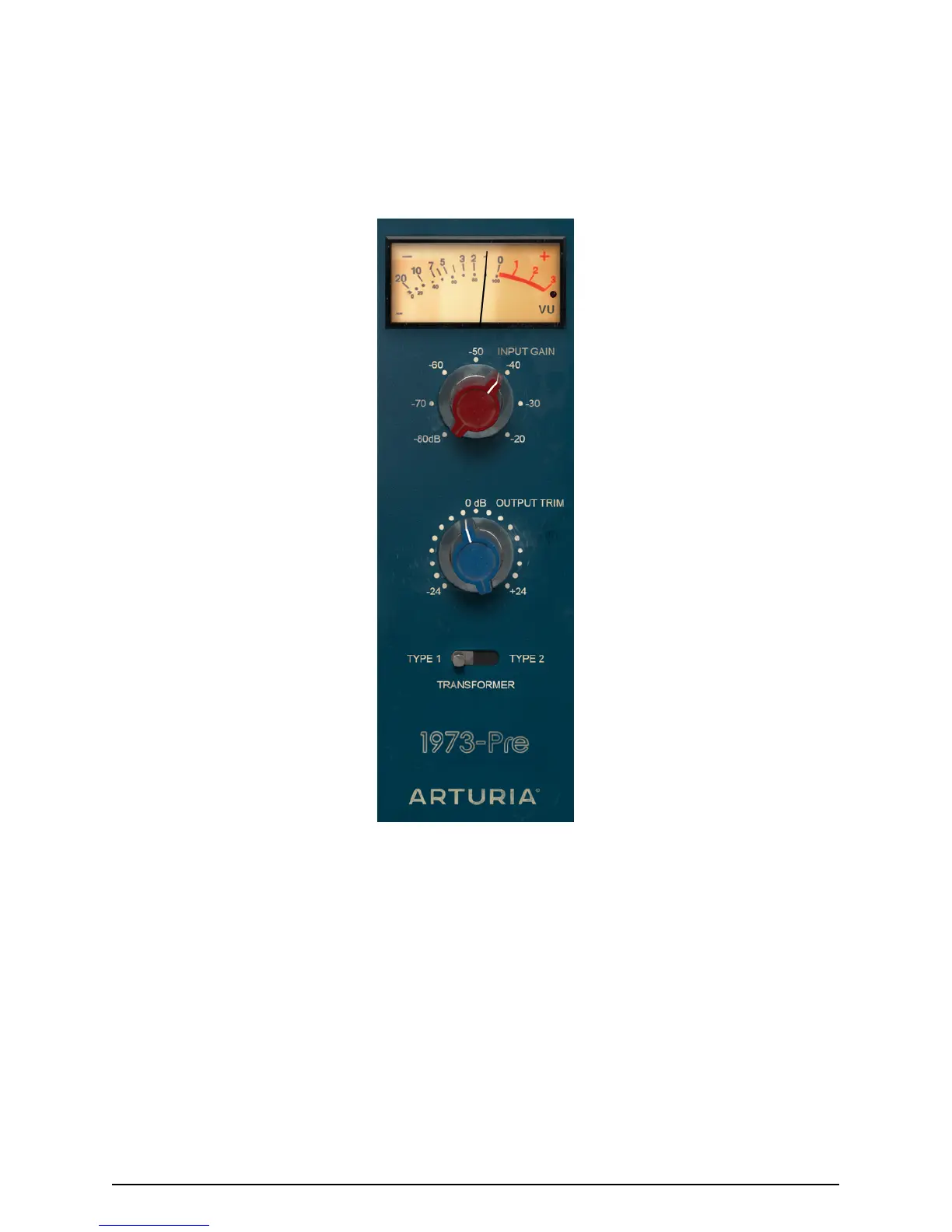
The preamp section in the Single Channel configuration is very simple. It is located on the
right side of the control panel. On top, we have a single VU meter. Remember that we can
calibrate the response of the VU meter by clicking in the respective button of the lower
toolbar section of the User Interface (which displays the default value of -18dBFs). We can
change that value to -14dBFs or -8dBFs. If you don't have a good reason to change the
calibration, leave it that way.
Right below the VU meter, we have the Input Level knob. This knob controls the saturation
level (drive) added to the sound. Its values go from -80dB to -20dB with the default position
in -80dB. When we increase this value, we increase the saturation level.
However, we will not have an increase in the overall perceived volume. This is due to the
fact that the 1973-Pre plug-in has an Automatic Gain Compensation, which balances the gain
induced in this stage so that we don't have to bother with differences in volume, and can
concentrate on the real deal, which is the audio saturation.
Below the Input Level knob, we have the Output Trim knob. This knob controls the overall
output volume of the 1973-Pre, and goes from -24dB to +24dB. Default value is 0dB (no
change in volume).
1973-Pre Single Channel
Preamp
Arturia - User Manual 1973-Pre - 1973-Pre CONTROL PANEL 31



 To Next Page