3. Next, go back to the Application folder and open the Utilities folder.
4. Open the Audio MIDI Setup application.
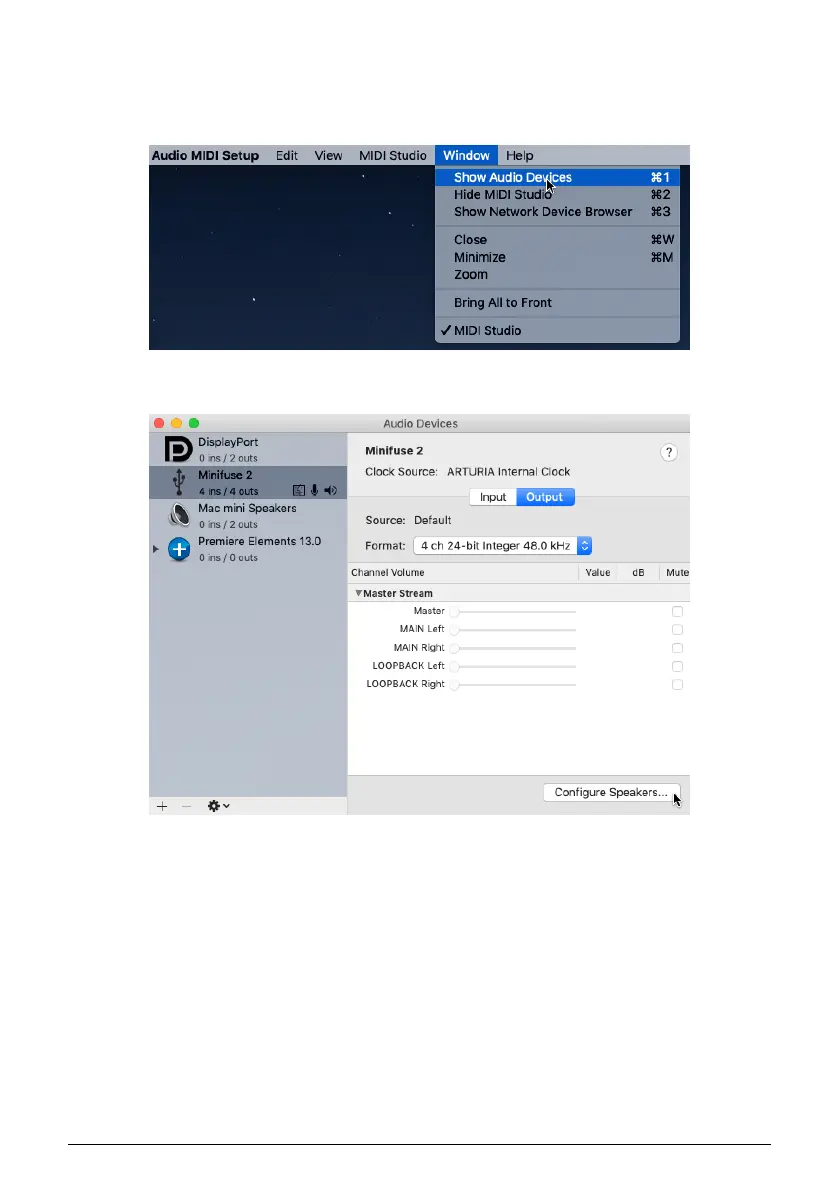
5. In the Window menu, select Show Audio Devices.
6. Click the MiniFuse 2 in the left panel, then click Configure Speakers.
Arturia - User Manual MiniFuse 2 - LOOPBACK RECORDING FEATURE 25


 To Next Page
 Loading...