6 Aruba 330 Series Access Points | Installation Guide
When connected to the network, each access point is assigned a valid IP address
Access points are able to locate the controller
Refer to the ArubaOS Quick Start Guide for instructions on locating and connecting to the controller.
Pre-Installation Network Requirements
After WLAN planning is complete and the appropriate products and their placement have been determined, the
Aruba controller(s) must be installed and initial setup performed before the Aruba access points are deployed.
For initial setup of the controller, refer to the ArubaOS Quick Start Guide for the software version installed on your
controller.
Identifying Specific Installation Locations
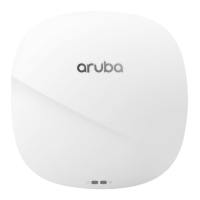
The 330 Series can be mounted on a wall or on the ceiling. This access point should be oriented vertically, with
rubber pads facing downward to facilitate maximum antenna gain. Use the access point placement map
generated by Aruba RF Plan software application to determine the proper installation location(s). Each location
should be as close as possible to the center of the intended coverage area and should be free from obstructions
or obvious sources of interference. These RF absorbers/reflectors/interference sources will impact RF
propagation and should be accounted for during the planning phase and adjusted for in RF plan.
Identifying Known RF Absorbers/Reflectors/Interference Sources
Identifying known RF absorbers, reflectors, and interference sources while in the field during the installation
phase is critical. Make sure that these sources are taken into consideration when you attach an access point to its
fixed location.
RF absorbers include:
Cement/concrete—Old concrete has high levels of water dissipation, which dries out the concrete, allowing
for potential RF propagation. New concrete has high levels of water concentration in the concrete, blocking
RF signals.
Natural Items—Fish tanks, water fountains, ponds, and trees
Brick
RF reflectors include:
Metal Objects—Metal pans between floors, rebar, fire doors, air conditioning/heating ducts, mesh windows,
blinds, chain link fences (depending on aperture size), refrigerators, racks, shelves, and filing cabinets.
Do not place an access point between two air conditioning/heating ducts. Make sure that access points are
placed below ducts to avoid RF disturbances.
RF interference sources include:
Microwave ovens and other 2.4 or 5 GHz objects (such as cordless phones)
Cordless headset such as those used in call centers or lunch rooms
Access Point Installation
Refer to the steps in this section to install the Aruba 330 Series access points using the AP Ceiling Rail Mount Kit
(AP-220-MNT-C1).
RF Radiation Exposure Statement: This equipment complies with RF radiation exposure limits. This equipment
should be installed and operated with a minimum distance of 13.78 inches (35cm) between the radiator and
your body for 2.4 GHz and 5 GHz operations. This transmitter must not be co-located or operating in conjunction
with any other antenna or transmitter.
Déclaration sur les limites d'exposition aux radiofréquences : cet équipement est conforme aux limites
d'exposition aux rayonnements radioélectriques spécifiées. Il doit être installé et utilisé à une distance minimale
de 35 cm par rapport à votre corps pour les fréquences de 2,4 et 5 GHz. Cet émetteur-récepteur ne doit pas être
utilisé ou situé à proximité d'autres antennes ou émetteurs-récepteurs.


 To Next Page