12
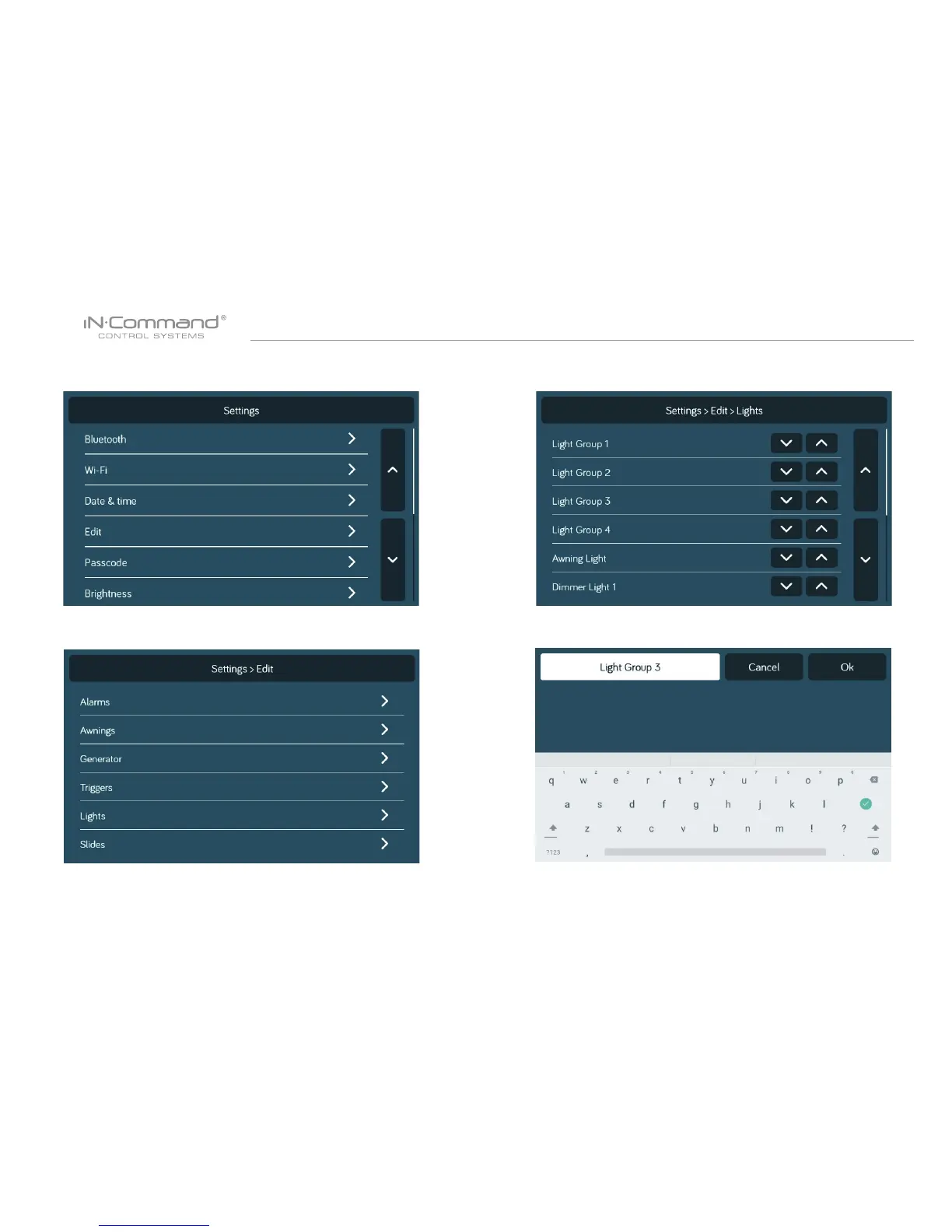
5. Use the keyboard to edit the name, then press "Save"
2. Press “Edit” to enter “Edit” page
3. Select the function to edit.
Note: Editing the text on the DC will not change the text on
a device’s App.
4. Long press the intended text, e.g., "Light Group 3"


 To Next Page