31
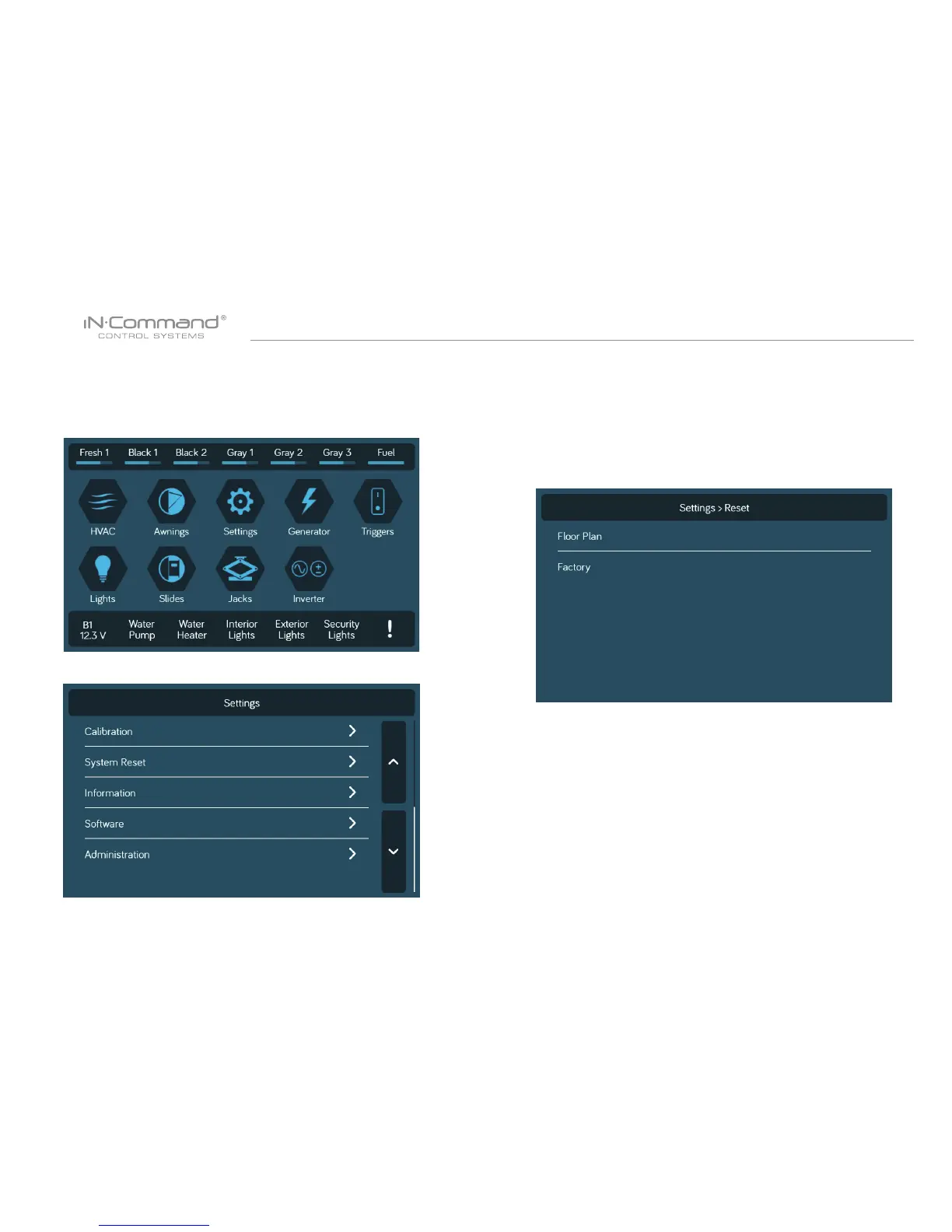
• RESET: FLOOR PLAN
Rest to Floor Plan to remove customization, or reset to factory settings.
2. Select "System Reset" in the Settings page.
3. Select on of the two options.(Floor Plan of Factory) to restore
to a previous state. Current settings will be lost.
a. Floor Plan: restores to previous oor plan settings from
RV manufacturer.
b. Factory: restores to default settings from ASA electronics.
1. Select "Settings".


 To Next Page