30
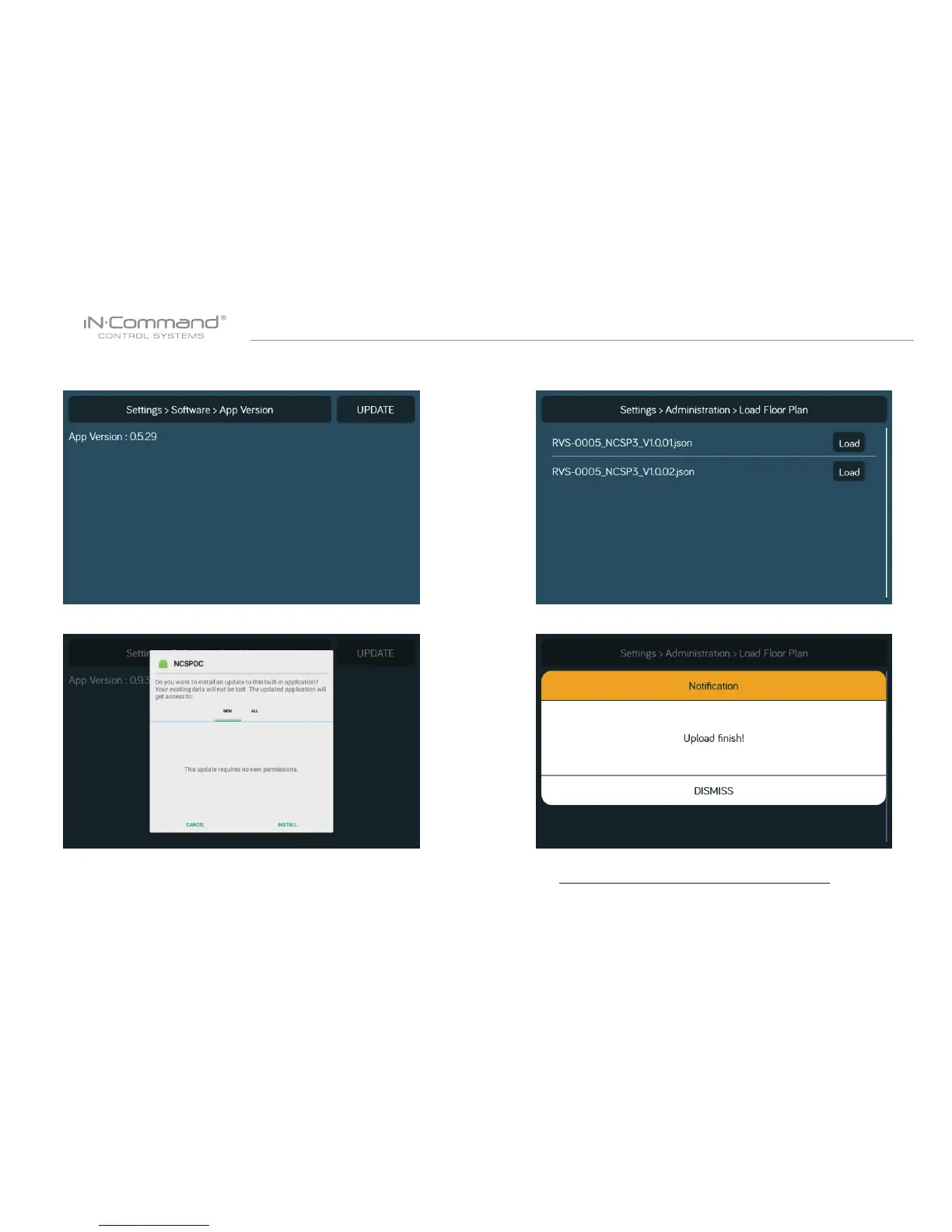
10. Press the App version to update the DC App.
Press " Update".
11. Press "Install".
12. Press the Floor Plan to select a oor plan.
Press "Load" to select the oor plan.
* If a software update is needed, go to
http://www.asaelectronics.com//in-command
** If there is a software issue, Call ASA Electronics Technical
Support at 1-877-845-8750 or email them at
info@asaelectronics.com.
13. Press " Dismiss" to conrem selection.


 To Next Page